Grade Stake Cut & Fill Calc
iOS Universel / Utilitaires
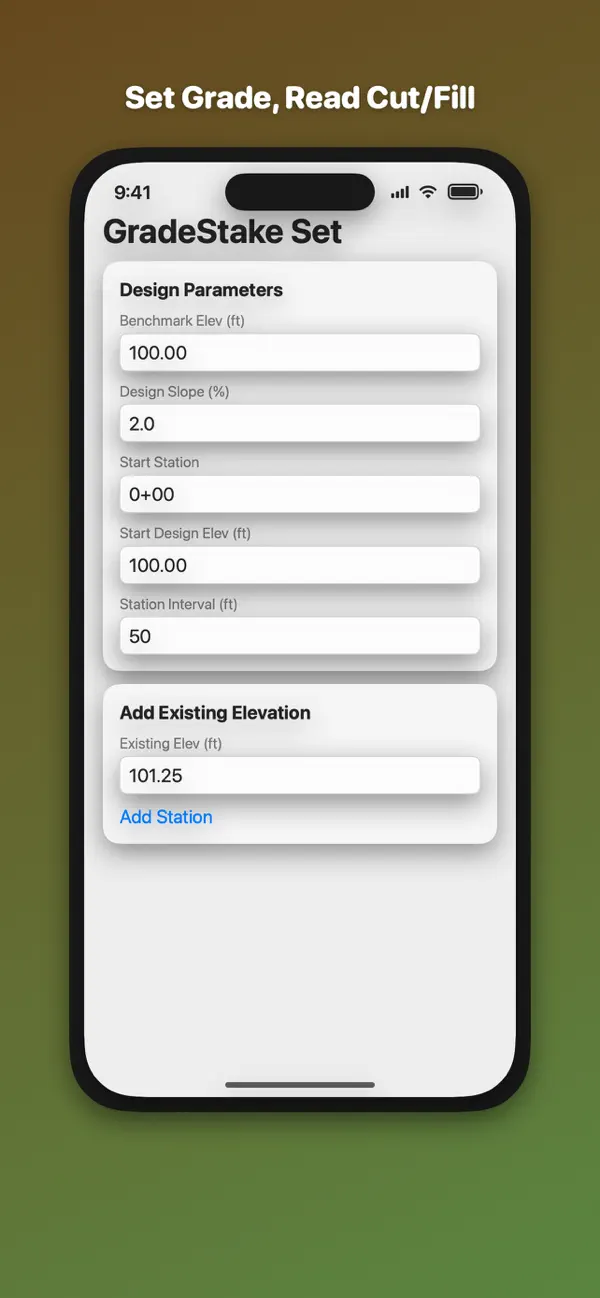
On a grading job and need cut or fill at every station without hauling out a surveying textbook? Set your design grade line once, then type in ground shots as you walk it. Every station comes back with a projected design elevation and a color-coded CUT or FILL number, to two decimals.
WHAT IT CALCULATES:
Set the grade line once:
- Start Station, in engineering format (0+00)
- Start Design Elev, the design elevation at that station
- Design Slope, in percent
- Station Interval, in whole feet or meters
Then add ground shots one at a time:
- Type an existing ground elevation and tap Add Station
- The station numbers itself, stepping one interval further down the line each time: 0+00.00, 0+50.00, 1+00.00
- The design elevation at that station is projected from your start elevation and the design slope
- Cut or fill is the difference between projected design and the ground shot you entered
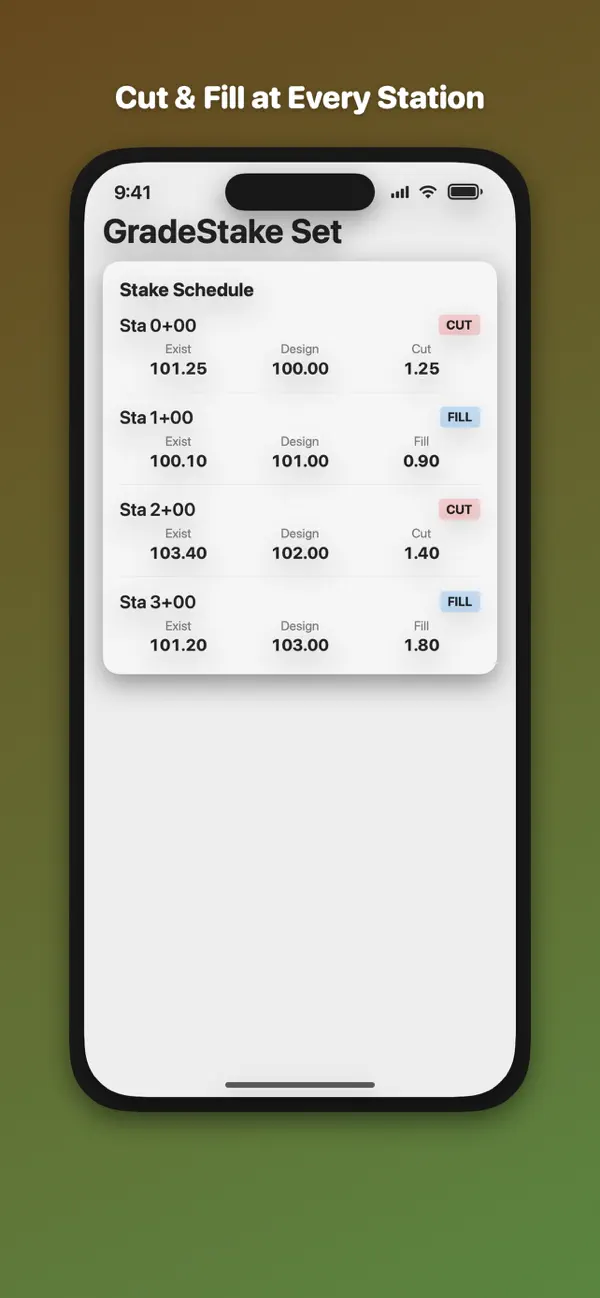
Every station row shows:
- The station label
- A red CUT or blue FILL badge
- Exist, the ground elevation you entered
- Design, the projected design elevation
- Cut or Fill, the difference to two decimals
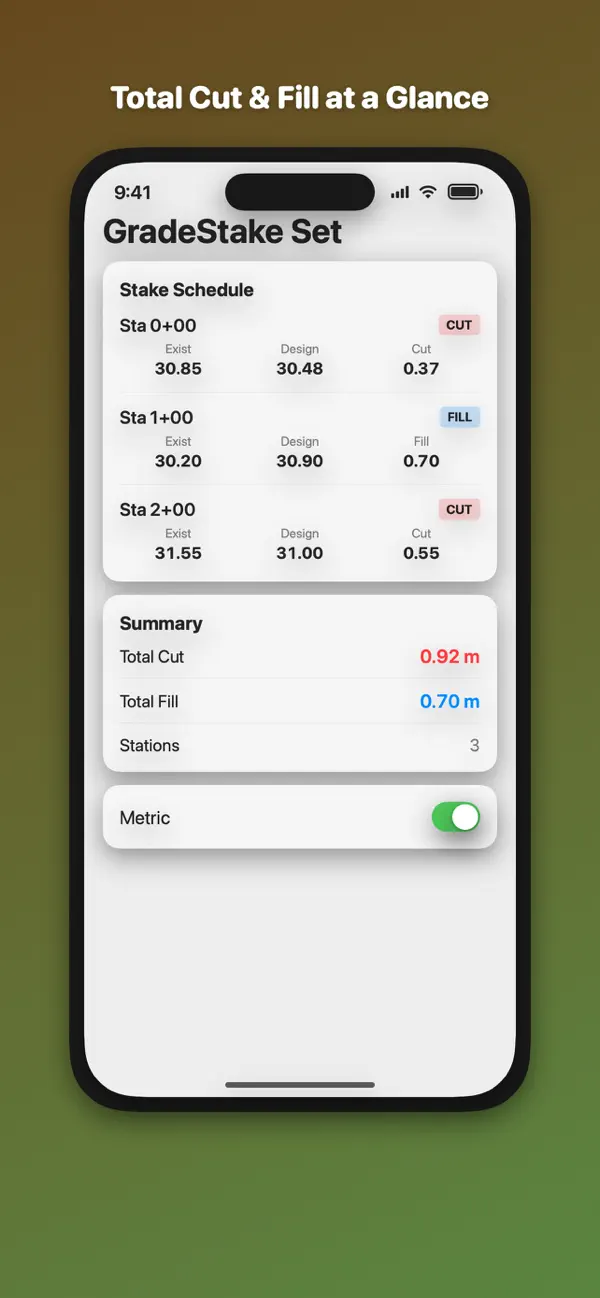
The summary shows:
- Total Cut, added up across every cut station
- Total Fill, added up across every fill station
- The number of stations on the line
KEY FEATURES:
- Design elevations projected down a constant grade from a single start elevation
- Automatic engineering station numbering at the interval you set
- Cut or fill computed at every station, to two decimals
- Red CUT and blue FILL badges on each row, with red and blue summary totals
- Clear All and start the next line
- Metric toggle switches elevations and totals to meters
- The calculator works completely offline. No account, no login, nothing you type leaves your device
- $4.99 once. No subscription, no in-app purchases
WHAT IT DOES NOT DO:
Straight talk before you buy. This app does not derive slope from two elevations, and it does not report slope ratio or angle in degrees. You supply the grade in percent and the app applies it down the line. It holds one grade line at a time, and the schedule clears when you quit. Stations are numbered in the order you add them, so if you swipe one away the rows after it keep their original numbering — clear and re-enter if you need to fix a shot mid-line.
The app also includes a More Pro Tools card linking to our other apps on the App Store. Nothing in the calculator needs it, and nothing needs a connection.
BUILT FOR THE JOB SITE:
For land surveyors, site contractors, grading foremen, and civil engineers setting grade stakes on road grades, parking lots, drainage swales, and site pads. One screen, one job: turn a ground shot into a cut or fill number before you move the rod.
Quoi de neuf dans la dernière version ?
More Pro Tools now leads with FE Civil Exam Prep — NCEES-style practice questions and a full-length timed mock exam for the FE Civil exam. Everything in this app works exactly as before.