Hanglin - KoreanKeyboard
iOS Universel / Utilitaires
1. Welcome to Hanglin!
The standard Korean keyboard is widely used and convenient, but it has some inconveniences: you must compose vowels, and because Hangul is assembled in the text field, small fonts can make characters hard to check.
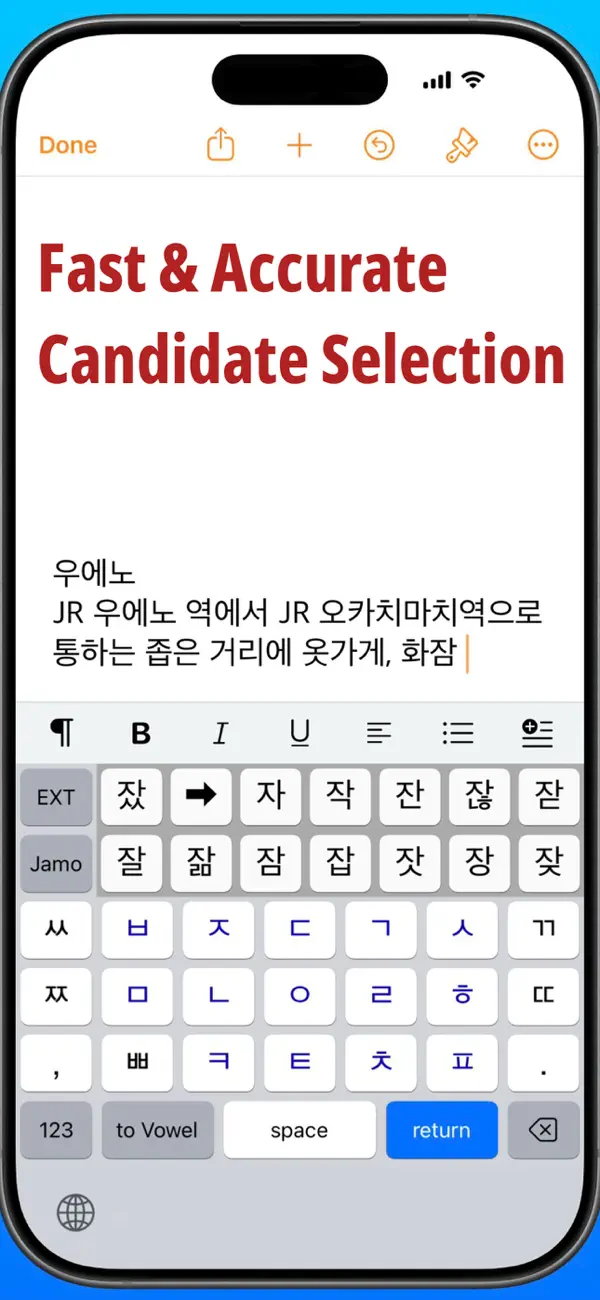
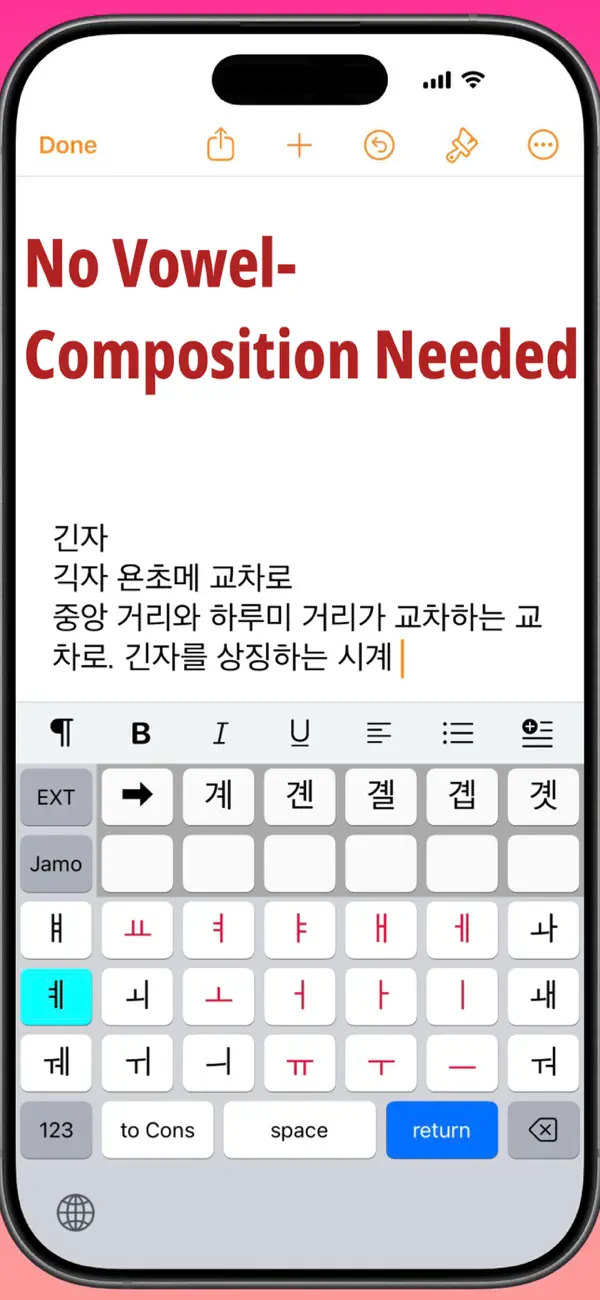
Hanglin solves these issues by placing consonants and vowels on separate screens with automatic switching. You can directly select all 19 consonants and 21 vowels without vowel composition. And since you choose from candidates, input is not affected by font size. As a result, Hangul typing on iPhone becomes fast, accurate, and surprisingly simple.
2. Features
(1) By reducing the standard 10-column layout to 7 columns, keys are larger and easier to tap.
(2) The consonant and vowel layouts are similar to the standard keyboard, making it easy to get used to and type faster.
(3) Hangul is chosen from up to 18 large candidate characters, ensuring accurate input even for complex combinations.
(4) Basic 14 consonants are shown in blue, and the basic 12 vowels in red, making them easy to distinguish.
(5) On iPad, jamo are arranged in dictionary order, which is helpful for Korean learners.
(6) You can enter 2,350 + 47 characters in Basic Hangul mode, and all 11,172 characters in EXT mode.
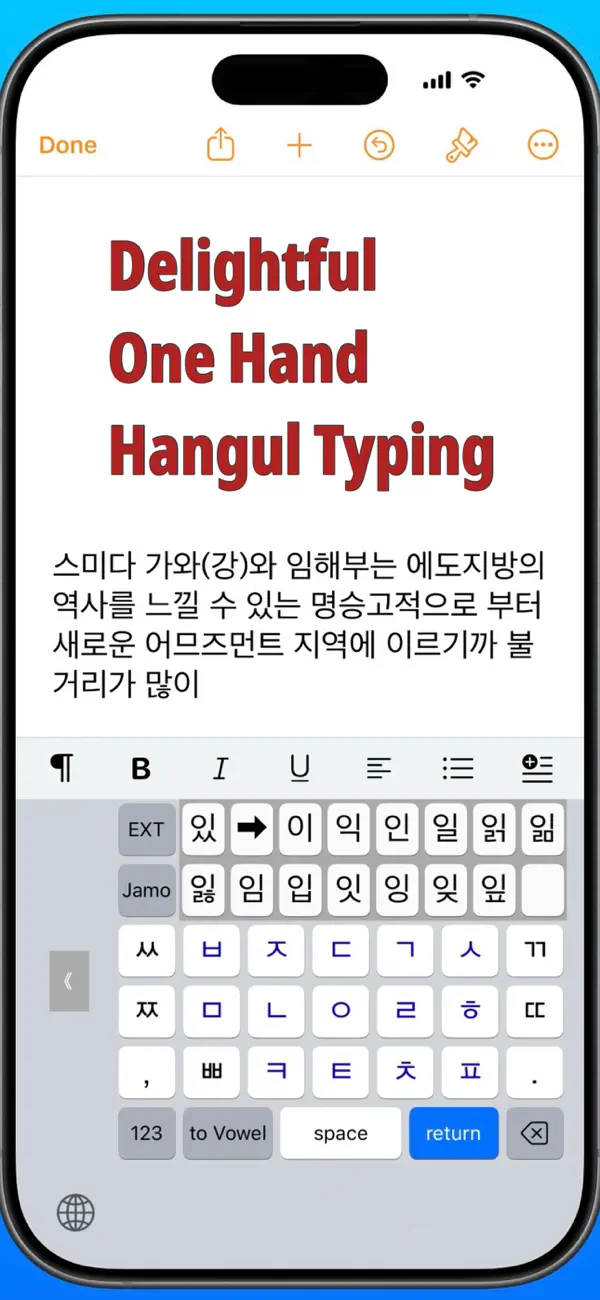
(7) The initial L, R keys allow one-hand keyboard operation.
(8) Input modes include: Basic Hangul, EXT, Numbers, Symbols, English, and Jamo (6 modes).
3. Supported Devices (as of Nov 2025)
Supported Models
· iPhone: iPhone SE (2nd generation) to iPhone 17 series
· iPad: iPad 5th generation to iPad A16
Supported OS
· iOS 15.5 – 18.x and iOS 26.x
· iPadOS 15.5 – iPadOS 26.x
Interface Languages
English, Korean, Japanese
4. Initial Setup
To start using Hanglin, two settings are required.
[1] Add the keyboard
· Open the Settings app.
· Go to General → Keyboard → Add New Keyboard.
· Select Hanglin.
[2] Enable tap sounds (Allow Full Access)
· Open Settings → Accessibility → Keyboards & Input.
· Tap Full Keyboard Access.
· Turn on the Full Keyboard Access switch.
*After this setting, you can toggle key-tap sound on/off using the switch inside the host app.
5. How to Use
· When you select a consonant, the screen automatically switches to the vowel screen.
· After choosing a vowel, up to 18 Hangul candidates appear.
· Select your desired syllable, and the keyboard returns to the consonant screen. Repeat as needed.
· Two candidate display modes are available. An optional mode places Hangul with the “ssang-siot final consonant” first, making frequently used keys easier to reach on the right side.
· To enter jamo only (without forming a syllable), tap the Jamo button or the Complex Batchim (CBtm) button that appears afterward.
· In one-handed mode, the L, R keys temporarily disappear after you select a Hangul jamo. They will reappear if you rotate your iPhone and then return it to its original orientation.
6. About the Developer
· Name: Takayuki Imai
· Email: snowysap@gmail.com
· Support Site: https://superscript.sakura.ne.jp/
7. Privacy Policy
· The keyboard never sends your typed content to any server or over the internet.
· We do not disclose or sell personal information such as your name, email address, or communication with us.
Quoi de neuf dans la dernière version ?
What’s New in Ver 8.1
We fixed a minor bug in the keyboard’s host app.