iPhoneAddict Apps
  • Actualités
  • Accueil Apps
  • iPhone
  • iPad
  • Universelles
  • Mac
  • Apple TV
KG KultureGeek
App
iPhone / iPad Télécharger iAddict v5 Mac Télécharger iAddict Mac
  • Actualités
  • Accueil Apps
  • iPhone
  • iPad
  • Universelles
  • Mac
  • Apple TV
  • Archives keynotes
  • Firmwares & iTunes
  • Contactez-nous
  • Comparateur de prix
  • KultureGeek
Accueil » Liste des Apps » Apps iPhone » Utilitaires » J-TH
L'application n'est plus disponible sur l'App Store français
1.6 iOS €Gratuit Kwan Shing Marco Li 0 0 J-TH is a thermo-hygrometer that plugs into audio jack of your iPhone/iPad. Features: -Plug and Play! No setup required -Temperature range from -30 to 70 degree C (-22 to 158 degree F) -Humidity range from 0% to 100% -Real-time Temperature and...
J-TH

J-TH

iPhone / Utilitaires

Gratuit
Obtenir sur l'App Store
Facebook X E-mail

J-TH is a thermo-hygrometer that plugs into audio jack of your iPhone/iPad.

Features:
-Plug and Play! No setup required
-Temperature range from -30 to 70 degree C (-22 to 158 degree F)
-Humidity range from 0% to 100%
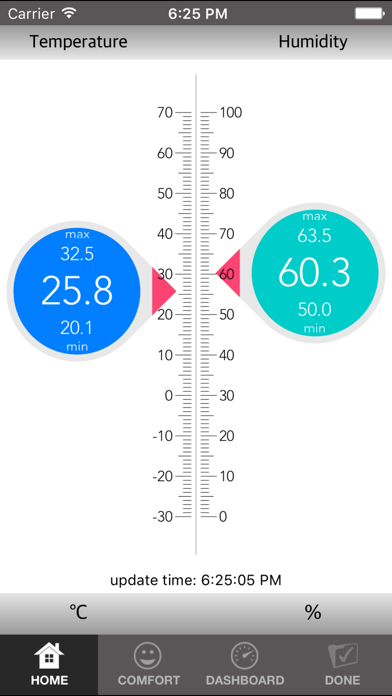
-Real-time Temperature and Humidity measurement
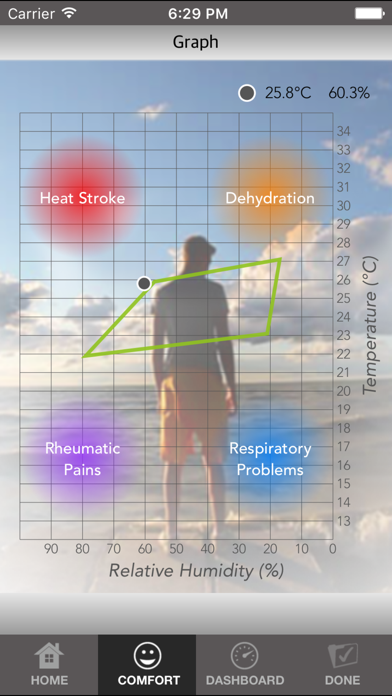
-Comfort Information for reference
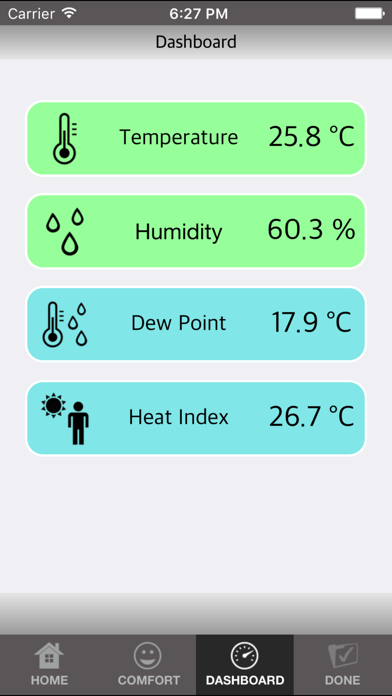
-Dew Point and Heat Index calculation
-No battery required

How to use:
1. Open "J-TH" app.

2. Firmly plug the J-TH into the audio jack of iPhone/iPad and turn the headphone volume to maximum.The temperature and humidity reading shall be shown in a few seconds.

3. When you finished using J-TH, press "Done", then plug out J-TH from iPhone/iPad.


Troubleshooting:
If the J-TH is not showing the reading, please check the following:
-If the app shows "No J-TH detected" or "No data from J-TH", please manually turn the headphone volume to maximum.
-If the app shows "Cannot access microphone due to privacy setting", then please turn ON the microphone accessibility in privacy setting for "J-TH" app.
-Please make sure "Volume Limit" is turned off in "Settings" of iPhone/iPad.
-For iPhone/iPad purchased in EU, the EU volume limit may apply to devices which means the headphone volume maybe lower, therefore it is not guaranteed that J-TH will work. If there is "EU Volume Limit" in "Settings", please turn it off and try.

Contact us:
If you have any enquiries, please contact
marco@carrin.com.hk

En voir plus...

Quoi de neuf dans la dernière version ?

This app has been updated by Apple to display the Apple Watch app icon.
  • Screenshot #1 pour J-TH
  • Screenshot #2 pour J-TH
  • Screenshot #3 pour J-TH

Note

(0 note)

Détails sur l'application

Version
1.6
Taille
1.7 Mo
Version minimum d'iOS
8.0
Dernière mise à jour
23/11/2016
Publié par
Kwan Shing Marco Li

Newsletter App Store

Recevez chaque jour les meilleures promos

Actualité Apple

Image John Ternus devient officiellement CEO d’Apple et succède à Tim Cook
John Ternus devient officiellement CEO d’Apple et succède à Tim Cook
Image Starclash débarque sur Apple Vision Pro : plongez dans un film d’animation façon Pixar en vidéo immersive
Starclash débarque sur Apple Vision Pro : plongez dans un film d’animation façon Pixar en vidéo immersive
Image L’iPhone reste largement en tête aux États-Unis sur le Q2 2026, mais Samsung gagne du terrain
L’iPhone reste largement en tête aux États-Unis sur le Q2 2026, mais Samsung gagne du terrain
Image « Un désordre créé par Apple » : OpenAI rejette les accusations de vol de secrets
« Un désordre créé par Apple » : OpenAI rejette les accusations de vol de secrets
iPhoneAddict Apps

Le catalogue iPhoneAddict pour suivre les nouveautés, mises à jour et baisses de prix de l’App Store.

Apps

Toutes les apps iOS iPhone iPad Universelles Mac Apple TV

iPhoneAddict

Actualité Apple Archives keynotes Contact À propos KultureGeek

Suivez-nous

©2009-2026 i2CMedia. Tous droits réservés.