iPhoneAddict Apps
  • Actualités
  • Accueil Apps
  • iPhone
  • iPad
  • Universelles
  • Mac
  • Apple TV
KG KultureGeek
App
iPhone / iPad Télécharger iAddict v5 Mac Télécharger iAddict Mac
  • Actualités
  • Accueil Apps
  • iPhone
  • iPad
  • Universelles
  • Mac
  • Apple TV
  • Archives keynotes
  • Firmwares & iTunes
  • Contactez-nous
  • Comparateur de prix
  • KultureGeek
Accueil » Liste des Apps » Apps Universelles » Utilitaires » J-UV
L'application n'est plus disponible sur l'App Store français
1.4.0 iOS €Gratuit Kwan Shing Marco Li 1 1 J-UV is an UV index meter that plugs into audio jack of your iPhone/iPad. Features: -Plug and Play! No setup required -Measurement range from UVI 0 to 11+ -Real-time UV Index measurement -UV protection for reference -No battery required How to...
J-UV

J-UV

iOS Universel / Utilitaires

Gratuit
Obtenir sur l'App Store
Facebook X E-mail

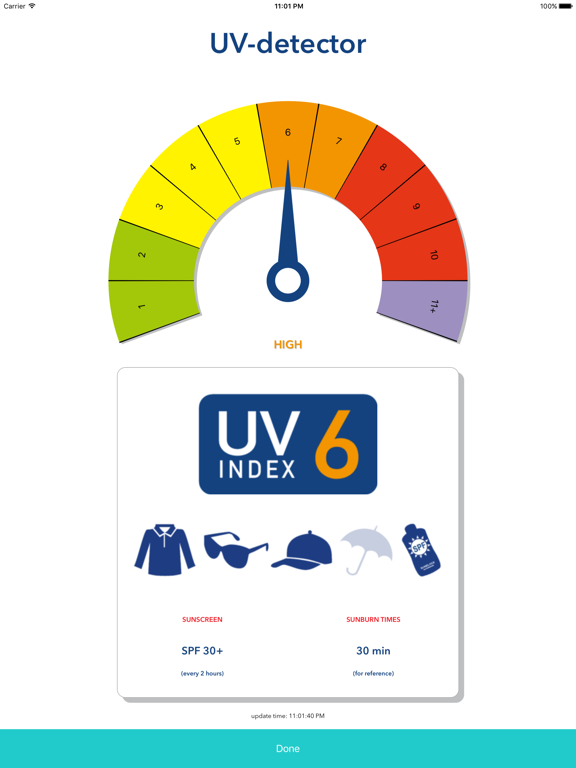
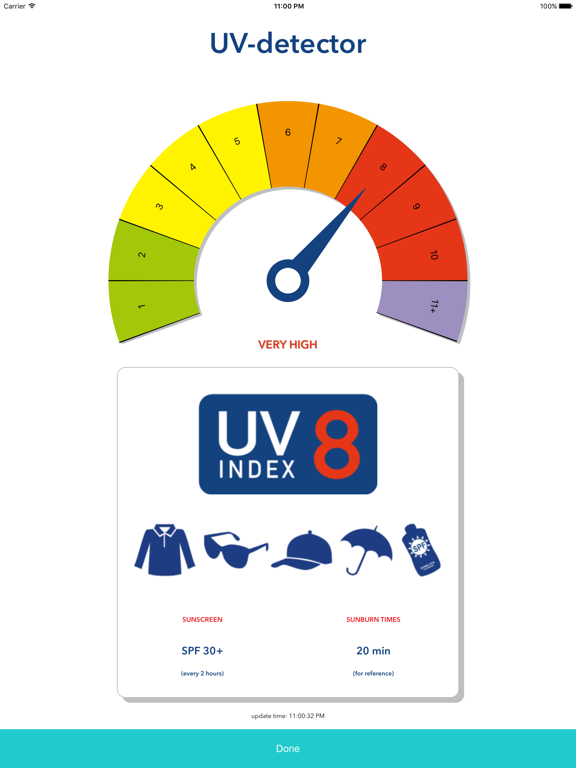
J-UV is an UV index meter that plugs into audio jack of your iPhone/iPad.

Features:
-Plug and Play! No setup required
-Measurement range from UVI 0 to 11+
-Real-time UV Index measurement
-UV protection for reference
-No battery required

How to use:
1. Open "J-UV" app.

2. Firmly plug the J-UV into the audio jack of iPhone/iPad and turn the headphone volume to maximum.The UV index reading shall be shown in a few seconds.

3. When you finished using J-UV, press "Done", then plug out J-UV from iPhone/iPad.


Troubleshooting:
If the J-UV is not showing the UVI reading, please check the following:
-If the app shows "No J-UV detected" or "No data from J-UV", please manually turn the headphone volume to maximum.
-If the app shows "Cannot access microphone due to privacy setting", then please turn ON the microphone accessibility in privacy setting for "J-UV" app.
-Please make sure "Volume Limit" is turned off in "Settings" of iPhone/iPad.
-For iPhone/iPad purchased in EU, the EU volume limit may apply to devices which means the headphone volume maybe lower, therefore it is not guaranteed that J-UV will work. If there is "EU Volume Limit" in "Settings", please turn it off and try.

Contact us:
If you have any enquiries, please contact
marco@carrin.com.hk

En voir plus...

Quoi de neuf dans la dernière version ?

This app has been updated by Apple to display the Apple Watch app icon.

minor bug fixed.

  • Screenshot #1 pour J-UV
  • Screenshot #2 pour J-UV
  • Screenshot #3 pour J-UV
  • Screenshot #4 pour J-UV
  • Screenshot #5 pour J-UV
  • Screenshot #6 pour J-UV

Note

(1 notes)

Détails sur l'application

Version
1.4.0
Taille
1.3 Mo
Version minimum d'iOS
8.0
Dernière mise à jour
11/03/2016
Publié par
Kwan Shing Marco Li

Newsletter App Store

Recevez chaque jour les meilleures promos

Actualité Apple

Image Apple Car Key chez Xiaomi : un nouveau leak « confirme » la prise en charge par les véhicules du géant chinois
Apple Car Key chez Xiaomi : un nouveau leak « confirme » la prise en charge par les véhicules du géant chinois
Image Ted Lasso : le tournage de la saison 5 pourrait démarrer dès le mois de janvier 2027
Ted Lasso : le tournage de la saison 5 pourrait démarrer dès le mois de janvier 2027
Image Parallels Desktop 27 accélère Windows sur Mac avec OpenGL 4.3 et de meilleures performances IA
Parallels Desktop 27 accélère Windows sur Mac avec OpenGL 4.3 et de meilleures performances IA
Image Apple dévoile une pub en stop motion (et ses coulisses) pour le nouveau Mac Mini
Apple dévoile une pub en stop motion (et ses coulisses) pour le nouveau Mac Mini
iPhoneAddict Apps

Le catalogue iPhoneAddict pour suivre les nouveautés, mises à jour et baisses de prix de l’App Store.

Apps

Toutes les apps iOS iPhone iPad Universelles Mac Apple TV

iPhoneAddict

Actualité Apple Archives keynotes Contact À propos KultureGeek

Suivez-nous

©2009-2026 i2CMedia. Tous droits réservés.