Joe's Network Utility Pro
iOS Universel / Utilitaires
Joe’s Network Utility. The professional All-In-One solution
All features are available in the free version of the App. The full version only removes Ads.
LAN analyzer including automatic and customized Port Scans, Ping (groups & ranges), Fast Traceroute, Port Scanner, Host Monitoring, DNS lookup, Wake on LAN, WhoIs, Port lookup, Network/Device Info,Settings
The Network Diagnostics is one of the first network tools on IOS devices and is the professional tool to help you monitoring, troubleshooting, analyzing and securing your network. It has been continuously evolved and currently consists of the following tools
- LAN Analyzer
Detect and analyze devices within your network
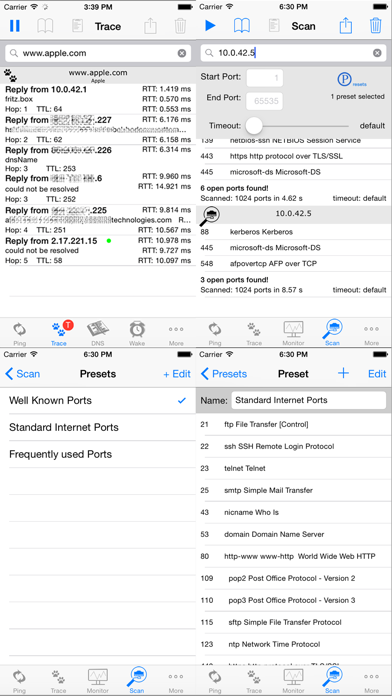
Automatically (frequently used ports) or individually (customized) scan hosts customized open ports and store results
View and organize LAN histories and easily create bookmarks
- Host Monitoring
Monitor important host in adjustable intervals
Scroll the history to see when they went up and down
- Ping
Ranges 192.168.1.1-254
Ping groups
LAN Broadcast ping
- (Fast) Traceroute
including automatic reverse IP DNS lookup of IP addresses
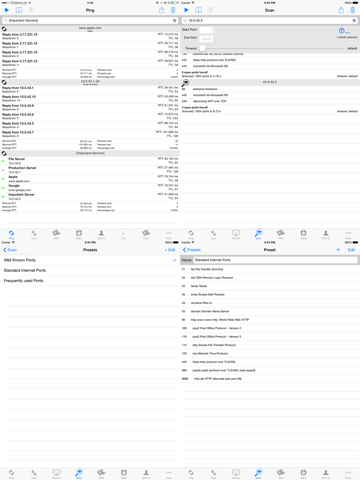
- Port Scan
Security scan your hosts to find open ports
Define your own presets lists (including port ranges and comma separated lists)
- DNS lookup
including reverse DNS lookup
- Wake on LAN
- Network Info/Device Info Section
Device's & public IP addresses
Router and DNS, etc.
- Whois
ability to choose own NIC server for lookup will be added in a future release
- Ports
list lots of well known TCP/UDP ports
- Settings
adjust TTL
super Bookmarks
monitoring interval, max. hop count, etc.
Features:
- The app has been completely rewritten from scratch to best support IOS 8 & 7, new and upcoming features and for
supporting all iOS devices including iPad and Apple Watch
- The user interface has been completely redesigned now representing a lightweight IOS 8 look & feel being even more intuitively to use and offering on the fly settings
- Bookmark for various tools
- Super Bookmarks to be used when no entry was made
- Wake on LAN bookmarks have been enhanced so that they be used within various tools
- Clipboard has been added to easily use and copy result among tools
- Most tools come with grouped history of Pings, Traces, lookup, etc.
- Email history results
- Define number of packets to be send
- Set individual timeouts definition for each ping
- Trace route timeout values and maximum path length adjustable
- Works via Wifi, 3G, EDGE, GPRS, VPN
- If bookmarks of version bellow 4.0 have been found they can be imported within the feature section of the tool. An organize button will be displayed in an appearing toolbar.
Trace route determines the path to a destination (if not prohibited by firewalls). Is is being implemented for very fast path determination.
(WoL) Wake-on-LAN allows you to wake up a device via your network, the internet or VPN by sending a magic packet to wake it up. Please note that the remote device must be configured to listen to those kind of packets for being able to be woken up.
For WoL to work you need to configure the LAN Broadcast IP address. It is the address being used and it prevents problems arp caches being timeouted and thus impossible packet delivery within the target network. (e.g. Host IP 192.168.1.42 mask 255.255.255.0 use 192.168.42.255 as WoL broadcast IP)
The Wake on LAN feature has been successfully tested with Airport Express, Airport Extreme, TimeCapsule and quite some other vendor's devices such as Cisco, Draytek, AVM routers. In bridged, routed LANs as well as over the Internet through IPSEC VPN connections.
If you have any feature requests, wishes, bug reports or whatever use the email option in the info section.
Quoi de neuf dans la dernière version ?
- Dark mode support added
- optimizations and bug fixes