KartTracker CL
iPhone / Utilitaires
KartTracker Classic is the original version of our fully automated, wireless timing system for up to 4 karts. Laps and sectors are timed with 0.001s precision on your mobile without pressing a button or lifting a finger. Simply install one of our KartTracker timers on your kart and you're ready to go. KartTracker is compatible with standard magnetic timing strips as found on most karting tracks.
In addition, KartTracker Classic includes a manual lap timer which can be combined with the automatic timing system or used as a standalone timer. It is the easiest and most accurate on the market. Big buttons which instantly record the time. No more trying to hit the tiny Lap button of the built-in stopwatch. You can mix automatic timing (for your own drivers) with manual timing (for the competition ;-) ) so you can easily compare lap times.
Features:
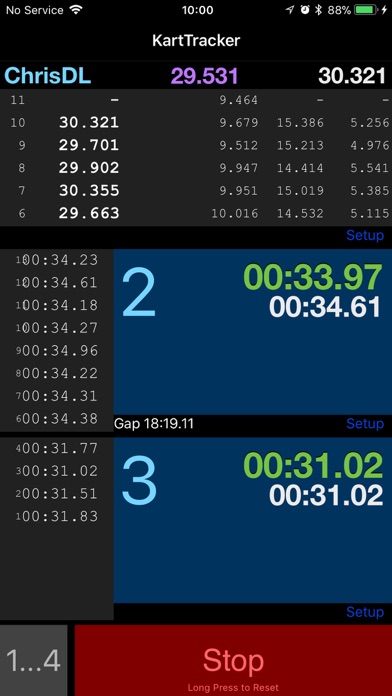
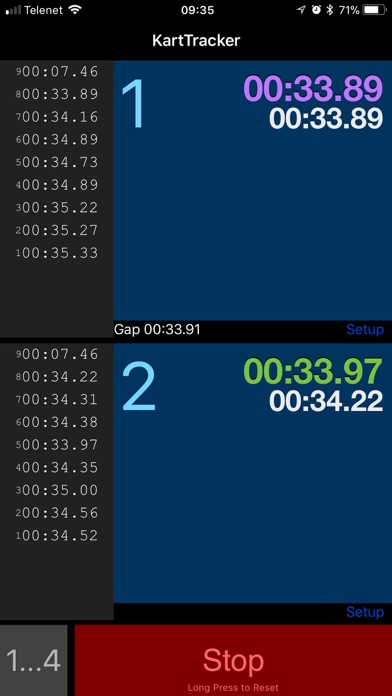
* Time 1 to 4 different drivers, using large buttons which fill the screen
* Mix automatic (using KartTracker timers, available on our website) and manual timing to your heart's content
* Scrollable results list of recorded laps with lap number, lap time and sector times
* Automatically time laps and sectors with 0.001s precision. That's one thousandths of a second, folks.
* Displays the fastest lap for each driver (in green)
* Displays the fastest lap time of all drivers (in purple)
* Displays the last lap time for each driver (in white)
* Shows the time gap between adjacent drivers (to check if Driver 2 is closing in on Driver 1, for example) *currently only for manually timed laps
* Records time immediately and accurately when your finger hits the screen (not when your finger is lifted, like other timers)
* You can connect up to 4 KartTracker timers to automatically time four drivers at once!
* Updates your KartTracker Timer hardware to the latest firmware.
Manual Usage:
1. Press one of the big blue buttons to start timing (you can press all of them at once, if you like)
2. Press again when a driver has completed the lap (pro tip: use an easy visual reference point, far enough from your own position)
3. To stop recording, press Stop (when you've pressed Stop, the lap numbers will start at 1 again, but the previous lap times are retained)
4. To reset to zero, hold the Stop button for half a second
5. To cycle between 1, 2, 3, or 4 timers, press the "1...4" button
6. Optionally give each timer a name (only the initial letter will be shown)
Automatic Usage:
1. Buy a KartTracker timer on our website. You won't regret it!
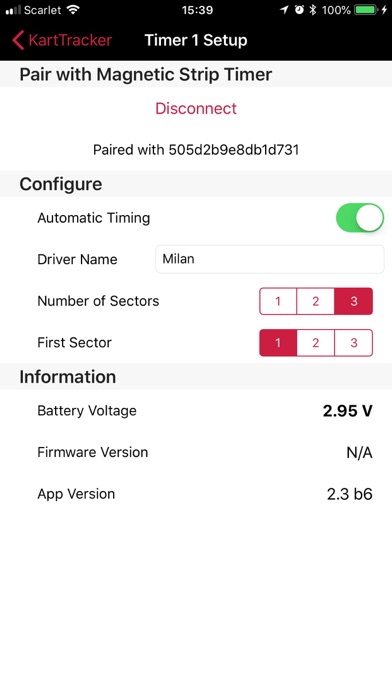
2. Pair the KartTracker timer with the app (the KartTracker timer needs within a few inches / cm of your mobile)
3. Install the KartTracker timer on your kart (somewhere on the floor pan, low to the ground)
4. Choose the number of sectors for the track you'll be driving on (this corresponds to the number of magnetic strips)
5. Set which sector is the first sector of the track (that usually depends on where the strips are and where the pit-lane exit is)
6. Stand next to the track (closer than 20m / 60ft or at a higher vantage point) and magically see lap and sectors times appear on the app!
7. Optionally enter the name of the driver to easily recognize each kart
And don't worry. We had security in mind from the start. Nobody else can see your lap times. Unless you show them your screen and tell them how great KartTracker is, obviously. Feel free to tell you friends about us!
Enjoy!
Please send feedback and ideas to our contact email
Quoi de neuf dans la dernière version ?
These are the new features in version 2.7:
1. Firmware update for your KartTracker Timer (even the very old ones you've bought a long time ago, yeah!)
2. Signal strength indicator (1, 2, or 3 triangles)
3. Detection of nearby KartTracker Timer while it's in sleep mode
4. New, much faster, and more reliable Bluetooth pairing system
5. The usual bug fixes and crash removals