iPhoneAddict Apps
  • Actualités
  • Accueil Apps
  • iPhone
  • iPad
  • Universelles
  • Mac
  • Apple TV
KG KultureGeek
App
iPhone / iPad Télécharger iAddict v5 Mac Télécharger iAddict Mac
  • Actualités
  • Accueil Apps
  • iPhone
  • iPad
  • Universelles
  • Mac
  • Apple TV
  • Archives keynotes
  • Firmwares & iTunes
  • Contactez-nous
  • Comparateur de prix
  • KultureGeek
Accueil » Liste des Apps » Apps Universelles » Utilitaires » KeyWi Keyboard - Type faster on your device using your computer's keyboard
L'application n'est plus disponible sur l'App Store français
1.0 iOS €Gratuit Bitwise Software SL 5 1 KeyWi is a custom keyboard for your iOS device that allows you to type using your computer’s physical keyboard. + How does it work? After you install the KeyWi keyboard you simply switch to it (the same way you would switch to the emoji keyboard...
KeyWi Keyboard - Type faster on your device using your computer's keyboard

KeyWi Keyboard - Type faster on your device using your computer's keyboard

iOS Universel / Utilitaires

Gratuit au lieu de 1,09€
Obtenir sur l'App Store
Facebook X E-mail

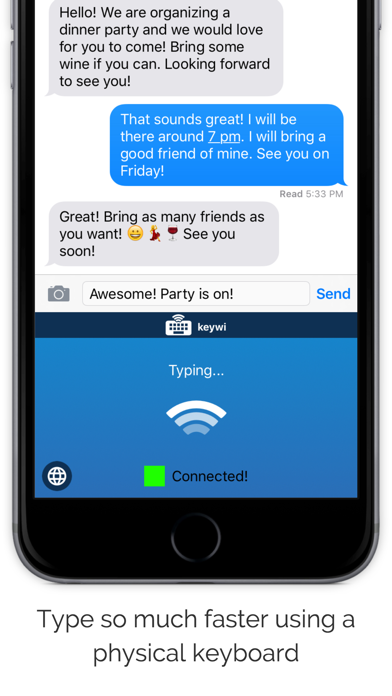
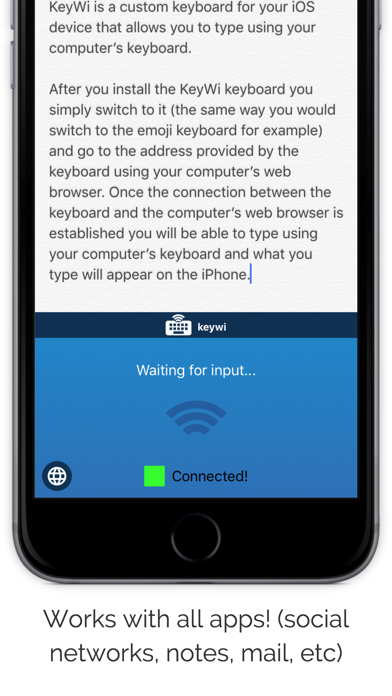
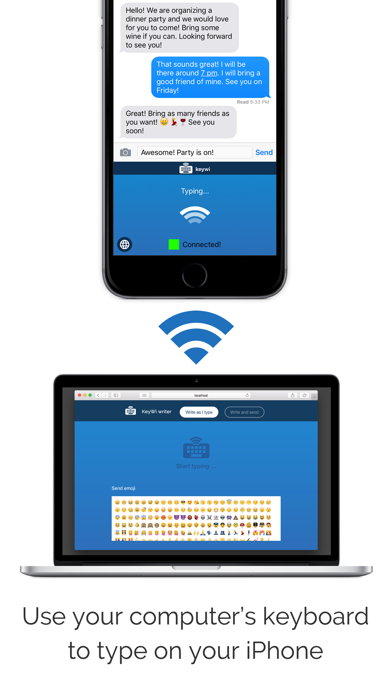
KeyWi is a custom keyboard for your iOS device that allows you to type using your computer’s physical keyboard.

+ How does it work?
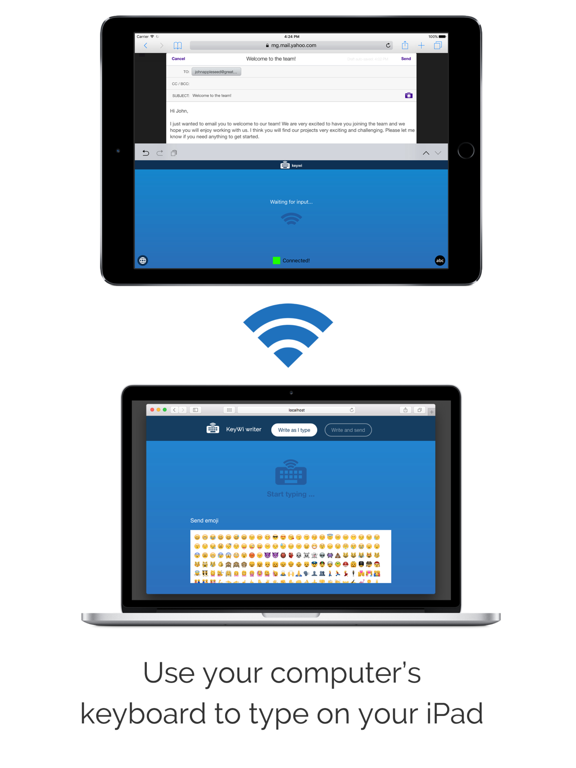
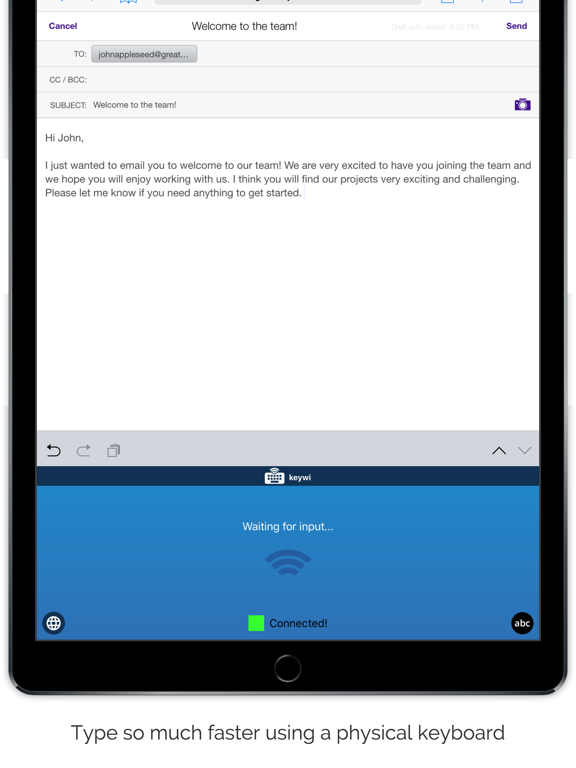
After you install the KeyWi keyboard you simply switch to it (the same way you would switch to the emoji keyboard for example) and go to the address provided by the keyboard using your computer’s web browser. Once the connection between the keyboard and the computer’s web browser is established you will be able to type using your computer’s keyboard and what you type will appear on the iPhone. Make sure your device and computer are on the SAME wifi network.

Don’t worry everything that you type is PRIVATE as it is only sent from computer to device using your LOCAL wifi network. What you type NEVER leaves your local wifi network and never goes over the internet.

+ Installation instructions:
You first need to install the keyboard on your iOS device: Open Settings app > General > Keyboards > Add new keyboard > 'KeyWi'. Then tap on the 'KeyWi' keyboard again and allow 'Full Access'. This allows the app to communicate over your wifi network. Again, what you type is only sent from your computer to the device and it never travels over the internet and never gets stored anywhere

+ What you CAN do with KeyWi
- Type any character in any language
- Send emojis (In-app purchase required)
- Move the cursor forward and backwards
- Delete backwards

+ What you CAN’T do with KeyWi
- Select text. Once you enter text you can delete backwards, move the position of the cursor but you can’t select text
- Interact with the application UI.

We hope KeyWi will be very useful to you!!
Please let us know if you have any comments or feedback: support@keywiapp.com

En voir plus...

Quoi de neuf dans la dernière version ?

This app has been updated by Apple to display the Apple Watch app icon.
  • Screenshot #1 pour KeyWi Keyboard - Type faster on your device using your computer's keyboard
  • Screenshot #2 pour KeyWi Keyboard - Type faster on your device using your computer's keyboard
  • Screenshot #3 pour KeyWi Keyboard - Type faster on your device using your computer's keyboard
  • Screenshot #4 pour KeyWi Keyboard - Type faster on your device using your computer's keyboard
  • Screenshot #5 pour KeyWi Keyboard - Type faster on your device using your computer's keyboard
  • Screenshot #6 pour KeyWi Keyboard - Type faster on your device using your computer's keyboard

D'autres applications du développeur

Caméra de travail: UploadCamCaméra de travail: UploadCamiOS UniverselSchoolCam. Camera for schoolsSchoolCam. Camera for schoolsiOS Universel

Note

(1 notes)

Détails sur l'application

Version
1.0
Taille
16.7 Mo
Version minimum d'iOS
8.1
Dernière mise à jour
26/01/2016
Publié par
Bitwise Software SL

Newsletter App Store

Recevez chaque jour les meilleures promos

Actualité Apple

Image Ted Lasso : le tournage de la saison 5 pourrait démarrer dès le mois de janvier 2027
Ted Lasso : le tournage de la saison 5 pourrait démarrer dès le mois de janvier 2027
Image Parallels Desktop 27 accélère Windows sur Mac avec OpenGL 4.3 et de meilleures performances IA
Parallels Desktop 27 accélère Windows sur Mac avec OpenGL 4.3 et de meilleures performances IA
Image Apple dévoile une pub en stop motion (et ses coulisses) pour le nouveau Mac Mini
Apple dévoile une pub en stop motion (et ses coulisses) pour le nouveau Mac Mini
Image WhatsApp renforce la sécurité avec trois nouveautés
WhatsApp renforce la sécurité avec trois nouveautés
iPhoneAddict Apps

Le catalogue iPhoneAddict pour suivre les nouveautés, mises à jour et baisses de prix de l’App Store.

Apps

Toutes les apps iOS iPhone iPad Universelles Mac Apple TV

iPhoneAddict

Actualité Apple Archives keynotes Contact À propos KultureGeek

Suivez-nous

©2009-2026 i2CMedia. Tous droits réservés.