iPhoneAddict Apps
  • Actualités
  • Accueil Apps
  • iPhone
  • iPad
  • Universelles
  • Mac
  • Apple TV
KG KultureGeek
App
iPhone / iPad Télécharger iAddict v5 Mac Télécharger iAddict Mac
  • Actualités
  • Accueil Apps
  • iPhone
  • iPad
  • Universelles
  • Mac
  • Apple TV
  • Archives keynotes
  • Firmwares & iTunes
  • Contactez-nous
  • Comparateur de prix
  • KultureGeek
Accueil » Liste des Apps » Apps Universelles » Utilitaires » LaserPark
1.8 iOS €Gratuit Apri 0 0 Application is designed for mobile devices with iOS operating system version 10.0 and higher. The device must support WiFi. KBSS unit with installed wireless module is required for functionality. First run Before first launching the app, there is...
LaserPark

LaserPark

iOS Universel / Utilitaires

Gratuit
Obtenir sur l'App Store
Facebook X E-mail

Application is designed for mobile devices with iOS operating system version 10.0 and higher. The device must support WiFi. KBSS unit with installed wireless module is required for functionality.

First run

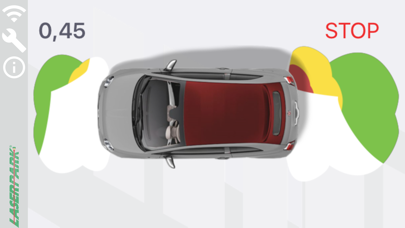
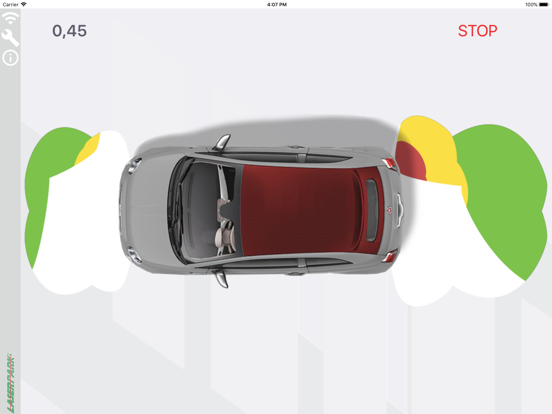
Before first launching the app, there is need to turn on the WiFi and power on the KBSS unit with installed wireless module, so it can be than paired with mobile device. Turn on the ignition and engage the reverse gear. Run LaserPark. Click top lef Wifi icon. Navigate to device Wifi setting. Select your module from list of discovered networks. (default name is CM1-L) and enter the password (serial number printed on wireless module). Return to Laserpark app. The system is now active and optically and acoustically indicates the obstacles in front and rear of the vehicle (depends on KBSS unit version).

Functional description

There is vertical menu, located on left side of application window. It contains these items:
Connection manager – Here is possible to connect to your Smart module.
Acoustic indication switch – This switch enables or disables acoustical indication of obstacles in application.
Parameters setting menu – Allows to load, edit and save parameters of KBSS unit.
Application info – User manual and contact for technical support.
Appearance menu – Setting of application behavior and vehicle customization.
Diagnostics – Shows wiew of each sensor, battery voltage, I/O states of the unit. Useful for troubleshooting.

En voir plus...

Quoi de neuf dans la dernière version ?

Possible to attach Bicycle rack, Caravan, Trailer. New car models

  • Screenshot #1 pour LaserPark
  • Screenshot #2 pour LaserPark
  • Screenshot #4 pour LaserPark
  • Screenshot #5 pour LaserPark

Note

(0 note)

Détails sur l'application

Version
1.8
Taille
33.7 Mo
Version minimum d'iOS
11.2
Dernière mise à jour
08/07/2020
Publié par
Apri

Newsletter App Store

Recevez chaque jour les meilleures promos

Actualité Apple

Image Apple Vision Pro : une nouvelle fuite dans macOS relance la piste d’un nouveau modèle
Apple Vision Pro : une nouvelle fuite dans macOS relance la piste d’un nouveau modèle
Image Steve Jobs : son projet scientifique de collège est mis aux enchères !
Steve Jobs : son projet scientifique de collège est mis aux enchères !
Image Le hub domotique d’Apple supportera des widgets liés à l’iPhone
Le hub domotique d’Apple supportera des widgets liés à l’iPhone
Image AirPods avec caméras : ce serait plutôt des modèles Pro qu’Ultra
AirPods avec caméras : ce serait plutôt des modèles Pro qu’Ultra
iPhoneAddict Apps

Le catalogue iPhoneAddict pour suivre les nouveautés, mises à jour et baisses de prix de l’App Store.

Apps

Toutes les apps iOS iPhone iPad Universelles Mac Apple TV

iPhoneAddict

Actualité Apple Archives keynotes Contact À propos KultureGeek

Suivez-nous

©2009-2026 i2CMedia. Tous droits réservés.