Mailcow Aliases
iOS Universel / Utilitaires
Stop handing your real email address to every website. Mailcow Aliases creates disposable forwarding addresses in one click, powered entirely by your own Mailcow server. No third-party service touches your data.
Right-click any webpage (or tap the toolbar button on iOS) and a new alias is ready instantly. It forwards to your real inbox. When you are done with it, disable it or let it expire automatically. Your primary address stays hidden.
WHO THIS IS FOR
You run your own Mailcow server and want a fast, native way to create and manage email aliases from Safari. No third-party service sits between you and your server. Your API key is stored locally in the system Keychain, and all communication goes directly to your Mailcow instance.
Unlike cloud-based alias services, your aliases live on infrastructure you own and control. No subscription fees to a middleman. No trust required.
HOW IT WORKS
Right-click on any webpage (or tap the toolbar button on iOS) to generate a new alias. The alias forwards mail to your real address. Use it for signups, shopping, newsletters, or anywhere you want to keep your primary email hidden. When you are done, disable or delete the alias.
FEATURES
- One-click alias creation from the context menu or toolbar
- Three alias styles: random characters, realistic names, or site-based names
- Auto-fill email fields directly on web pages
- Copy aliases to clipboard instantly
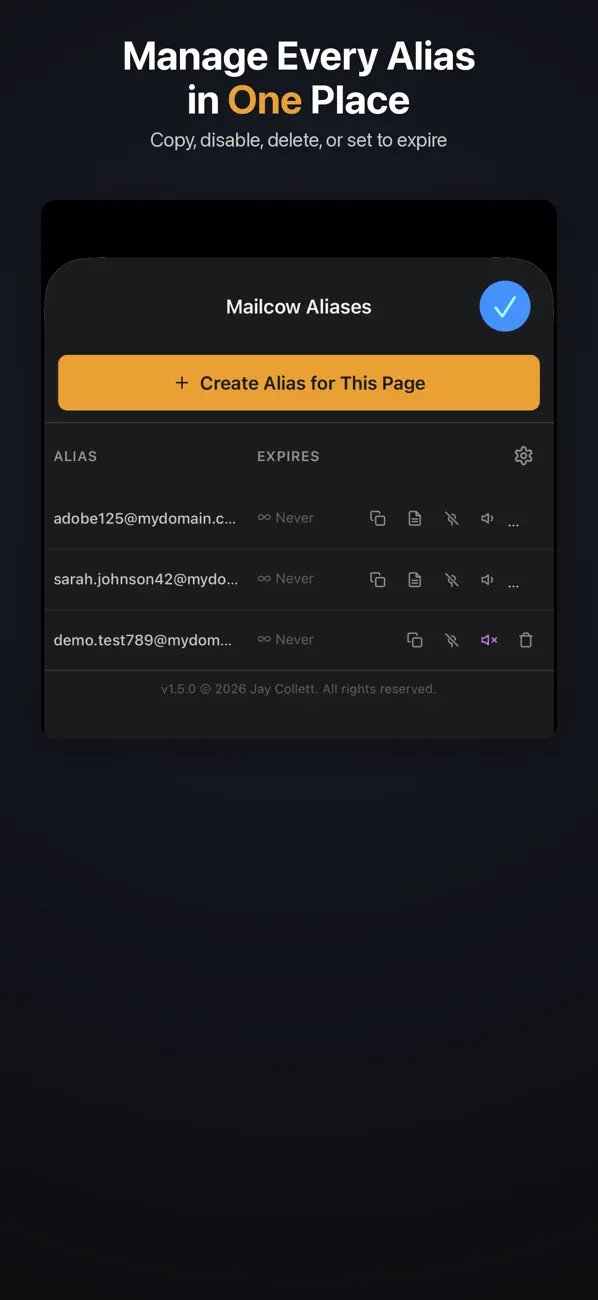
- Set alias lifetimes with automatic expiration
- Silent discard mode: accept mail but drop it before delivery
- Add notes to remember what each alias was created for
- View, enable, disable, and delete aliases from the toolbar popup
- Choose from any domain configured on your Mailcow instance
- Settings persist through Safari cache clears
- API key secured in the system Keychain
- All data stays on your device and communicates only with your server
- Dark theme UI designed for macOS, iOS, and iPadOS
Requires a self-hosted Mailcow email server with API access enabled.
Quoi de neuf dans la dernière version ?
v1.5.0 - Settings That Stick
Your settings now survive Safari cache clears. No more re-entering your server details after clearing browsing data. API keys are stored securely in the system Keychain.
Security improvements:
- API key no longer syncs to iCloud
- All random alias generation uses cryptographically secure methods
- API responses are validated before processing
New safeguards:
- Delete confirmation prevents accidental alias removal
- Smart retry stops immediately on authentication errors instead of retrying for minutes
- Hostname and alias input validation catches configuration issues early
Bug fixes:
- Site Name alias style now works correctly from the iOS/iPadOS popup
- Settings page loads cleanly without error alerts on first launch