No Shorts for YouTube
iOS Universel / Utilitaires
Take back YouTube.
No Shorts for YouTube clears the clutter out of YouTube in Safari — hiding the endless stream of Shorts, filtering out the videos you'd rather your kids never saw, and handing control back to you. One simple, private extension. No account, no tracking.
WHAT IT DOES
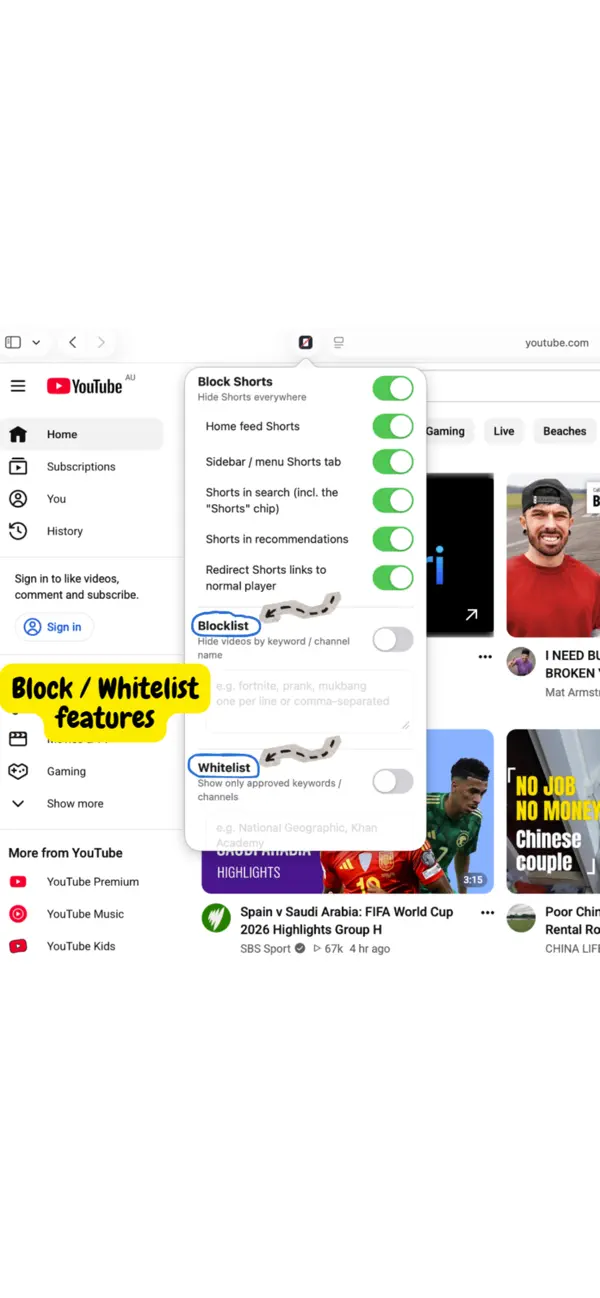
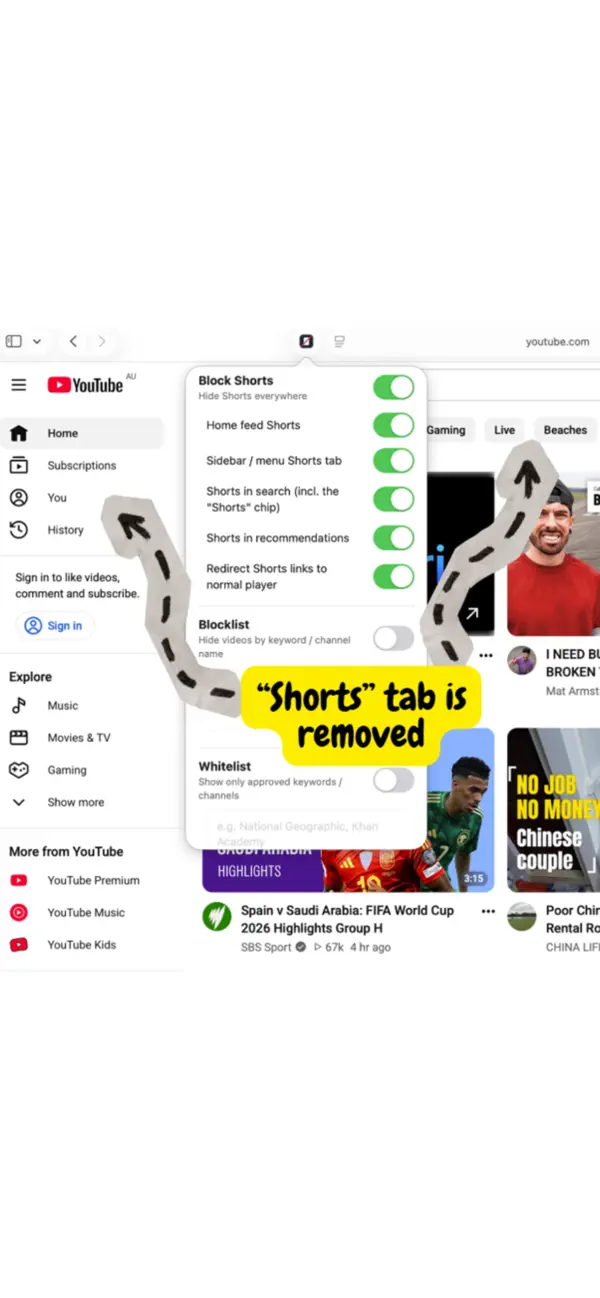
• Removes Shorts everywhere — the home-feed shelf, the Shorts tab in the menu, Shorts in search results (including the leftover "Shorts" filter button), and Shorts mixed into your recommendations. Tap a Shorts link and it opens in the normal video player instead.
• Blocklist by keyword or channel — type the words and channel names you don't want (gaming, pranks, "brainrot," anything at all) and matching videos disappear from view.
• Whitelist mode — prefer a walled garden? Flip it around so only the channels and topics you approve are shown, and everything else is hidden.
• Passcode protection — lock your settings behind a passcode so children can't quietly switch the filters off.
• Private by design — collects no data and creates no account. Every setting stays on your device.
• Independent controls — turn each feature on or off separately, so YouTube works exactly the way you want it to.
MADE FOR FOCUS AND FOR FAMILIES
Whether you're a parent steering kids away from a bottomless feed of low-value clips, or you simply want to use YouTube without being pulled into Shorts, No Shorts for YouTube puts you back in charge of what appears on screen.
HOW IT WORKS
No Shorts for YouTube is a Safari extension. After installing, enable it in Settings > Apps > Safari > Extensions, allow it on youtube.com, and set your passcode. It works on YouTube in Safari on both iPhone and iPad.
GOOD TO KNOW
• This is a Safari extension, so it works on YouTube in the Safari browser — not inside the separate YouTube app.
• Keyword and channel filtering matches each video's title and channel name. It's excellent for clearing away unwanted content and steering what shows up, but because it reads text rather than watching the video itself, treat it as a powerful decluttering tool rather than an absolute guarantee.
• For a complete parental lock, pair the in-app passcode with Apple's Screen Time (Content & Privacy Restrictions), which can stop the extension from being switched off.
• Not affiliated with, endorsed by, or sponsored by YouTube or Google LLC. "YouTube" is a trademark of Google LLC.