• KultureGeek
  • Comparateur de prix
       
iPhoneAddict
 iAddictv5Notre Application iPhone/iPad
  • Accueil Apps
  • Actualité Apple
  • Keynote Apple
  • Firmwares & iTunes
  • Contactez-nous
Accueil » Liste des Apps » Apps Universelles » Utilitaires » PocketAudio (Microphone)
L'application n'est plus disponible sur l'App Store français
3.0 iOS €1,99€ Senstic 1 1 *** YouTube Video: http://www.youtube.com/watch?v=liFnEDcOz-c PocketAudio lets you use your iOS device as a wireless microphone for your computer. PocketAudio (Microphone) can be used as an audio input device to Windows or Mac. Speak to your...
PocketAudio (Microphone)

PocketAudio (Microphone)

iOS Universel / Utilitaires

1,99€ au lieu de 2,49€
Acheter sur l'App Store

*** YouTube Video: http://www.youtube.com/watch?v=liFnEDcOz-c

PocketAudio lets you use your iOS device as a wireless microphone for your computer.

PocketAudio (Microphone) can be used as an audio input device to Windows or Mac. Speak to your iOS device, and use Windows or Mac to capture or record the audio.

Since PocketAudio works as a virtual audio device on the computer, you can use PocketAudio (Microphone) with any application that requires an audio input device, including Windows Live Messenger, Skype, AIM, Yahoo, etc.

*** Please note that there is network delay between the computer and iOS device. Therefore, PocketAudio should not be used in situations where delay can be an issue.

Instructions

* If you have not already done so, download and install the PocketControl for Windows or Mac software from our website: http://www.senstic.com/iphone/PocketAudio/PocketAudio.aspx
* On Windows, run PocketControl for Windows and make sure the SensticPocketService is running on your computer. On Mac, run PocketControl from the Mac applications folder.
* Connect your iOS device to your home network using Wi-Fi.
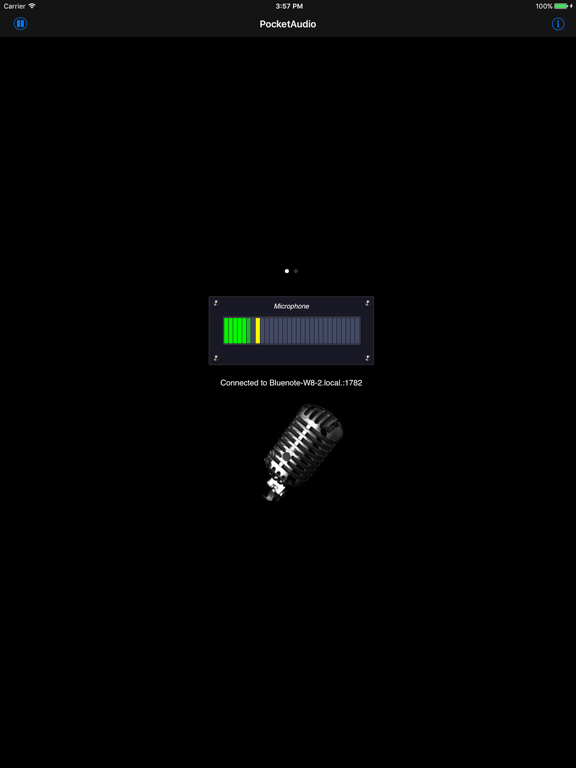
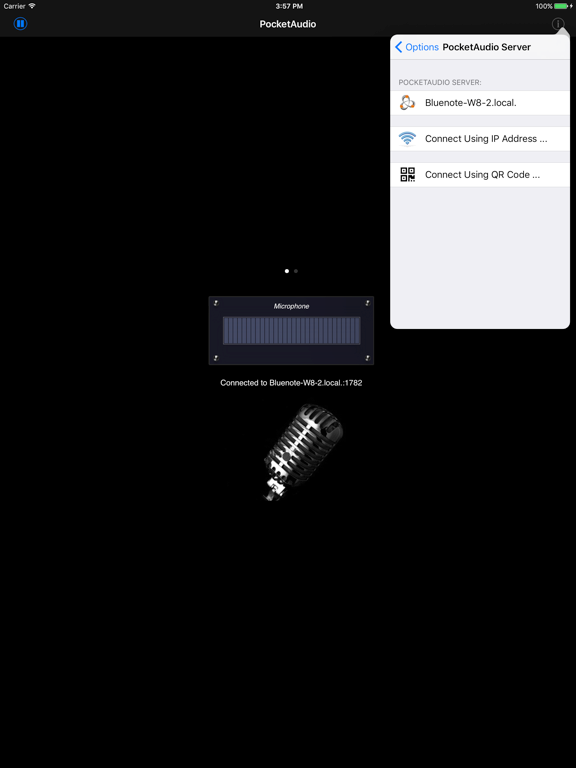
* Start PocketAudio on iPhone, and the app will automatically connect to your computer. The bottom of your iPhone screen should display "Connected to your_computer_name:port."
* Configure your Windows/Mac program to use PocketAudio as your audio input device.

Step by step instructions can be found at support page: http://www.senstic.com/iphone/PocketAudio/Support.aspx

Limitations

* Currently, PocketAudio supports Windows XP or above, Mac OS X 10.7 or above. Mac OS X 10.6 or earlier is not supported.
* There is network delay between the computer and iOS device. Please do not expect real time transmission.

En voir plus...

Quoi de neuf dans la dernière version ?

This app has been updated by Apple to display the Apple Watch app icon.

Updated to support newer devices.
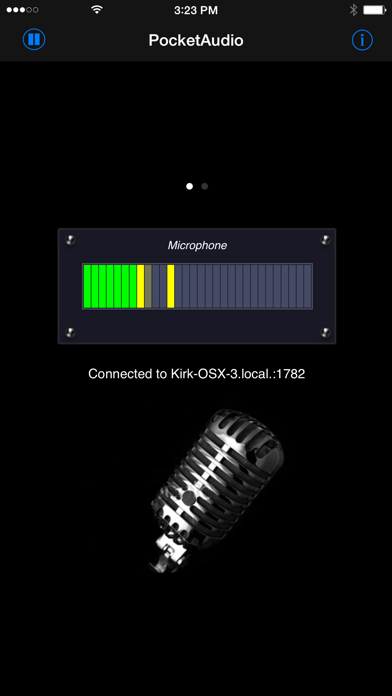
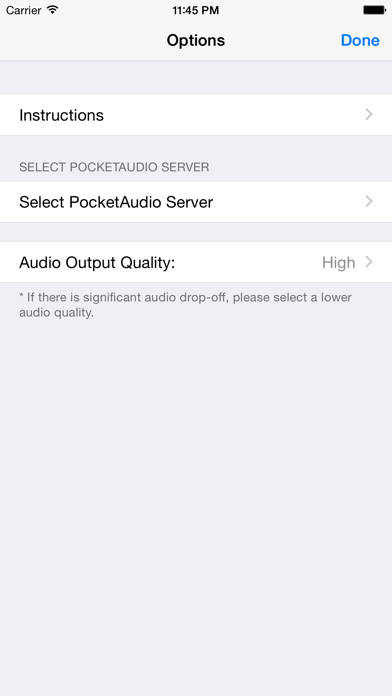
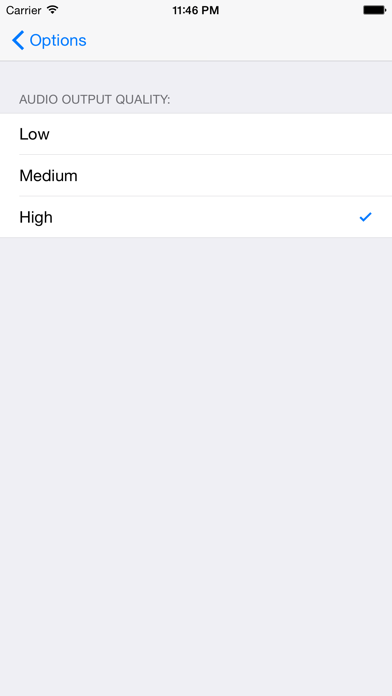
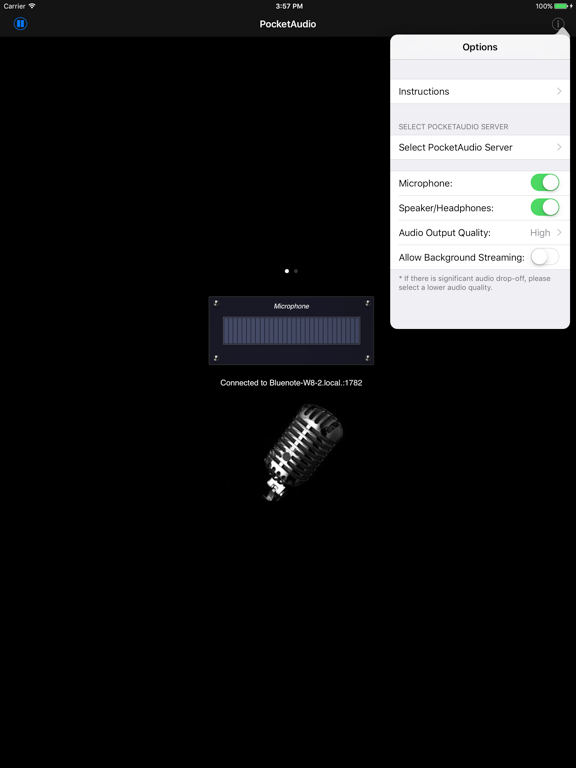
  • Screenshot #1 pour PocketAudio (Microphone)
  • Screenshot #2 pour PocketAudio (Microphone)
  • Screenshot #3 pour PocketAudio (Microphone)
  • Screenshot #4 pour PocketAudio (Microphone)
  • Screenshot #5 pour PocketAudio (Microphone)
  • Screenshot #6 pour PocketAudio (Microphone)

Note

(1 notes)

Détails sur l'application

Version
3.0
Taille
3.2 Mo
Version minimum d'iOS
9.1
Dernière mise à jour
17/01/2017
Publié par
Senstic

Newsletter App Store

Recevez chaque jour les meilleures promos

Actualité Apple

Image Il repart avec un MacBook Pro M4 Max gratuit après une gaffe d’Apple en réparation
Il repart avec un MacBook Pro M4 Max gratuit après une gaffe d’Apple en réparation
Image Lisa Jackson, responsable de l’environnement chez Apple, prend sa retraite
Lisa Jackson, responsable de l’environnement chez Apple, prend sa retraite
Image App Store : Apple teste un format où publicités et résultats de recherche se confondent
App Store : Apple teste un format où publicités et résultats de recherche se confondent
Image Apple dévoile les photos de son nouvel Apple Store à Montréal
Apple dévoile les photos de son nouvel Apple Store à Montréal
Partenaires : Actualité iPhone - Culture Geek
©2009-2026 i2CMedia | A propos |