QR-Barcode Scan and Generate
iPhone / Utilitaires
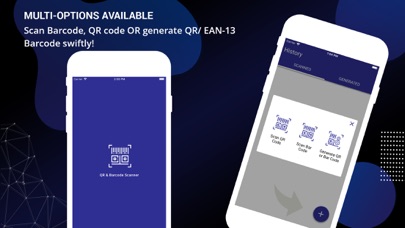
QR and Barcode Scanner is the best application to read and scan codes easily and quickly. QR and Barcodes are universal; you can find codes everywhere nowadays on products, apps, and websites. This QR reader scans the codes without any delays as the application works smoothly and proficiently. Enjoy multiple features of the application:
1. Scan QR and Barcode.
2. Generate QR and Barcode.
3. Maintain, scan, and generate a history.
4. Search information related to products on the web browser using scanned codes.
5. Share generated and scanned codes with friends.
QR and Barcode scanner is one of the fastest ways for everyone to avail information. Your smartphone cannot scan the code on its own until there is a specific app installed to perform the task. The application decodes the information giving you access to the information or destination such as image, video, website link, etc. This QR and Barcode application is specially created for mobile phone users. It is fast and easy to use!
Scanning Process:
-A wide range of codes can be scanned by the QR & Barcode Scanner application.
-Open the app; tap “Scan QR code” or “Scan Barcode” option, it lets the camera focus on the code.
-Keep it at a distance that lets you detect the barcode easily.
-Once placed correctly, it starts scanning the barcode.
-The application helps you read the code and take you to your destination text, file, video, or document.
-This feature is 100% reliable.
Generate QR & Barcode:
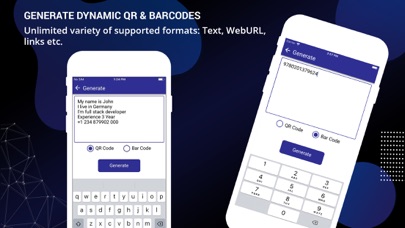
-You can create your codes through this application as it serves as a generator, as well.
-Open the app; tap “Generate QR or Barcode” and enter the link, URL, text, characters, numbers or any information that you want the users to see after generating the barcode OR QR code.
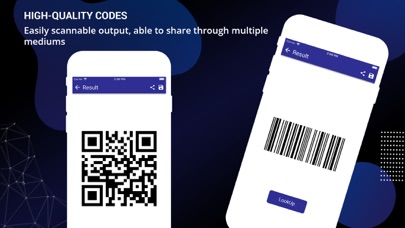
-Once you enter the information, this application generates a unique code that you can share easily with others and look up on browser.
-The code generator feature can be used with no restrictions on commercial use.
-Last but not least, do not forget to check the QR code by scanning and testing it.
Maintain a History
-QR and Barcode Scanner is for everyone with no hidden charges and no paid accounts.
-It is fully functional and keeps the history of all the links, data, and even the codes that are scanned on the app.
-The barcode or QR code generated never expire and you can use them for a lifetime.
-If you do not want to maintain a history of all the codes, you can simply delete that QR or barcode from the app.
Information Easily Searched on the Browser
-QR & Barcode application allows you to find information related to products on the web browser using scanned codes.
-It takes you to the website link or online video/images/information on the browser.
Share Generated and Scanned Codes with Friends
-You can share and distribute the QR and Barcodes effortlessly with your friends, audience, users, and colleagues on different occasions.
-You can put a QR code on your business card, easy to share your information while networking.
-Barcode can also be created and placed in the email footer, an excellent way to share the relevant profile links and information.
-Place the QR code on the flyers to share your brand services, products, or relevant videos.
-Events: Barcodes are widely used at events all over the world for the registration and entry process. These barcodes can be scanned on the ticket counter to grant entry.
Generating and Scanning barcodes have become a universal practice and made everyone’s life easy. Our QR codes are available for all our users and are widely used by companies for their branding and promotions.