RokuMotion
iPhone / Utilitaires
This version is fully compatible with iOS 12.x - iOS 16.x on iPhone iPad and all Apple Watch series at their latest WatchOS versions.
No more fumbling for your Roku remote. Now you can control your Roku from an Apple Watch OR iPhone. RokuMotion provides you with the basic functions required to access your Roku box over your local WiFi network.
Automatically detects multiple Roku boxes from your iPhone and lets you choose which one. Scroll to see the list on the Apple Watch or tap the "Using" button on the iPhone to flip to another Roku.
Not working? If RokuMotion on the Apple Watch is not interacting with your Roku device, make sure your Apple Watch prior to series 6 is able to connect to the 2.4GHz side of your dual-band WiFi. Then, open RokuMotion on your iPhone to update your Roku device list to the Apple Watch. Feel free to contact me if you don't see your Roku on the app or the Apple Watch. It's very likely something unusual about your network.
When a Roku app needs text input, tap into the white square on your iPhone and start typing. The text will appear only on your TV screen. Use the X button to erase the last character typed in. The return key will hide the keyboard. Pressing the search button on a newer Roku may bring up voice search. If it does, switch to text search, then tap into the white square to bring up the keyboard.
To rename a Roku device, long-press on its current name or IP address until the "Name this Roku" dialog appears.
On the Apple Watch, RokuMotion works better if your "Wrist Raise" preference is set to "Last Used App" or "Resume Previous Activity". Also, an Apple Watch prior to series 6 only has a 2.4 GHz WiFi capability. So if its paired iPhone only connected to 5 GHz, you should connect your iPhone to 2.4 GHz once to enable an older Apple Watch series to connect that way.
If you've just powered on your Roku or a second Roku, it may not find the device. Press "Find more" to locate the player.
Buttons do not have an auto-repeat function. A slight delay in button response is normal.
Note: The Mute button works only on the various brands and models of TVs with the Roku TV logo on them.
RokuMotion is not affiliated with Roku or any of its third-party apps. Roku is a registered trademark of Roku Inc. Names of third-party apps are trademarked by their respective owners.
Quoi de neuf dans la dernière version ?
- Added the missing Back button
- Added a Help button
- If you have a findable remote control that Roku supports, you can use the Find Remote function in the Roku TV section.
- Updated the minimum iOS supported version to iOS 12.0 and the minimum WatchOS version to 4.0
- Moved the star (Options) button to the bottom
- Rearranged the Roku TV options so that the most frequently needed ones are at the bottom.
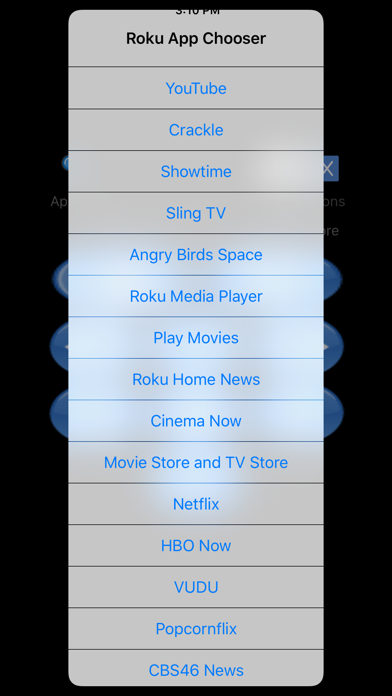
- The App Chooser now reminds you to drag the list to see all the choices.