iPhoneAddict Apps
  • Actualités
  • Accueil Apps
  • iPhone
  • iPad
  • Universelles
  • Mac
  • Apple TV
KG KultureGeek
App
iPhone / iPad Télécharger iAddict v5 Mac Télécharger iAddict Mac
  • Actualités
  • Accueil Apps
  • iPhone
  • iPad
  • Universelles
  • Mac
  • Apple TV
  • Archives keynotes
  • Firmwares & iTunes
  • Contactez-nous
  • Comparateur de prix
  • KultureGeek
Accueil » Liste des Apps » Apps Universelles » Utilitaires » Smart Level:Precise Level
L'application n'est plus disponible sur l'App Store français
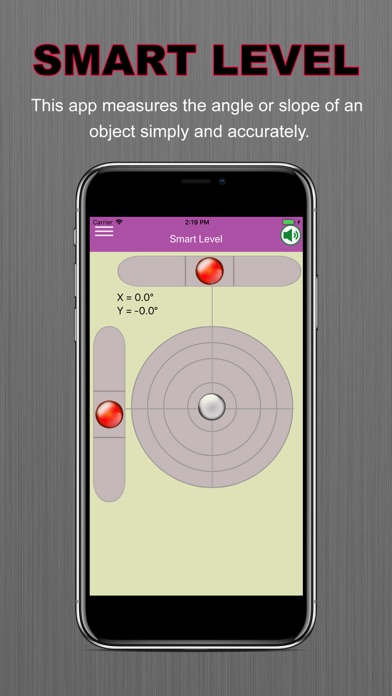
1.0 iOS €Gratuit . Salim Ullah 0 0 This app measures the angle or slope of an object simply and accurately. Put the back of your device against a desk, or put its short/long side on a frame. Smart level is also known as: bubble level, tilt meter, angle meter, inclinometer, level,...
Smart Level:Precise Level

Smart Level:Precise Level

iOS Universel / Utilitaires

Gratuit
Obtenir sur l'App Store
Facebook X E-mail

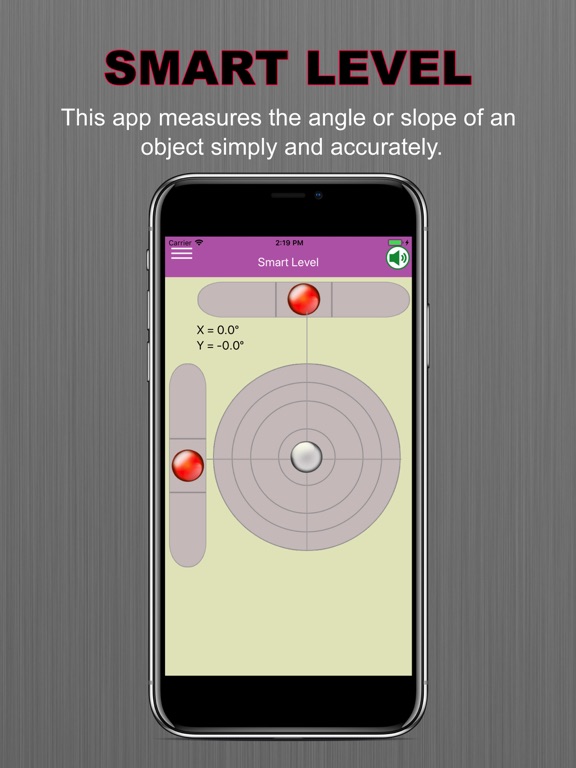
This app measures the angle or slope of an object simply and accurately.
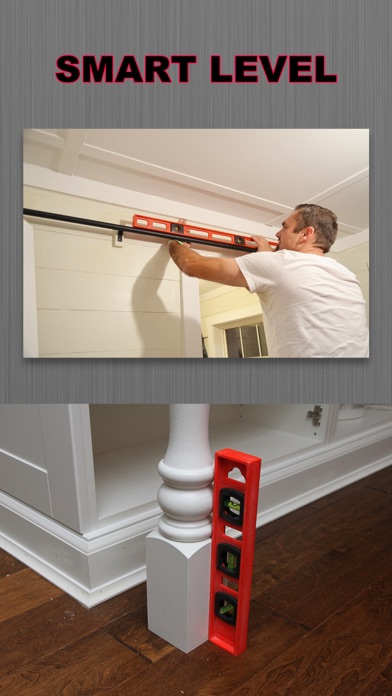
Put the back of your device against a desk, or put its short/long side on a frame.

Smart level is also known as: bubble level, tilt meter, angle meter, inclinometer, level, waterpas, protractor, nivel. This gadget that use accelerometer can be really handy in your home and work.


* Main features:
- Surface level (bubble level)
- Spirit level (clinometer)
- Zero calibration
- Tilt units (degree, percent, radian, roof pitch)


*** IMPORTANT MESSAGE. PLEASE READ ***
Because the sensor inside every individual device could be built slightly differently, to make the level more accurate for your device, you need to calibrate before use.

To calibrate:
1. Find a flat surface.
2. Hold your device upright , put the bottom edge of the device on the flat surface, then press Calibrate button (the one with a target image on it) to calibrate the portrait mode.
3. Turn your device 90 degree clockwise , again keep it upright, and put the current bottom edge (long edge) on the flat surface, then press Calibrate button to calibrate the landscape mode.
4. Put the back of the device against the surface, then press Calibration button to calibrate the face-up mode

En voir plus...

Quoi de neuf dans la dernière version ?

This app has been updated by Apple to display the Apple Watch app icon.

  • Screenshot #1 pour Smart Level:Precise Level
  • Screenshot #2 pour Smart Level:Precise Level
  • Screenshot #3 pour Smart Level:Precise Level
  • Screenshot #4 pour Smart Level:Precise Level
  • Screenshot #5 pour Smart Level:Precise Level
  • Screenshot #6 pour Smart Level:Precise Level

Note

(0 note)

Détails sur l'application

Version
1.0
Taille
8.3 Mo
Version minimum d'iOS
9.0
Dernière mise à jour
06/12/2017
Publié par
. Salim Ullah

Newsletter App Store

Recevez chaque jour les meilleures promos

Actualité Apple

Image iPhone 18 Pro/Ultra : les performances de la puce A20 Pro se dévoilent
iPhone 18 Pro/Ultra : les performances de la puce A20 Pro se dévoilent
Image iOS 26.6.1 bouche 29 failles de sécurité, contre 122 pour iOS 18.7.10 et 28 pour macOS 26.6.2
iOS 26.6.1 bouche 29 failles de sécurité, contre 122 pour iOS 18.7.10 et 28 pour macOS 26.6.2
Image iOS 26.6.1 est disponible, avec iOS 18.7.10, macOS 26.6.2 et visionOS 26.6.1
iOS 26.6.1 est disponible, avec iOS 18.7.10, macOS 26.6.2 et visionOS 26.6.1
Image Bêta 6 pour iOS 27, macOS 27 Golden State, watchOS 27, tvOS 27 et visionOS 27
Bêta 6 pour iOS 27, macOS 27 Golden State, watchOS 27, tvOS 27 et visionOS 27
iPhoneAddict Apps

Le catalogue iPhoneAddict pour suivre les nouveautés, mises à jour et baisses de prix de l’App Store.

Apps

Toutes les apps iOS iPhone iPad Universelles Mac Apple TV

iPhoneAddict

Actualité Apple Archives keynotes Contact À propos KultureGeek

Suivez-nous

©2009-2026 i2CMedia. Tous droits réservés.