Speekie
iPhone / Utilitaires
Speekie is a Software to distribute sound and messages. It allows you to transmit messages, announcements and audio streams to wireless connected, individual receivers. You can distribute the audio to individual headphones or connected loudspeakers.
Use your iPhone, iPad or iPod to bring important information to your employees on conferences, in the office or at events.
!!! IMPORTANT !!!
Using the app as a receiver is free. You can connect to a provided service limitless for as long as you wish.
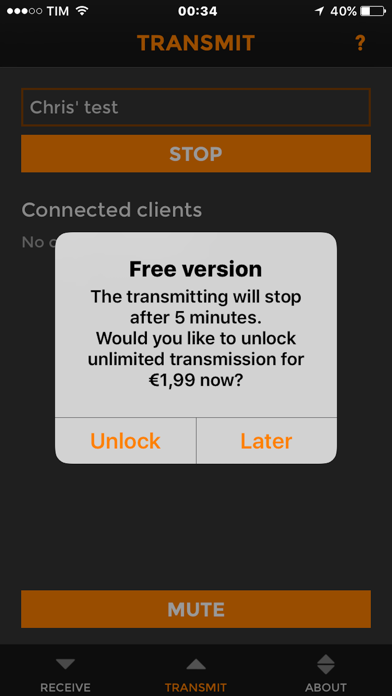
The app as sender will provide you in the free version a 5 minute testing period. If you want to use the stream of audio for longer, you can enable a unlimited audio transmission with an in-app purchase.
HOW IT WORKS ?
-----------------
-> Download the Speekie App from the App Store on your transmitter as well as any amount of receiver devices.
-> On your transmitter device it is required to activate the transmitting function with an In-App purchasing.
-> Make sure that all devices are connected to the same wireless network.
Start the app on all your devices and proceed with following steps…
THE TRANSMITTER
-------------------
Select in the lower menu bar within the app the chapter “Transmitter” and proceed as follows:
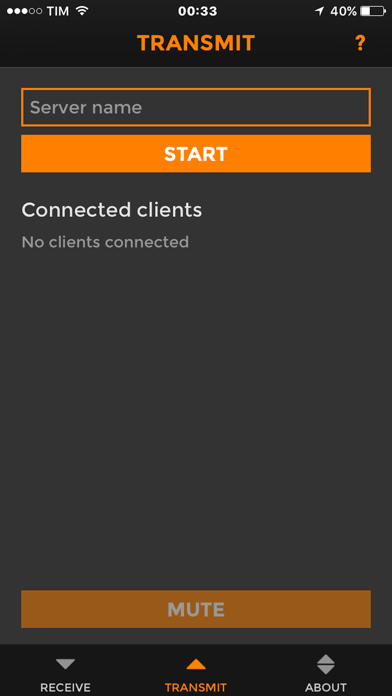
• Service name
Enter the name of your service in the upper text input field. This can be any text with up to 63 characters.
• Start server
Click the button “Start” below the text input field to start the server. As soon as you start the server, you can connect your receivers. Your audio signal is broadcasted as soon as you start the server.
• Mute
To interrupt your transmission without disconnecting your receivers, click the “Mute” button at the bottom above menu. When you click the “Speak” button, the transmission will be continued.
Connected devices
As soon as a receiver is connected with your service, you will find information such as IP address, connection port or optional individual name in a list below the “Start/Stop” button.
THE RECEIVER
--------------
Select in the lower menu bar within the app the chapter “Receiver” and proceed as follows:
• Your name
Optional, you can enter your name in the upper text input field. That helps to identify the connected devices.
• Connecting
From the list of available services, select the Transmitter of your choice, please. Select the entry to connect your receiver to the service.
FURTHER NOTES
-----------------
Speekie transmits audio over a wireless network. Technically the signal gets digitised and compressed. That causes the transmission to gain a delay of up to 0.5 seconds.
The transmission arrives on the receivers with 24000 Hz in mono channel.
The transmission is not encrypted.
In a dedicated network Speekie can be used with about 50 connected receivers. The more receivers are connected, the more the signal quality decreases and the delay may increase. Interruptions may occur. This mainly is influenced by your network properties.
Quoi de neuf dans la dernière version ?
This update from Apple will improve the functionality of this app. No new features are included.
We improved the reliability and fixed some bugs.
- Speekie got localized in 7 additional languages (German, Polish, Italian, Czech, Spanish, French and Greek).
- You now can stop listening to broadcasts and can change broadcasts without the need of closing the application.