Non-overlapping Grouping Pro
iOS Universel / Utilitaires
The PRO version with greatly enhanced functions has appeared in the "Grouping" app that can be easily grouped in various scenes!
The following features can be used by using the PRO version.
- Entering levels (1 to 9) for each member, groups can now be grouped in such a way that the average value of the levels can be made to be even closer.
- Grouping can now be performed while adjusting the above-mentioned level balance and duplicate avoidance weight balance.
- You can now clear the member list at once.
- The upper limit of the number of groups that can be grouped has been increased to 16.
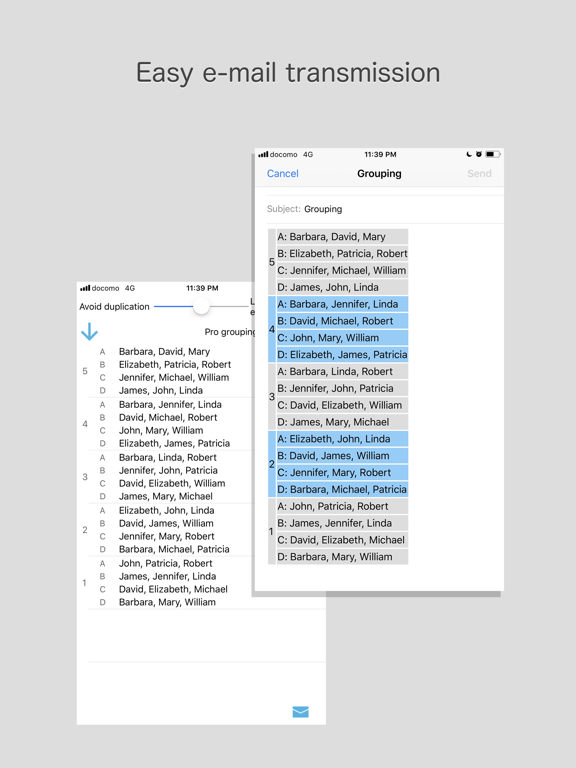
- You can now easily send grouped results by e-mail.
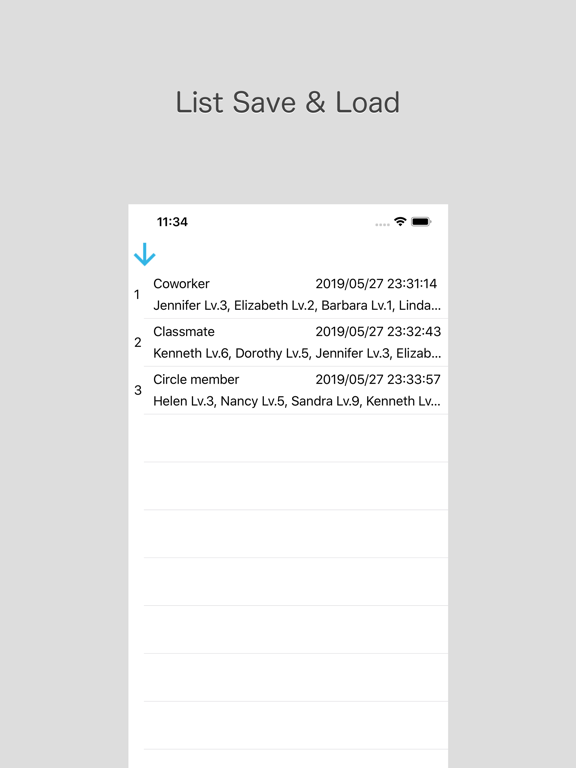
- It became possible to save and read member list.
This usage is the same as the free version, but the major difference is that you can now input member level.
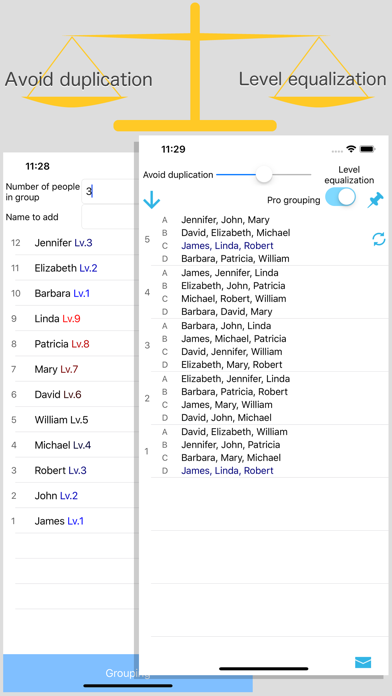
If you enter the number of people per group (*) and the name and level (1 to 9) of the members you want to group, they will be automatically group.
※ If the number of people in the group is the same, enter only that number.(Example: Enter "2" if you want to make some groups of 2 people.)
If the number of people in the group is not the same, enter each number separated by a hyphen.(Example: Enter "3-2-1" if you want to make a group of 3 people, 2 people and 1 person.)
The slider at the top of the grouping list screen allows you to adjust the weight balance of level equalization and duplication avoidance.
By default, the knob is set to the middle, and the level equalization and duplication avoidance weights are 5: 5.
You can put weight on level equalization if you move this knob to the right, and you can put weight on duplication avoidance if you put it on the left.
If you turn off the "Pro grouping" switch under the slider, you will get a completely random grouping.
When you press the E-mail sending button at the bottom of the grouping list screen, the mailer starts with the grouping result written in the text.
Quoi de neuf dans la dernière version ?
Fixed the problem that it is not displayed well in dark mode.