Ultra Lock:Photo & Video Vault
iOS Universel / Utilitaires
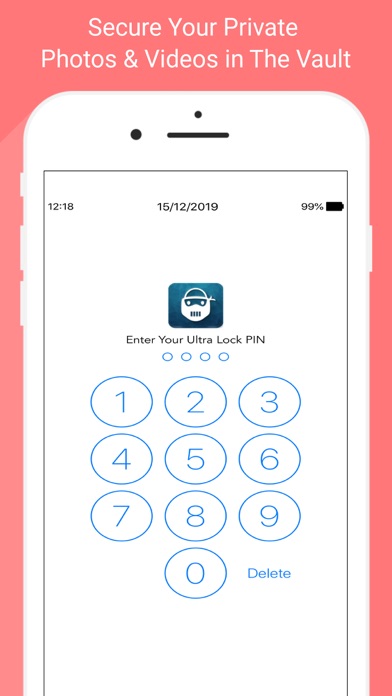
All of the other photo & video vault applications provide just PIN or Pattern lock options to lock your photos and videos. Most of the time, our friends and colleagues can guess our PIN or Pattern by peeping over our shoulder a few times. Are your friends, colleagues and family members guessing your PIN number frequently? We provide the Ultra Lock app to solve your problem.
Apart from the PIN lock option, Ultra Lock provides many unique lock options, Few of them are,
Hours and Minutes PIN: Unlike the ordinary PIN option, if you choose Hours and Minutes PIN lock in the Ultra Lock app settings, your vault's lock screen PIN will be changing every minute to the current time on your mobile. So, your vault lock screen PIN will be changing automatically to the current time at every minute and you need not remember anything to recollect the PIN. Just look at time in the status bar and enter it. Still don’t get it? Let's say you have selected Hours And Minutes PIN option and You try to open the Ultra Lock vault at 11:15 PM, the vault's lock screen will show up and ask for the PIN to unlock it. The PIN will be 1115 which is the current time your mobile. If you try to open the vault at 11:20, the PIN by that time will be 1120. So, the PIN will keep changing and your friends can't guess your PIN by looking over your shoulder.
Date and Month PIN: Date and Month PIN is similar to Hours and Minutes PIN whereas the PIN will be changing to the current date in the mobile instead of the current time. So, your PIN will be changing every day automatically to the current date. Let's say the current date is 12/14/2019 (mm/dd/yyyy format), so your vault's lock screen PIN will be 1412 (dd/mm).
Battery and Battery PIN: Battery and Battery PIN will set your mobile’s current battery level as the vault's lock screen PIN. For example, if the battery is 50% then the vault's lock screen PIN will be 5050.
Battery and Minute PIN: Battery and Minute PIN will set the current battery level in your mobile and current minute as the vault's lock screen PIN. For example, if the current battery level is 50% in your mobile and the time is 11:20 PM, then the vault's lock screen PIN will be 5020 which is the combination of the current battery level(50%) and current minute(20).
Apart from them, Ultra Lock provides the various combinations of the Hours, Minutes, Date, Month and Battery level such as Minutes and Date PIN, Month and Minutes PIN, Hours and Date PIN, Minutes and Battery PIN, etc., Using them, will make it tough for others to guess your Ultra Lock vault's PIN. There are more 15+ PIN types like this added in this app to make it difficult for others to guess your vault's PIN number.
Apart from the unique lock options,
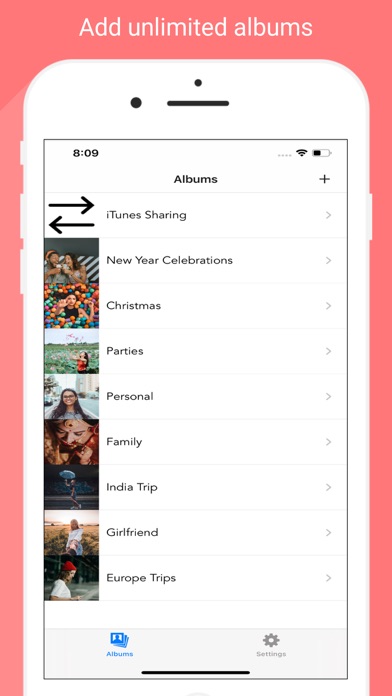
1. Unlimited Albums: You can have unlimited private photo & video albums for free.
2. iTunes Share: Sync photos and videos directly to your vault using iTunes.
3. Break-In Alert: If someone ever tries to unlock your mobile, Ultra Lock will capture the photo of the person and notify you while you unlock the vault.
4. Unlock Log: The app captures a photo every time you unlock the vault. You can go through the Unlock Log to verify someone accessed your photos or not.
5. Last Unlock Time: Ultra Lock will show a notification with the last opened time of the vault whenever you open the vault. You can cross-check if someone ever opened your vault recently.
6. Modifier: Customise your dynamic PINs with a modifier
7. Touch ID & Face ID Support: You can unlock the vault using the Touch ID or Face ID as well.
8. Share: If you ever want to share the private photos/videos, you can directly share them from your vault directly.
Your secrets stay within your device alone. We don't have any access to your photos or videos. You can backup the vault content to your Mac/Laptop/Desktop or iCloud.
Privacy Policy - http://miragestack.com/iOS_Ultra_Lock_privacy_policy.html
Terms & Conditions - http://www.miragestack.com/iOS_Ultra_Lock_Terms_And_Conditions.html
Quoi de neuf dans la dernière version ?
1. iOS 14 support
2. Minor UI improvements