uPanasonicCam: Audio & Record
iOS Universel / Utilitaires
uPanasonicCam allows the user to remotely monitor live video and audio feeds with an incredibly intuitive touch screen user interface for Panasonic network cameras. Unlike most IP camera applications; it not only gives the user professional monitoring capabilities with audio, face and motion detect, video record but enables to quickly and easily add new models right after user’s request through our open architecture software.
Just download and click uPanasonicCam to view what your camera’s lens see virtually from anywhere with Wi-Fi coverage or even cellular networks.
* Main Features
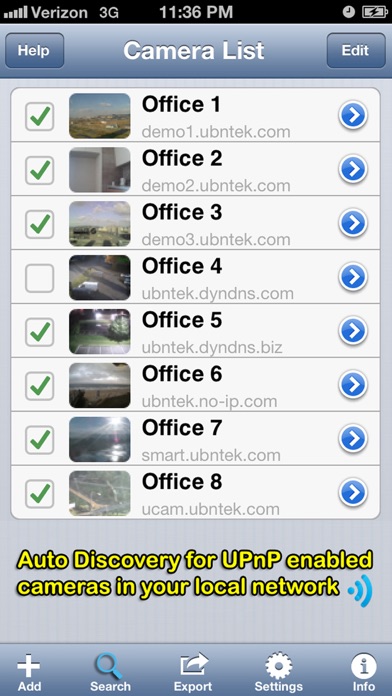
▶ Unlimited number of cameras can be configured
▶ Directly access to audio and video streams from your camera. No NVR or 3rd party server is required
▶ Support audio if the camera has a G726 ADPCM codec
* G726 ADPCM codec needs to be selected in audio settings of camera setup
* Compatible with 3G iPod touch / iPhone 3GS or more, and iPad
* Requires admin account login
▶ Background audio monitoring
▶ Record Audio and Video feeds to Camera Roll
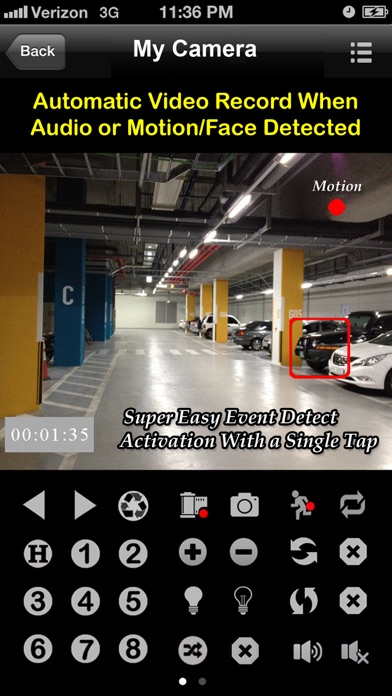
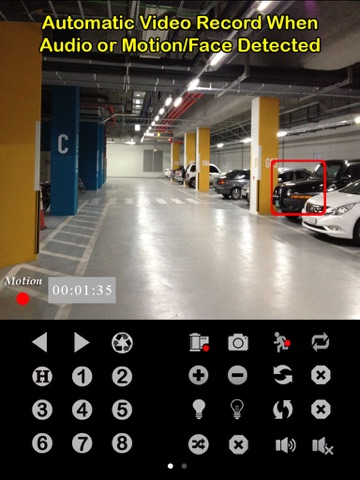
▶ Automatically capture images and videos by in-app motion and face detection
▶ Auto sequence monitoring for automatic cameras switching
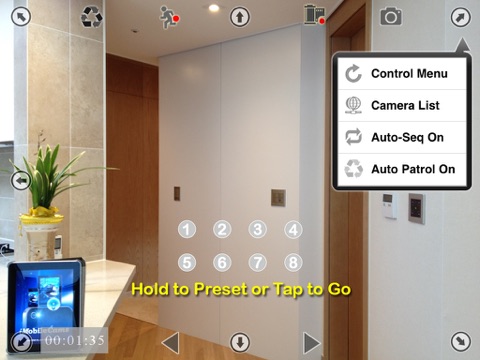
▶ Auto patrol to preset positions according to the preset number and time interval
▶ Pan and Tilt controls with overlay buttons(max 8 directions)
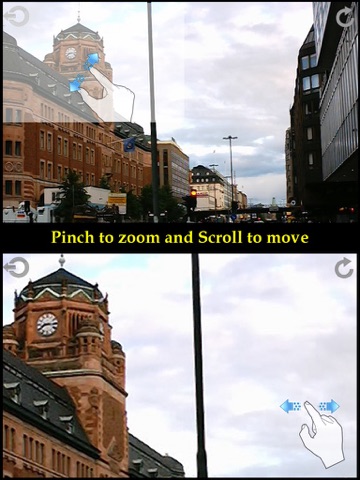
▶ Pinch to digitally zoom for any part of the display screen that the user desires
▶ Switch IR-LED illumination for night vision on/off
▶ Control vertical/horizontal patrol
▶ Control Presets at its original center location and predefined up to 8 spots
▶ Activate or deactivate output port for connecting external devices
▶ Quickly and easily add new models with reload button
▶ Friendly navigate cameras with the variety of portrait and landscape modes
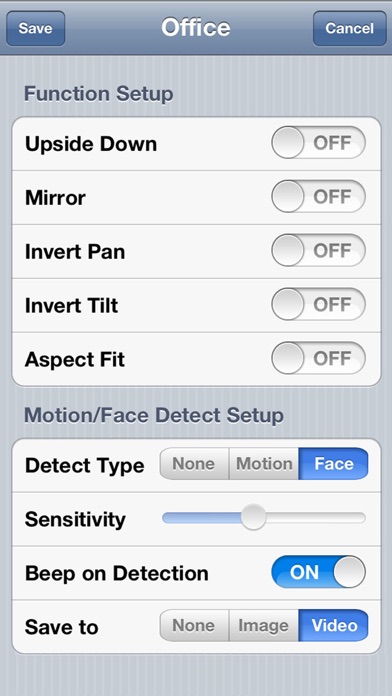
▶ Enable or disable Upside down
▶ Enable or disable Mirror
▶ Enable or disable Invert Pan Tilt
▶ Enable or disable Aspect Fit
▶ Clone easily camera settings
▶ Reorder camera lists
▶ Optional cellular network alert notifications
▶ Enable or disable Auto-Lock
▶ Passcode protect the app on your device
▶ Compatible with Dynamic DNS services
▶ Take snapshots or share via email, Facebook and/or Twitter
* In App Purchase Features (see demo video in Help)
▶ Easily view multiple feeds simultaneously on a screen with layout controls (2, 3, 4, 6, 8, 9, 12, 16 views)
▶ Auto sequence multiviews on one screen
▶ Live single audio and max 16 video feeds on one screen
* Supported Cameras
- Common: C1A, C10A, C30, C101E, C111, C121, C131, C210, C230A, HCE481A, HCM511A, HCM515, HCM527A, HCM531A, HCM547A, HCM715, HCM735, NP244, NP304, NS202A, ST162, SW172, SW174
- EF134L: K-EF134L
- EW114L: K-EW114L
- HCM580,581: BB-HCM580, BB-HCM581
- NM100: WV-NM100
- NS320: WV-NS320
- SC384,385: WV-SC384, WV-SC385
- ST162,165: WV-ST162, WV-ST165
- SW172,175: WV-SW172, WV-SW175
- SW174: WV-SW174
- SW316,396: WV-SW316, WV-SW396
- SW598: WV-SW598
- VT164: BL-VT164
* Note
- Before you can control your camera(s) remotely over 3G/4G/Edge/other Wi-Fi networks, you need to setup your router to allow incoming traffic. You should read your camera’s setup manual regarding port forwarding. For more information, please see www.portforward.com or www.dyndns.org
- The response time of PTZ control and multiple cameras view depends on the network and/or your device itself and/or camera capability which may cause a little bit of delay in feedback
- Simultaneously continuous capturing both videos and images may cause increased video frame and audio delays.
If you have any questions or comments, or you would like to request that we support additional camera models, tap the Help button.
Quoi de neuf dans la dernière version ?
This app has been updated by Apple to display the Apple Watch app icon.
- iOS 8 compatible
- Optimized for iPhone 6 and iPhone 6 Plus
All reviews and ratings are reset once an update is released. We would greatly appreciate it if you could continue to award us the 5 star ratings/reviews. Thank you for your support!