Virtual Steering Controller
iOS Universel / Utilitaires
Virtual Steering Controller transforms your iPhone or iPad into a customizable controller for PC games over your local WiFi network.
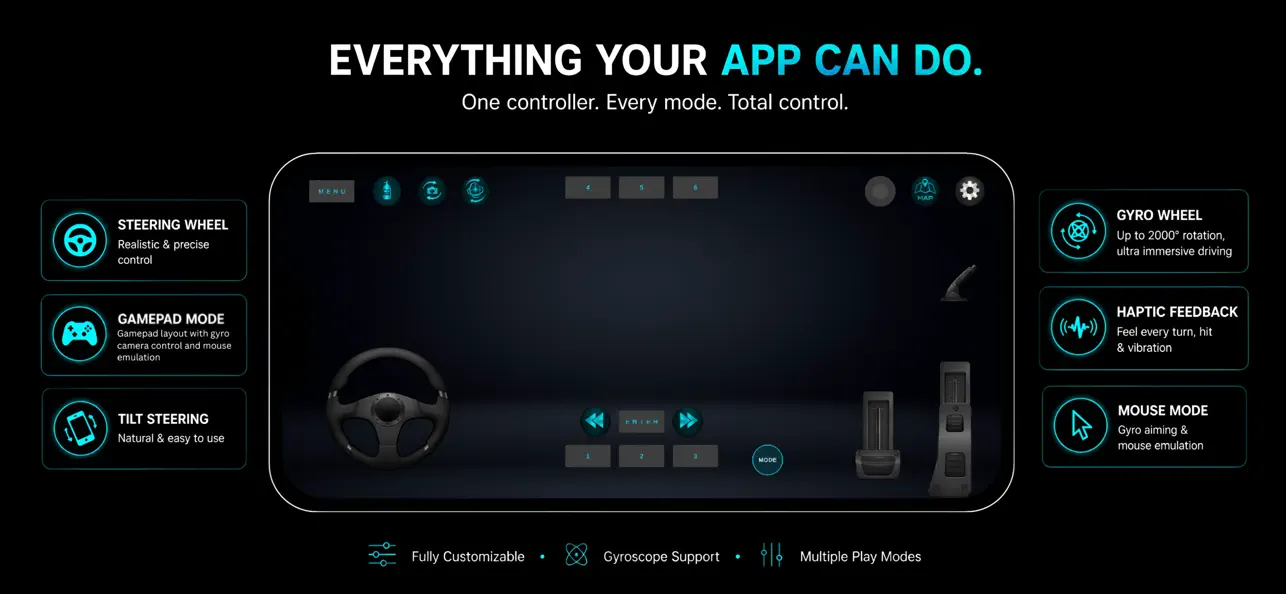
Choose the control style that best suits your game, including steering wheel controls, tilt steering, high-range gyro steering, gamepad controls, and mouse-based aiming. Customize layouts, adjust sensitivity, and create a control setup that works for your play style.
Download the required PC receiver software from:
https://vsteer.pages.dev
Key Features
• Multiple control modes
• Steering Wheel Mode
• Tilt Steering
• Gyro Wheel (up to 2000° rotation)
• Gamepad Mode
• Mouse Mode
• Fully customizable on-screen layouts
• Save multiple custom control layouts
• Analog and digital pedal options
• Adjustable steering and sensitivity settings
• Gyroscope support for compatible devices
• Dynamic touch camera controls
• Real-time haptic feedback for supported games
• Works over your local WiFi network (LAN)
• No account required
How It Works
1. Download and install the VSteer Receiver on your Windows PC from the website above.
2. Connect your phone and PC to the same local WiFi network.
3. Launch both applications and follow the connection instructions provided in the documentation.
Important Information
• Requires the VSteer Receiver application on a Windows PC.
• Both devices must be connected to the same local network.
• Gyroscope-based features require a device with a gyroscope sensor.
• Real-time haptic feedback is available for supported games and compatible devices.
Virtual Steering Controller provides a flexible and responsive way to control compatible PC games using your phone, without requiring dedicated gaming hardware.
Quoi de neuf dans la dernière version ?
• Performance improvements and bug fixes.