WiFiRemote Lite
iPhone / Utilitaires
WiFiRemote Lite is the free version of WiFiRemote.
Features in WiFiRemote Lite:
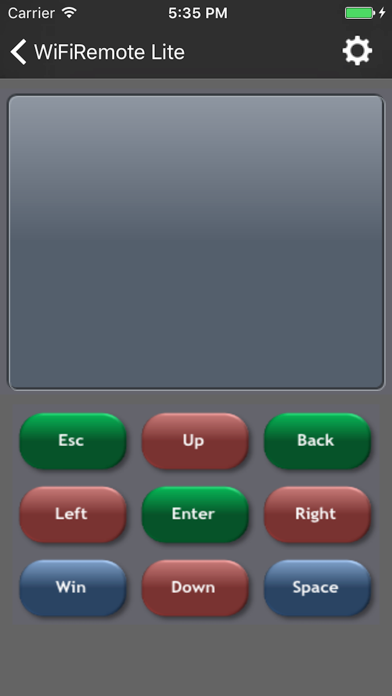
1. Touchpad - Includes all typical touch pad functions plus multi-touch support. You can use two finger tap on the screen to perform right click and two finger slide on the screen to perform vertical scrolling.
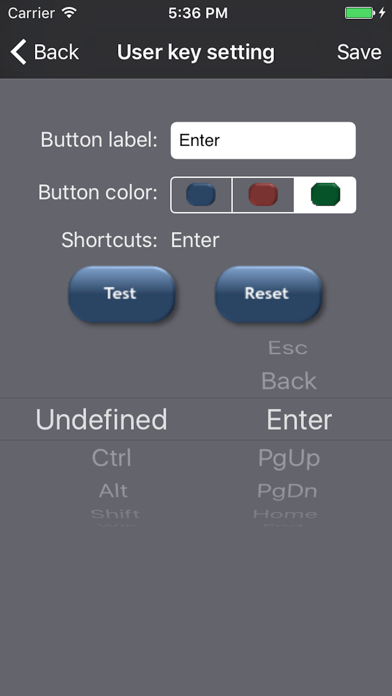
2. User configurable keys - Includes 6 user configurable keys. Allows you to define your own shortcut keys for the best of your convenience.
Note: The receiver application must be downloaded and installed on your PC.
***New feature in paid version:
Application launch pad - Automatically imports the application shortcuts from quick launch toolbar/Dock for Windows/OSX. Allows user to launch favorite application easily. No configuration required.
Key features in the paid version of WiFiRemote:
1. Touchpad - Includes all typical touch pad functions plus multi-touch support. You can use two finger tap on the screen to perform right click and two finger slide on the screen to perform vertical
scrolling.
2. Textpad - Allows you to compose text on your iPhone/iPod Touch before sending to remote PC. This function is also compatible with the Chinese handwriting recognition input method. You can use this program as a wireless Chinese writing pad.
3. Keyboard - Full feature 70 key landscape keyboard. Includes all the keys you need.
4. Mouse - Three buttons accelerometer mouse. Tilt your iPhone/iPod Touch up, down, left, or right to move the mouse in the direction you want it to go.
5. Media remote control – Supports most frequent used keys for WMP11/MCE for Windows and iTunes/QuickTime for Mac.
6. User configurable keys - Includes 18 user configurable keys. Allows you to define your own shortcut keys for the best of your convenience.
7. Application launch pad - Automatically imports the application shortcuts from quick launch toolbar/Dock for Windows/OSX. Allows user to launch favorite application easily. No configuration required.
Other features in WiFiRemote:
1. Easy to use! WiFiRemote automatically searches for the receiver's IP address.
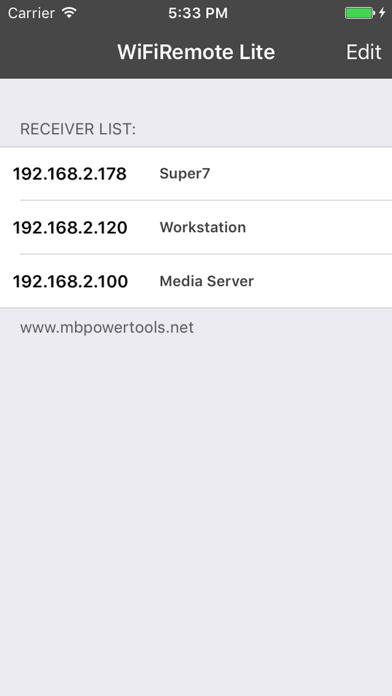
2. Multiple remote PCs support. IP addresses can be stored for later use.
3. Uses WiFi networking to control any PC or laptop within the WiFi network coverage.
4. Includes a magnifying glass function in the receiver application. Small on screen objects can now be easily viewed.
Click on the magnifying glass button on Touchpad to enable/disable the magnifying glass.
5. Option to turn off the remote PC/Mac.
Application requirements:
1. iPhone or iPod Touch with firmware version 2.2.
2. iPhone 3G has to switch to WiFi mode.
3. Any PC or laptop running WinXP/Vista or Mac OSX 10.5 Intel.
4. Your iPhone/iPod Touch and the receiver PC must be on the same subnet.
5. The receiver application must be downloaded and installed on your PC.
The receiver application can be downloaded at:
http://wifiremote.mbpowertools.net
Quoi de neuf dans la dernière version ?
This app has been updated by Apple to display the Apple Watch app icon.
Bugs fixed.