• KultureGeek
  • Comparateur de prix
       
iPhoneAddict
 iAddictv5Notre Application iPhone/iPad
  • Accueil Apps
  • Actualité Apple
  • Keynote Apple
  • Firmwares & iTunes
  • Contactez-nous
Accueil » Liste des Apps » Apps iPhone » Utilitaires » World Tree - navigateur Web (gratuit) avec serrure et la capture d'écran la note de couper les pages Web.
1.7 iOS €Gratuit Utagoe Inc. 3 1 Great News! We'll inform you of a new app, World Tree. It's a new type of web browser. You can take and capture a screen shot and save the web page. You can lock it up by your own password so that nobody can see it! There are many ways to make use...
World Tree -  navigateur Web (gratuit) avec serrure et la capture d'écran la note de couper les pages Web.

World Tree - navigateur Web (gratuit) avec serrure et la capture d'écran la note de couper les pages Web.

iPhone / Utilitaires

Gratuit
Obtenir sur l'App Store

Great News!

We'll inform you of a new app, World Tree.
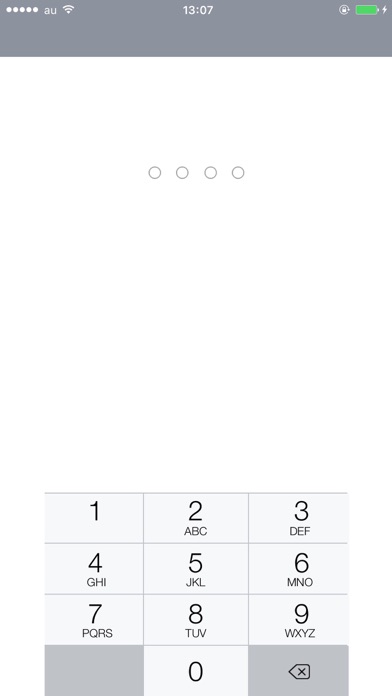
It's a new type of web browser. You can take and capture a screen shot and save the web page. You can lock it up by your own password so that nobody can see it!

There are many ways to make use this web browser.
You may find it useful when you want to look over your favorite web pages about recipes, SNS, good restaurants, etc .
By capturing a screen of a coupon beforehand, you can show it at once.


How to use:
There are two types of screen; Web browser screen and Memo screen.

Web browser screen:
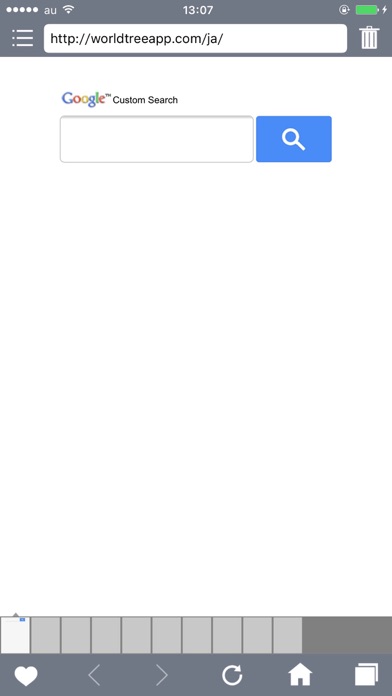
-To take a screen shot, you have to Push 'HEART' mark on the lower left.
-The address bar shown above disappears when you scroll upward while you are on Browser screen.
-To make the address bar be displayed again, scroll downward completely and scroll downward once more.
-You can reload a page by pulling screens just like scrolling downward.
-Tabs appear on the downside of the screen. You can change a tab by swiping with your finger.

Memo screen
-You can edit the pages you have already captured by pushing a date mark button.
-To delete a memo, push a trash mark button
-You can add your memo to Favorites by marking 'STAR'. You can see your favorites by pushing a 'STAR' mark on the next to a search button
-You can search by keywords.
-To set your own password, push a wrench mark button on the bottom of the screen.
-You can also change colors by pushing the wrench mark button. There are 30 color variations for a tool bar, 11 colors for a browser background, 5 colors for icons.
-To go back to the Web browser screen, swipe your screen from right to left or press a globe mark button on the bottom of the screen.

En voir plus...

Quoi de neuf dans la dernière version ?

Apple a mis à jour cette app afin d’afficher l’icône de l’app Apple Watch.

- Fixed bugs.

Thank you very much for your feedbacks.
  • Screenshot #1 pour World Tree -  navigateur Web (gratuit) avec serrure et la capture d'écran la note de couper les pages Web.
  • Screenshot #2 pour World Tree -  navigateur Web (gratuit) avec serrure et la capture d'écran la note de couper les pages Web.

D'autres applications du développeur

Reset.
Reset.
/ iOS Universel
ColleCard
ColleCard
/ iPhone
Wayrec
Wayrec
/ iOS Universel

Note

(1 notes)

Détails sur l'application

Version
1.7
Taille
17.4 Mo
Version minimum d'iOS
8.0
Dernière mise à jour
27/04/2016
Publié par
Utagoe Inc.

Newsletter App Store

Recevez chaque jour les meilleures promos

Actualité Apple

Image L’Apple Watch visée par une plainte sur la détection de chute : une nouvelle bataille juridique en vue
L’Apple Watch visée par une plainte sur la détection de chute : une nouvelle bataille juridique en vue
Image Les Gouttes de Dieu : la saison 2 de la série « vinicole » démarre aujourd’hui sur Apple TV
Les Gouttes de Dieu : la saison 2 de la série « vinicole » démarre aujourd’hui sur Apple TV
Image Apple Fitness + rejoint le Japon
Apple Fitness + rejoint le Japon
Image Les services Apple sont de retour après une grosse panne
Les services Apple sont de retour après une grosse panne
Partenaires : Actualité iPhone - Culture Geek
©2009-2026 i2CMedia | A propos |