Motorway Cam Watch
iOS Universel / Voyages
Check out all of the UK's Highways Agency Cameras from this Fresh and Creative App.
Your one stop Jam Cam viewer now comes with AUTOCAM, clickable map, up to date Traffic News - supplied by the Highways Agency, position of camera shown on live map, Journey mode, interactive Favourites section - now 10 favourites available.
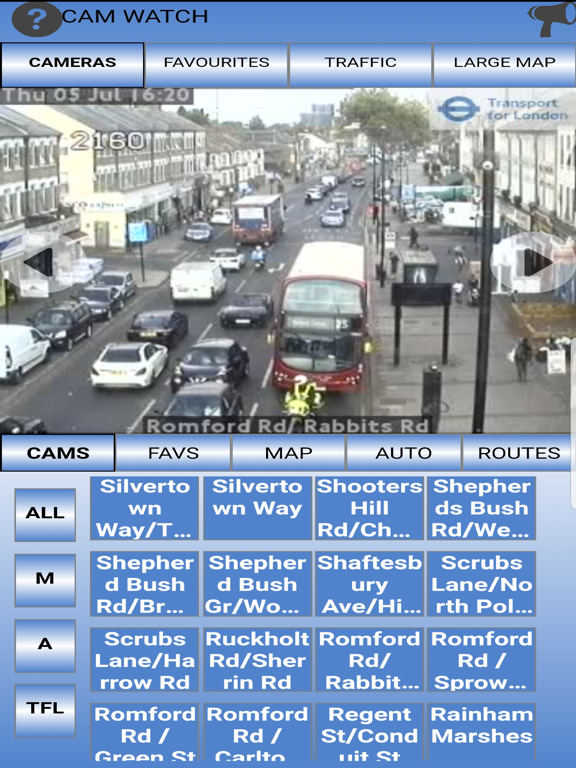
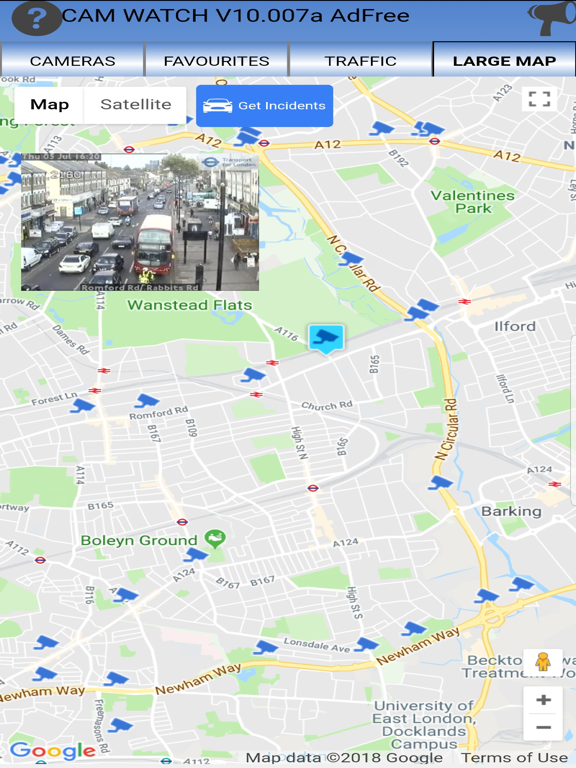
You choose the motorway/road, then camera and the app will display the camera image, and show it's position on the map.
Now with a full screen map option, you can scroll around the map and tap on a camera icon to display that camera.
AUTOCAM option - to be added.
10 onscreen favourites allow you to save you most used cams for easy access. To make viewing of the favourites even easier, there is now AUTOSCROLL, a feature that scrolls the favourites left/right to allow automated viewing.
Now with Full Screen Cam View, in landscape mode, simply tap and hold the main cam and you will then see the cam full screen.
Once you have found the camera you want, you can add it to the favourite CAMs below (simply long press on the favourite cam you want) to enable quick access in the future, or remove the favourite cam (swipe) if you need to.
Another great feature is the ability to have the favourite cams "auto refresh" at your chosen interval, and also the option to have the last cam viewed, automatically displayed the next time the application is started.
The "Route" function will enable you to add any cameras to a list and the system will then show each camera in turn at a specified interval, allowing a quick check of your proposed route. The journey is remembered allowing you quick access to check frequently made journeys. It's easily switched on and off.
One great feature is the "Previous" & "Next" Camera buttons, which allows you to easily move to the next or previous cameras in the list, you can also use a swipe left or right motion to move to next/previous camera as well.
Another handy feature is the latest "Top Traffic News" direct from the Highways Agency.
A YouTube "How-to" video is available showing all of the functions in this new version.
Features:
-------------
Direct access to each cam.
Easily accessible Favourites allow fast access to up to 10 Cams.
Route Mode - allows a list of cameras to be created for viewing one after another at a user defined interval.
Favourite Cams always on show - auto update feature available.
Previous/Next Cam Buttons and swipe feature (browse through each JamCam quickly).
Up to date traffic news supplied directly by the Highways Agency.
Large number of cams covering England, Scotland and Wales.
Cams size to ensure they use the best fit to your screen.
We are continuously looking to improve this app, please feel free to contact us with any suggestions/bugs.
Quoi de neuf dans la dernière version ?
London Cams Bugfix