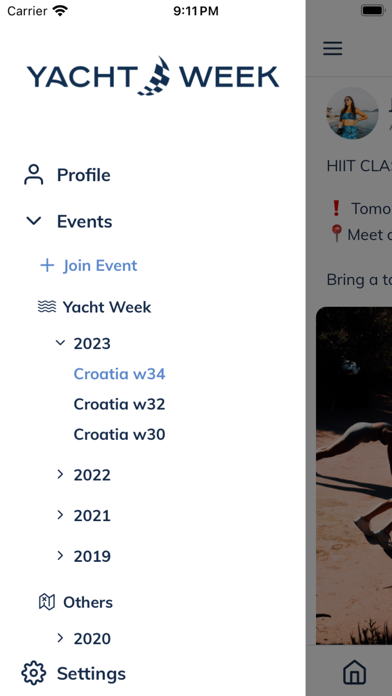
Yacht Week
iPhone / Voyages
You hold the most critical guide for Yacht Week and Ski Week in your hands.
It’s designed to help you navigate your trip and make sense of what you see, so your experience can unfold in new and exciting ways.
Your itinerary
Keep up to date with the daily schedule of events and happenings. Sign up for exclusive activities.
Share photos
Take and share photos with everyone else on your week directly in the app.
Interactive map and location pins
Never get lost with our interactive map. See where your friends are at all times.
Direct messaging
Chat to other people during your week, make new friends and organise activities together.
This app is handy before, during and after your event to be part of the global family. Our week is made up of 8 days. Day 1-7 is where your event experience unfolds.
Quoi de neuf dans la dernière version ?
Chats & crew
Staff introduction messages — Hosts and skippers can write an introduction on their Day8 profile; it can be posted automatically to your yacht booking group chat before the event (timing set per event by organizers).
Intro onboarding — First-run prompts on the feed and profile nudges when you’re upcoming host/skipper without an intro, with role-based default copy you can adopt or edit.
Intro templates — Insert placeholders like {{role}}, {{event_name}}, and {{destination}} that are filled in when the message is sent.
Booking chat fixes — More reliable auto chats for custom, package, and cabin bookings; cabin-to-yacht crew sync; clearer booking chat types and renaming when assignments change.
Crew visibility timing — Guest and staff “days before event” windows and skipper/host reveal use UTC calendar days so visibility matches the real event schedule.
Chat header — Redesigned chat screen header with safer layout on notched devices.
Unread & live chat — More accurate unread badges; Messages list stays subscribed to all your chats over WebSocket so new messages show up reliably.
Feed, media & comments
Media carousel — Swipe through multiple photos and videos on feed posts, comments, and itinerary items instead of a single static image.
Photo markup — Improved native drawing support on more devices (Skia-backed markup where available).
Smarter @mentions — Tap mentions to open profiles; handles that aren’t on the roster can open Instagram, TikTok, or X when you choose.
Feed polish — Clearer feed header layout and more consistent relative timestamps on posts.
Profiles, access & events
Clearer login states — Dedicated screens when you have no account, no booking yet, or staff access isn’t open yet (~two weeks before the event), with Try again, support, and sign-out paths.
Event week labels — Week labels on events where configured, for easier scanning in the app.
Profile intro — View, edit, and delete your introduction message from profile with last-updated date and required-intro guidance for host/skipper roles.
Feedback detail — Feedback form titles shown on the detail screen.
Reliability & polish
Timezone & reveal — UTC-based handling for crew/chat auto-reveal windows.
Edit profile — Fixes around introduction message dates and profile editing edge cases.
Build stability — Metro and markup build fixes for smoother releases.
For organizers (configured in admin, felt in the app)
Staff introduction settings — Per-event days-before send, fallback modes, and read-only intro previews in admin.
Automatic host/skipper intros — System posts introductions from Day8 profiles (no Quarterdeck copy) into per-booking chats on schedule.
Booking chat automation — Lifecycle timeline, guest/staff day validation, and fixes for cabin, package, and custom bookings.
Event Feed scheduling — Schedule and review timed feed posts; company and event template packs for posts and media.
Platform settings — Central platform configuration surfaced in admin.
Booking sync — More reliable booking–member link queue and gateway booking purge on sync.
Admin UX — Event week labels, soft-delete events with confirmation, booking counts on event bookings, “Event Feed” naming (was Newsfeed).