• KultureGeek
  • Comparateur de prix
       
iPhoneAddict
 iAddictv5Notre Application iPhone/iPad
  • Accueil Apps
  • Actualité Apple
  • Keynote Apple
  • Firmwares & iTunes
  • Contactez-nous
Accueil » Liste des Apps » Apps Universelles » Divertissement » DynaDraw
L'application n'est plus disponible sur l'App Store français
2.0 iOS €Gratuit Dimorphic, LLC 0 0 DynaDraw is a dynamic drawing application based upon a program written in 1989 by Paul Haeberli. The program can be used to make a variety of drawing effects, but it is especially useful for calligraphy. The drawing works like a spring and mass...
DynaDraw

DynaDraw

iOS Universel / Divertissement

Gratuit
Obtenir sur l'App Store

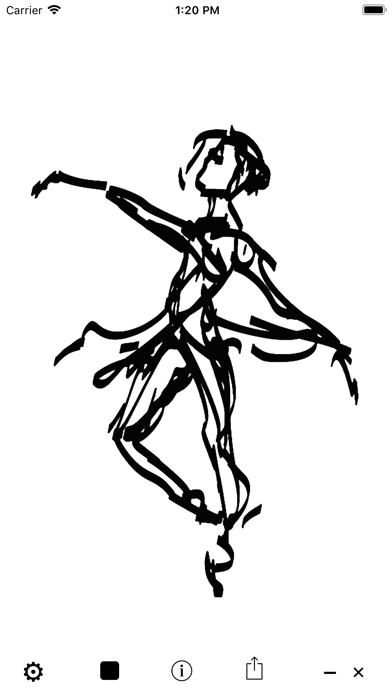
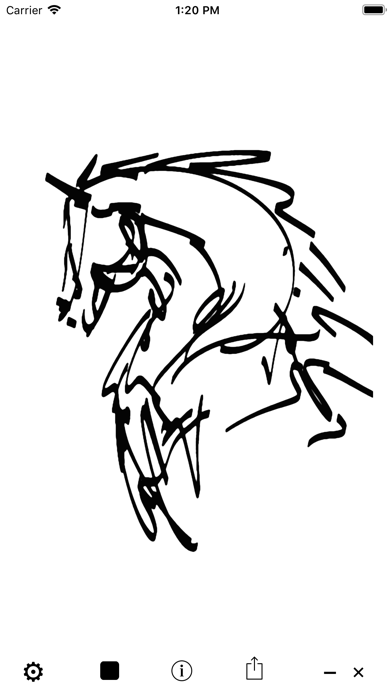
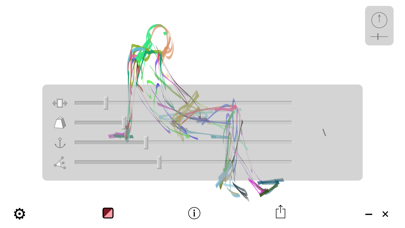
DynaDraw is a dynamic drawing application based upon a program written in 1989 by Paul Haeberli. The program can be used to make a variety of drawing effects, but it is especially useful for calligraphy. The drawing works like a spring and mass system, as if your finger were pulling a weighted paintbrush attached to it with a spring. You can adjust the spring, mass and drag parameters to change the dynamic effect.

En voir plus...

Quoi de neuf dans la dernière version ?

Color
Support for new devices
Metal, Swift
  • Screenshot #1 pour DynaDraw
  • Screenshot #2 pour DynaDraw
  • Screenshot #3 pour DynaDraw
  • Screenshot #4 pour DynaDraw
  • Screenshot #5 pour DynaDraw
  • Screenshot #6 pour DynaDraw

Note

(0 note)

Détails sur l'application

Version
2.0
Taille
11.9 Mo
Version minimum d'iOS
9.0
Dernière mise à jour
05/05/2019
Publié par
Dimorphic, LLC

Newsletter App Store

Recevez chaque jour les meilleures promos

Actualité Apple

Image [#BonPlan] Les AirPods Pro 3 en promo pour seulement 198 €
[#BonPlan] Les AirPods Pro 3 en promo pour seulement 198 €
Image Nouvelle pub d’Apple pour les AirPods Pro 3 et la réduction de bruit avec Vinicius Jr
Nouvelle pub d’Apple pour les AirPods Pro 3 et la réduction de bruit avec Vinicius Jr
Image Le MacBook avec écran tactile est « 100% confirmé » selon un leaker
Le MacBook avec écran tactile est « 100% confirmé » selon un leaker
Image Siri AI : comment contourner la file d’attente sur macOS 27 Golden Gate
Siri AI : comment contourner la file d’attente sur macOS 27 Golden Gate
Partenaires : Actualité iPhone - Culture Geek
©2009-2026 i2CMedia | A propos |