HR Audio Player for iOS
iPhone / Divertissement
The TEAC HR Audio Player for iOS is a Hi-Res Audio Playback App for iOS devices (*1), allowing DSD 11.2MHz and PCM/FLAC 24-bit/192Hz playback on TEAC Portable DACs (*2) via single Lighting-USB cable.
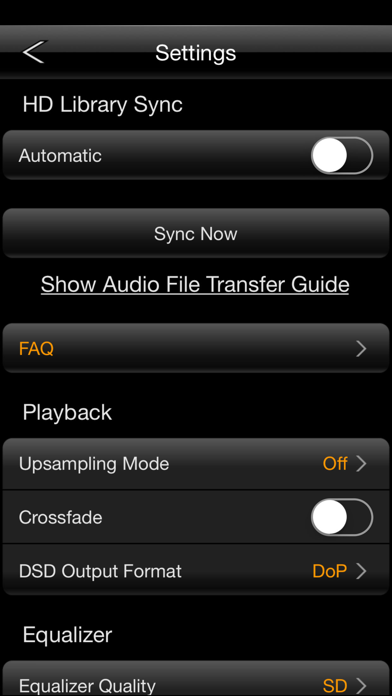
Employing a graphic equalizer supports 16,384 discrete bands of high-definition equalization with linear-phase FIR filter that maintains accurate phase and sound quality as you adjust EQ curve. A touch-adjustable curve can be magnified for precise adjustment, and each customized EQ curve up to 1,000 can be saved and loaded with customized name. The equalizer provides a conventional SD mode and more precise HD mode that processes the audio signal in 64-bit.
HR Player Pack (Paid version)
After In-App purchase (*3), the TEAC HR Audio Player for iOS also works with non-TEAC DACs/Headphone Amplifiers, or iOS device alone. (*4) You will access all functions including PCM 24-bit/192kHz playback and DoP/PCM output for DSD data via Apple's Lightning-USB Camera Adapter or iPad Camera Connection Kit.
Key Features
・High-precision HD Equalizer (16,384 discrete bands, Linear-phase FIR Filter)
・ 64-bit HD Equalizing mode (*5, 6)
・Auto Up-sampling
・Cross-fade Playback (*6)
・ Display Album Artwork and Lyrics
・Repeat Play (within the current Playlist)
・Resume Play
・Shuffle Play (within the current Playlist)
・Easy to add songs to a Playlist and the “Up Next” waiting list
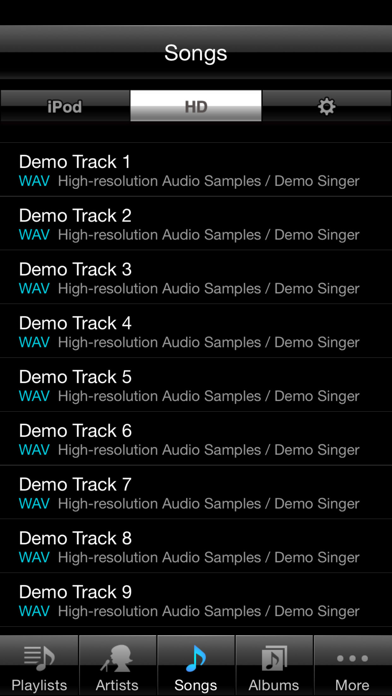
・Combining songs in the HD Library and the iPod Library into single Playlist
・Real-time DSD Conversion (*7)
・Wireless Hi-Res Audio Data Transmission via AirDrop (*8)
Supported Formats (Connection with TEAC DACs, or Paid version with non-TEAC DACs)
Following audio formats in a computer can be added to the HD Library in iOS devices via iTunes, except DRM and MP3. (*9)
・DSF/DIFF: 2.8M/3.0M/5.6M/6.0M/11.2MHz, DoP or PCM-conversion output (*10)
・FLAC/ALAC/WAV/AIFF: up to 384kHz
・Ogg Vorbis: up to 192kHz
Remarks
*1Requires iPhone 4s or late, iPod touch 5th generation of later, iPad 2, iPad mini or later, and iOS 6 or later.
*2Compatible with HA-P90SD, HA-P5, HA-P50SE, HA-P50 (as of March 2016)
*3In-App payment is accessible in the App.
*4iOS 7 or later is required. If you use the App with an iOS device alone, Hi-Res Audio data 88.2kHz or higher will be converted to 44.1kHz, and delivers analog audio signal from Earphone jack on the iOS device.
*5High-speed processing is required during the HD equalizing mode. Interrupts may occur on iPhone 4 or older device.
*6Equalizing and Cross-fade settings are disabled when DoP output mode is selected.
*7Supported on Paid version. A 64-bit CPU-based iOS device such as iPhone 5s or later is required.
*8This feature is restricted for some models. Please check our website for more information.
*9MP3 is accessible via standard iPod Library in iOS devices.
*10DSD 11.2MHz playback is supported on iPhone 5s or later.
Quoi de neuf dans la dernière version ?
This update from Apple will improve the functionality of this app. No new features are included.
When connecting HA-P50/SE, HA-P90SD, HA-P5 with iOS10, the Hi-Res sound sources could not be reproduced. This has been fixed.
※In iOS10, when changing sampling frequency, the pop-up for connecting devices always displays. In this case, it will not appear from the next time by selecting “Don’t ask me again.” in the pop-up display.