IQANgo
iOS Universel / Economie et entreprise
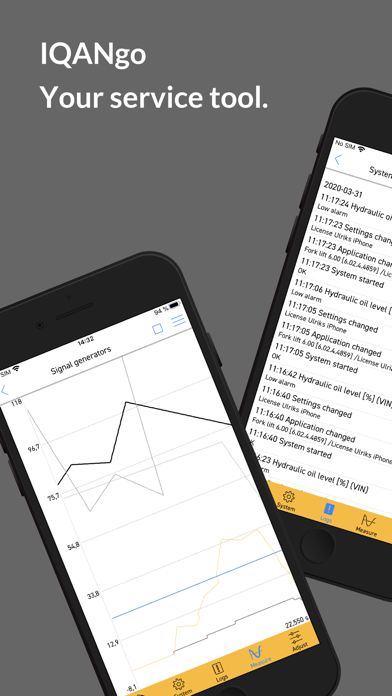
IQANgo is a user-friendly service tool for the IQAN series of controllers and displays. It enables service technicians or machine owners to connect wireless to IQAN modules in their machines and perform actions such as check system status, view logs, measure in real-time, and change settings.
Wireless
Connect via WiFi, Bluetooth, or the Internet to your IQAN system. All the data you see is live and in real-time.
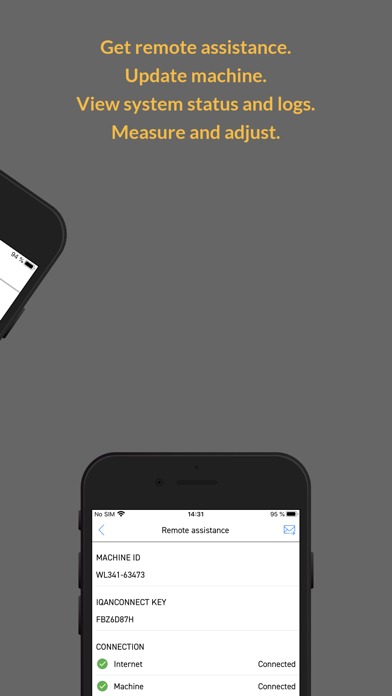
Remote assistance
Use your smartphone as a "modem" to connect your machine to the Internet. This feature allows remote personnel to perform operations such as fault finding, software updates, configuration, calibration, and more, via the Internet.
System overview
IQANgo is a powerful troubleshooting tool. It features a system overview function, where you quickly find module or I/O related alarms or errors. You can also change settings such as date/time or language, and view module information such as serial number, software version, and more.
Logs
View all logs (system, event, and statistical) and their content. There is a filter function that lets you find what you're looking for fast and easy. And you can save or erase the content of a log when needed.
Measure
A powerful tool when you need to do more detailed troubleshooting, or just want to view the value on a specific input, output, or internal channel. All measured values are presented with their corresponding unit and status, or graphically in a line graph.
Adjust
IQANgo has a unique function for adjusting inputs, outputs, and parameters in real-time. It is also possible to reset a setting to its factory default value if needed.
Operations
You can perform actions such as "Log in", "Send to machine" or "Get from machine". Send and get settings, clone, and project files.
Quoi de neuf dans la dernière version ?
Remember item properties for graph items: Measure item properties (min, max, color, visible) are now stored between sessions.
Customizable graph background color: New option added.
Crash or freeze when rotating screen: Fixed.
Open files from external folders: Now possible to open files from other folders than the IQANgo folder in the Files app.
MD5: major update of module firmware: Upgrade of MD5 to 7.06 requires 7.05 in module.
During update, all logs in the MD5 will be erased.
After updating MD5 to 7.06, downgrade is not possible.
Clones taken from MD5 7.06 or newer can only be sent to module with 7.06 or newer.
Increase minimum iOS version: Minimum supported iOS version is now 13.
User defined measure item min/max is lost when stopping graph measure: Fixed.