LynxPDF: Enterprise PDF Editor
iOS Universel / Economie et entreprise
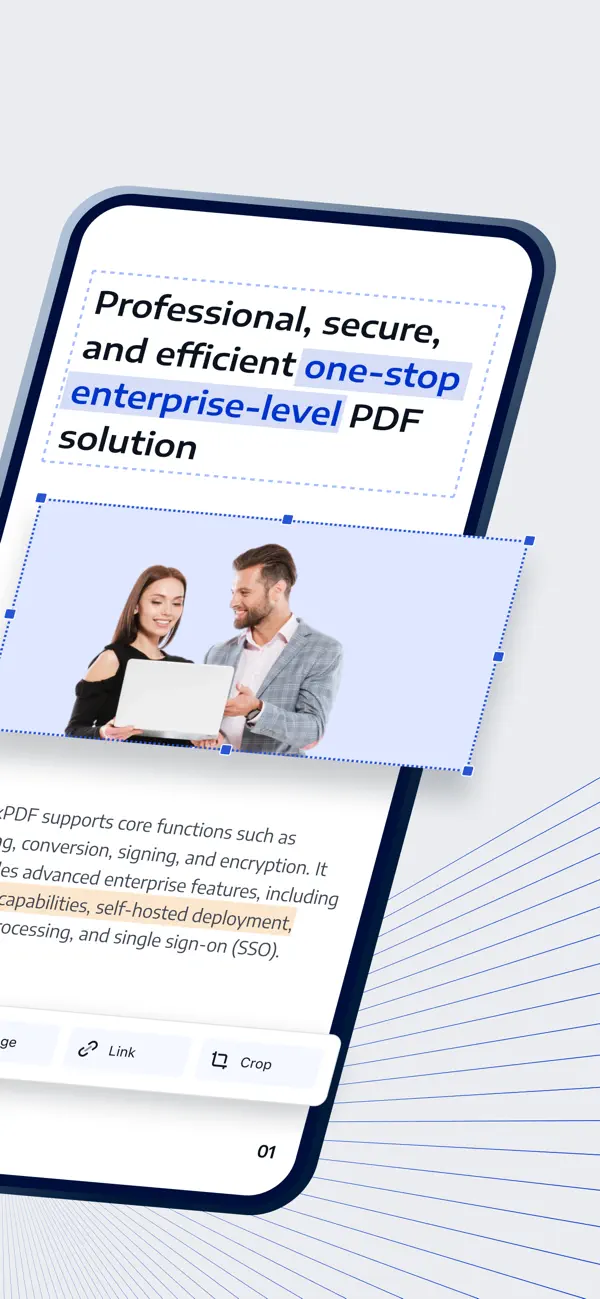
LynxPDF is a powerful enterprise PDF editor designed for professionals and business teams.
Edit, annotate, convert, and manage PDF documents on your iPhone or iPad with an intuitive mobile experience. With built-in OCR, document security, and flexible file management, LynxPDF helps teams handle documents faster and more efficiently anywhere.
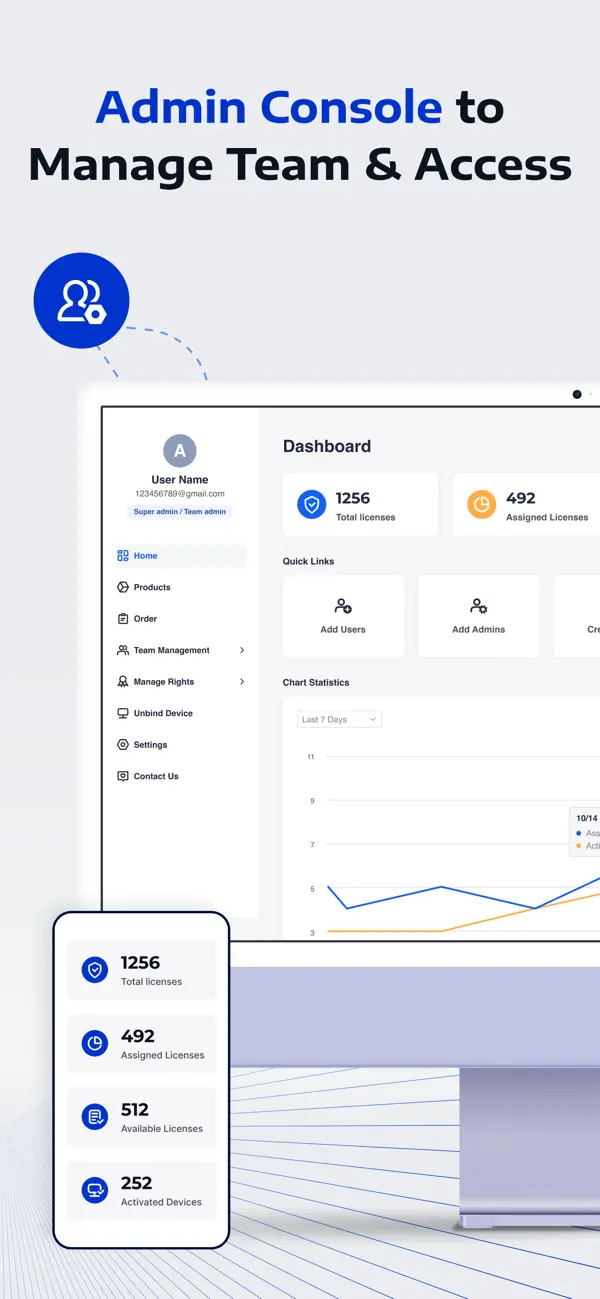
ADMIN CONSOLE
Assign and remove license for your team
• Assign licenses to organization users
• Revoke licenses from offboarded users
• Add and manage team members
• Monitor overall license usage and allocation
POWERFUL PDF EDITING
Make changes to PDFs directly on your device.
• Edit PDF text and images
• Add new text and images
• Change fonts, colors, and formatting
• Rotate, crop, replace, or export images
• Quickly correct mistakes or update documents
ADVANCED ANNOTATION TOOLS
Review and collaborate on documents with a full set of markup tools.
• Highlight, underline, strikeout, and draw
• Add comments and sticky notes
• Insert shapes and stamps
• Sign documents with handwritten or image signatures
• Add audio comments and hyperlinks
CONVERT PDFS
Convert PDFs offline while preserving formatting.
Export PDF files to:
• Word (DOCX)
• Excel (XLSX)
• PowerPoint (PPTX)
• HTML / Text / RTF / CSV
• Images, etc.
You can also convert images into PDF files.
OCR FOR SCANNED DOCUMENTS
Recognize and extract text from scanned documents and images.
• Recognize text from scanned PDFs
• Extract text from images
• Save results as PDF or TXT
• Scan documents directly with your camera
ORGANIZE AND MANAGE FILES EASILY
Manage documents with powerful file tools.
• Merge multiple PDFs into one file
• Compress large PDF documents
• Split or extract pages
• Extract images from PDFs
• Rename, move, duplicate, and share files
• Manage documents in grid or list view
FLEXIBLE PAGE MANAGEMENT
Edit and organize PDF pages quickly.
• Rearrange page order
• Insert or delete pages
• Rotate pages
• Extract selected pages into new files
SECURE DOCUMENTS
Protect confidential files with built-in security.
• Encrypt PDFs with passwords
• Store files in a private folder
• Control document access and protection
BUILT FOR MOBILE PRODUCTIVITY
Access and manage your files anywhere.
• Import files from iCloud Drive
• Open email attachments directly
• Import images from Photo Library
• Transfer documents between apps
Privacy Policy
https://www.lynxpdf.com/privacy-policy
Terms of Service
https://www.lynxpdf.com/terms-of-service
Official Website
https://www.lynxpdf.com/
LynxPDF helps professionals and teams stay productive with secure and powerful PDF tools on mobile.
If you need any assistance, please contact our customer support at sales@lynxpdf.com
Quoi de neuf dans la dernière version ?
New LynxPDF Released! Boost Your Business Efficiency!
- Improved Stability & Performance: Fixed known issues and optimized performance for a faster, more reliable experience.
LynxPDF is powered by ComPDF. For feedback or suggestions, feel free to contact us: sales@lynxpdf.com