SkillGuard 5
iOS Universel / Economie et entreprise
The app can be used by approved access controllers, spot checkers and lone workers. Navigation controls and features are shown depending on the role.
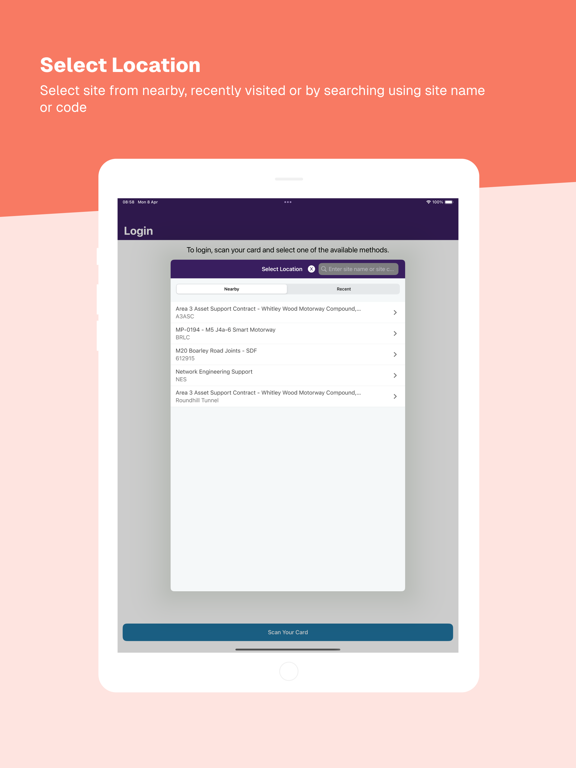
Location Search
• Search for nearby sites (if geo services are enabled on the mobile device), search for a site using a site name or code or select from recent sites.
• Get directions to the selected site.
• For sites containing zones, the site or zone can be selected as the location.
Team features
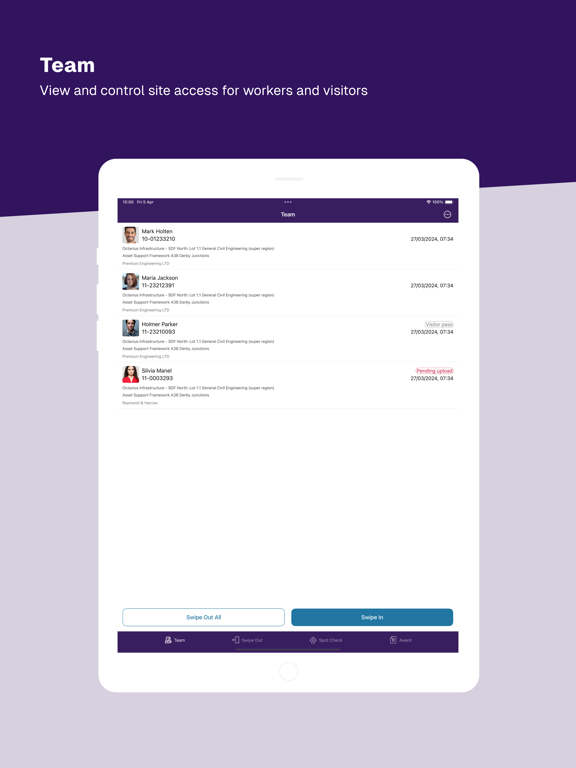
• Start a team to optionally swipe in the access controller, then check and confirm/deny access to workers and visitors.
• System rules determine a worker’s eligibility to work on a site – the app checks these in real time when a card is swiped and highlights if any are not met. Relevant worker record can then be reviewed along with upcoming competency and other expiries.
• Access controllers can then confirm (if system rules are met) or deny access.
Card Reading
• The app supports reading of supported cards via both NFC (where supported by the device) and QR code.
• Virtual cards stored in Vircarda are also supported. If located on the same mobile device as the SkillGuard app, the virtual card can be used to identify the user (e.g. an access controller). Please refer to the app store listing for Vircarda for more information.
• Use “forgotten card” functionality to swipe in workers who have forgotten their card by entering details provided by the worker.
To read physical smartcards via NFC, for example when swiping in a worker:
• When prompted, hold the card in contact with the NFC area on the rear of your device until the card has been read successfully and any required card updates have completed.
• NFC functionality must be enabled on the device.
Swipe Out
Swipe out workers from site when their card is presented, even if they are not part of your team.
Competency and Briefing Award
• Search for and award competencies and briefings to workers.
• Review and award competencies and briefings that have been scheduled for award.
• Attach files stored on the device or use photos as evidence.
• Use the same group evidence for awarding the same competency to multiple workers.
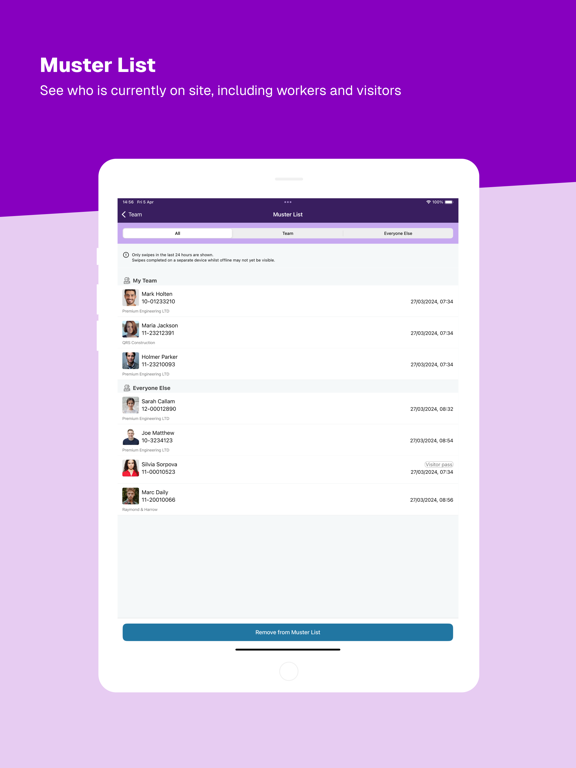
Muster List
Review workers currently on site, even if they have been swiped in by other access controllers.
Other Features
• View requirements to swipe into the current location.
• Change location when moving to a new site.
• Travel information captured in the app is recorded centrally in SkillGuard, providing a basis for environmental and carbon emission reporting.
• Swipe history shows a history of recent swipes performed on the device. These can be cleared locally from the device if desired (swipes will always be retained centrally in SkillGuard).
• Navigation controls are readily available within the app to allow fast switching between features.
• Application security via two-factor authentication during login (email or SMS).
• Online help can be viewed to learn more about using the app.
• Internet access is not required to read smartcards using NFC – the last details stored in the smartcard’s microchip will be read if the app is offline. If internet access is available when an NFC card is read, any offline updates for that smartcard from the SkillGuard database are transferred automatically to it.
• Offline smartcard checks recorded in the app are uploaded automatically to SkillGuard when an internet connection is available.
Access controllers can access all of these features. Spot checkers can spot check cards, view the muster list and change location. Lone workers can swipe themselves in and out of a site, change location and check their card details.
Quoi de neuf dans la dernière version ?
Refresh project, site and zone information in the background