TOTAL for Mobile
iOS Universel / Economie et entreprise
TOTAL for Mobile is the perfect mobile companion app for TOTAL on the desktop. With TOTAL for Mobile, you’ll save the most time from field to office and shave minutes off of every report by not having to retype, resketch, and reformat, since all field data and sketches flow into your forms. It’s the best real estate appraisal app yet.
YOUR REPORTS IN THE CLOUD
Starting, editing, and sharing your reports between mobile and desktop is easier than ever before. Whether you start your appraisal reports in TOTAL or from your iPad or iPhone, the new design gives you instant access to your files from the cloud. And, the updated syncing process makes it easy to choose which files to send on your schedule, instead of sending everything at once.
FORMFILLING
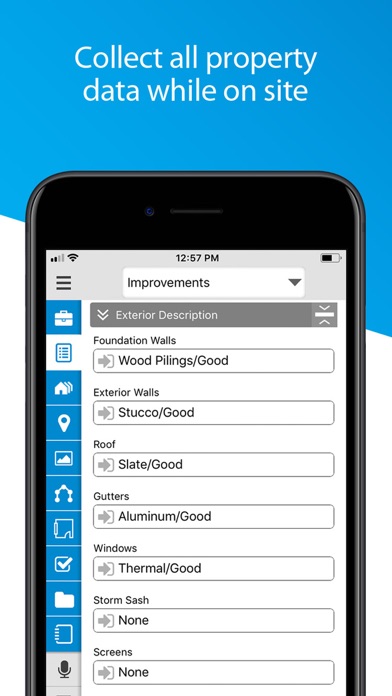
Your QuickLists sync too, so you’ll fly through data gathering by simply tapping to fill in your canned comments instead of typing.
PHOTOS
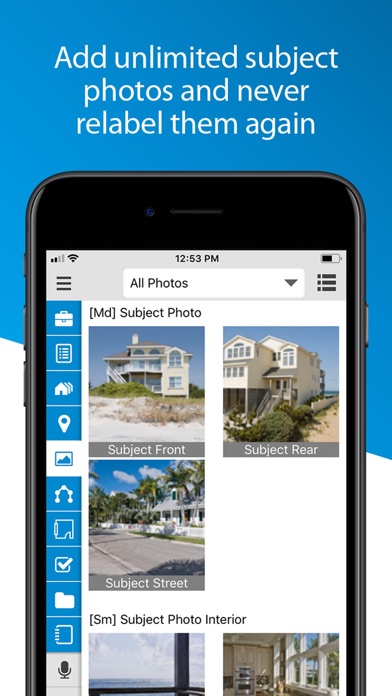
With TOTAL for Mobile's photo tools, add as many subject photos as you want. Then, the correct photo forms are automatically added to your report in TOTAL when you sync. No more juggling extra devices or extra work organizing and relabeling the photos yourself. TOTAL for Mobile does all the work for you.
SKETCHING
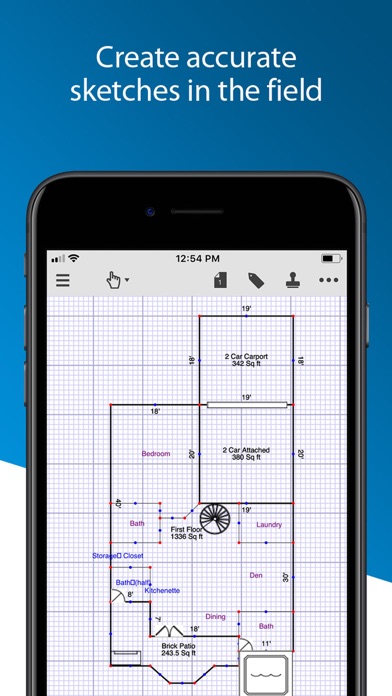
Creating detailed sketches is as simple as swiping and tapping with your fingertips. Quickly define lengths, angles, arcs, and areas. Pinch to zoom and pan across the screen. And tap to drop symbols and labels in place so your sketches look complete and professional.
MUCH MORE…
Create audio recordings, notes, and freehand drawings on the fly. They’re added to TOTAL's Spectrum Workfile when you sync. TOTAL for Mobile also takes advantage of your device's GPS to create precise maps and give you turn-by-turn directions -- extremely helpful for navigating to your subject and comps.
With TOTAL on your desktop and TOTAL for Mobile in the field, you’ll go paperless. Best of all, it’s absolutely free. Download it today.
ABOUT A LA MODE
Founded in 1985, a la mode’s mission-critical desktop, mobile and web tools are used by more than 100,000 real estate and mortgage lending professionals located in every county of every state in the U.S. a la mode has been deploying forms on handheld devices, en masse, and routing form-data via the Internet since the mid 1990s.
Quoi de neuf dans la dernière version ?
The new merging feature is now available! Use ScanToSketch to scan in different areas of the home and then drag them together to combine the shapes and/or sizes.
Exterior merging features:
- When dragging one area (such as a garage or patio) to attach to the outside of a second area, both areas will snap-merge together
- If both areas have the same name (such as First Floor), the areas will merge, the sizes will combine, and the common wall will become an interior free-form line
Interior merging features:
- When dragging a smaller area (such as a built-in garage) into a parent area, both areas will merge and the parent area size will adjust
- If both areas have the same name (such as First Floor), the walls of the child area will convert into room partition walls
Additional updates included in this version include:
- Guidelines will appear when moving areas to help with alignment
- The shape being dragged for merging will turn green when able to merge with another area
- A pop up will appear to confirm merging areas with the same name with the option to not show again
- The same-name area merging pop up can also be turned on/off in the settings
- New Merge Area Snapping settings are located in the TOTAL Snapping settings submenu with a maximum threshold of two feet
- Other behind-the-scenes updates and bug fixes are also implemented