Vibration Pro
iOS Universel / Economie et entreprise
Vibration Pro turns your iPhone or iPad into a precision FFT vibration spectrum analyzer — a portable, professional-grade alternative to a benchtop analyzer for predictive maintenance, machinery diagnostics, and vibration research.
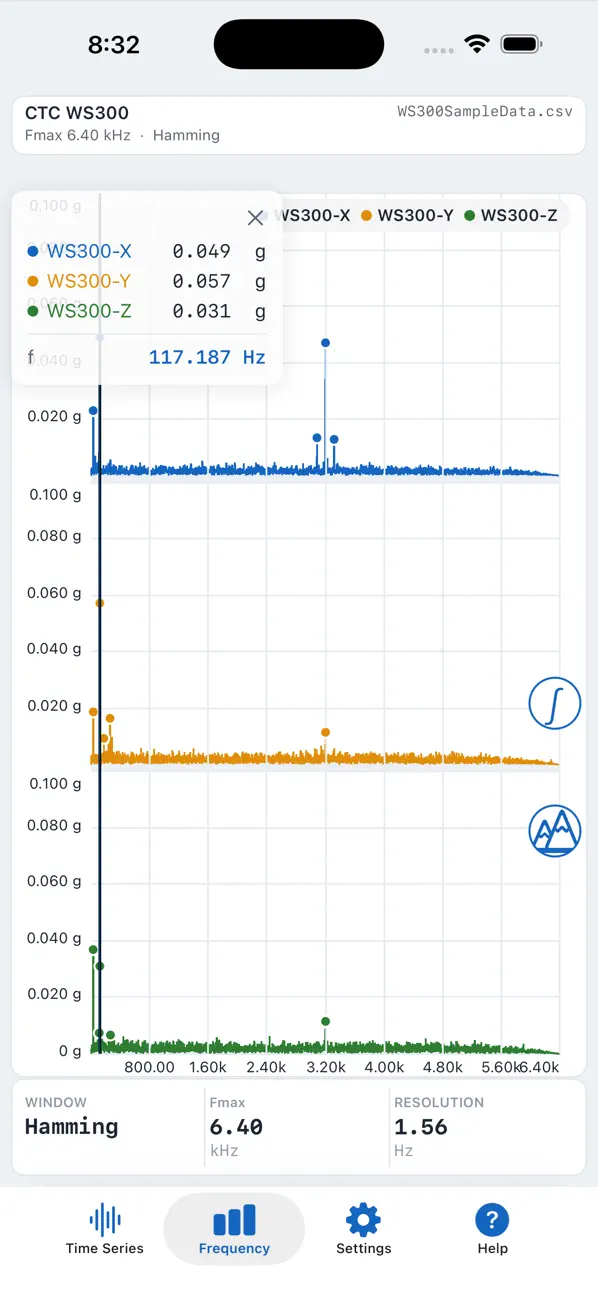
Version 5.00 is a complete visual redesign: a modern, color-coded interface built around the way vibration technicians actually work, with clean, uncluttered screens for every channel and setting, a drag-cursor readout for reading exact values on any plot, and a crisp new PDF report you can generate and share in seconds.
MEASURE FROM ANYWHERE
- Built-in 3-axis accelerometer and gyroscope — no extra hardware required
- Built-in microphone input for acoustic vibration analysis
- Full support for the Digiducer family of professional USB accelerometers (333D01, 333D04, 633A01, 435B39) and The Modal Shop 485B39 two-channel USB input module — mount the sensor on the machine instead of your phone or iPad, for a wider dynamic range and to keep your device off hot, dirty, or vibrating equipment
- CTC WS200 and WS300 Bluetooth wireless accelerometers
- Sabrent USB input/output dongle support
ANALYZE LIKE A BENCH-TOP SPECTRUM ANALYZER
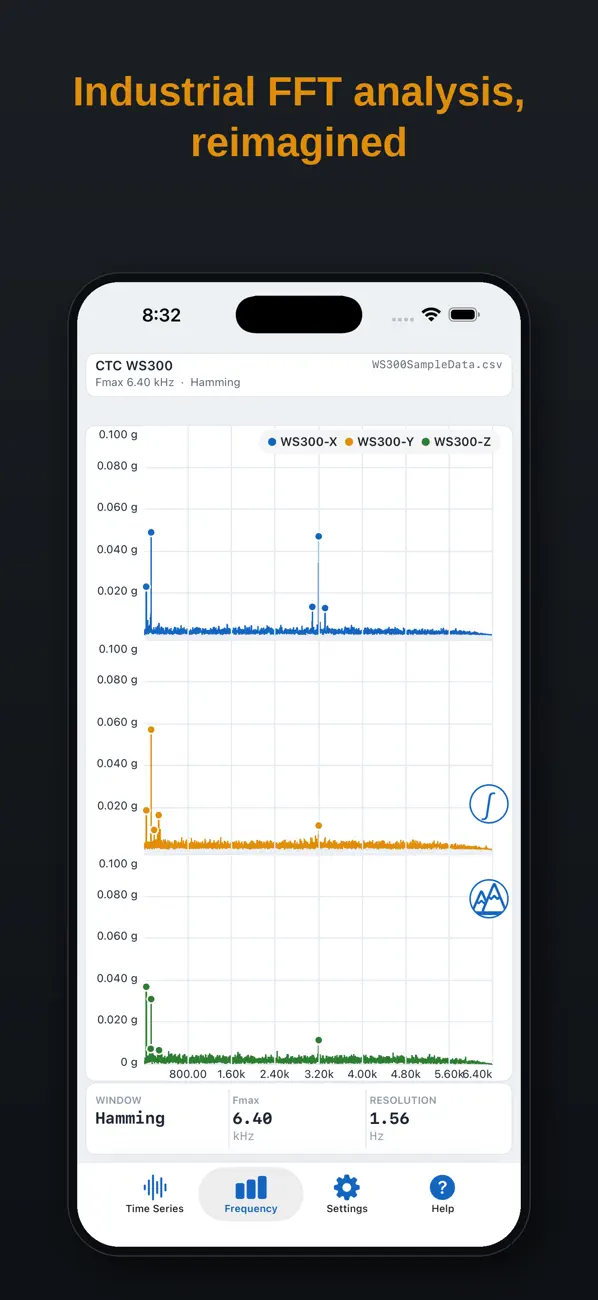
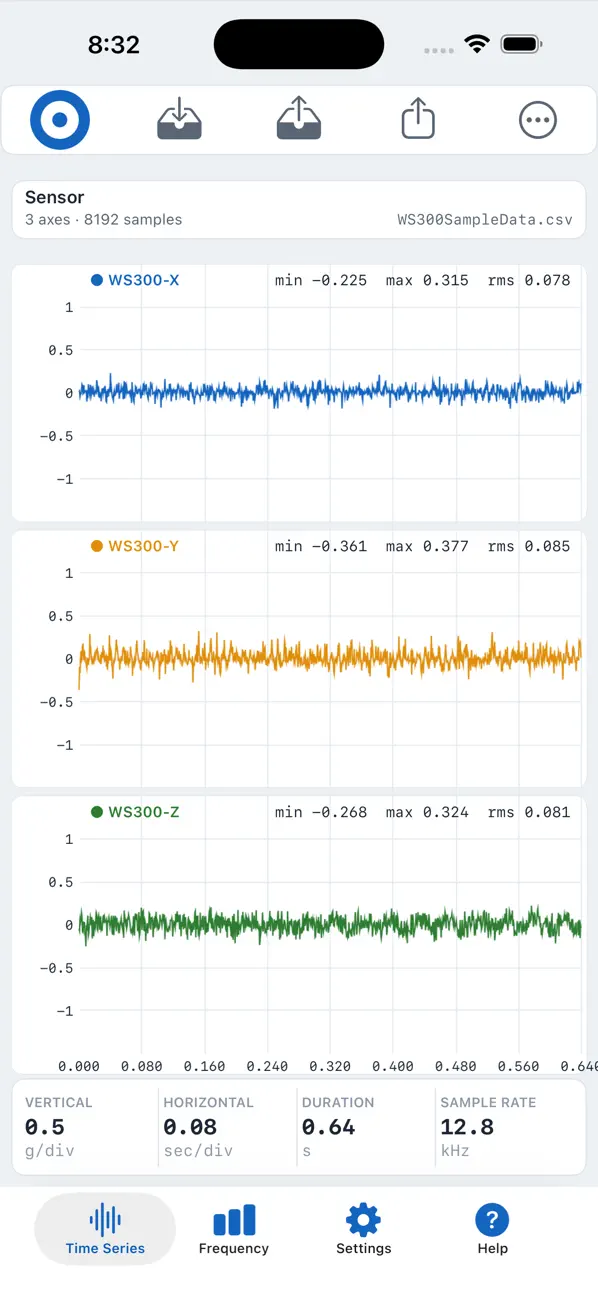
- Time series and FFT frequency spectrum on every channel, with adjustable sample rate, sample length, and start delay
- Linear-Linear, Log-Log, Log-Linear, and Linear-Log frequency display modes
- Hamming, Hanning, and Flattop windowing
- Integrate and differentiate in the frequency domain (acceleration ↔ velocity ↔ displacement)
- RMS and peak levels per channel and combined
- Frequency averaging and peak hold
- Color-coded peaks list with the top 5 peaks per channel
- Tap-and-drag cursor readout in portrait or landscape, with magnetic snap to peaks
- Adjustable frequency alarm limits
BUILT FOR THE FIELD
- Trigger acquisitions from any channel or the microphone
- Auto-repeat and auto-save for long-duration monitoring
- Machine Menu — organize test scripts into a visual menu by machine
- Save and load complete instrument settings
- Full scripting language (subscription) to guide technicians step-by-step through repeatable, multi-point test procedures
- Apple Watch companion app to trigger and monitor acquisitions
DOCUMENT YOUR RESULTS
- New crisp PDF report — identical on iPhone and iPad — with time series and frequency plots, acquisition and sensor details, and a full peaks table
- Email data and reports directly from the app, or save locally and transfer with the Files app
- Open, non-proprietary format — captures save as plain CSV with full-precision time and frequency data, ready to reload in the app or analyze in Excel, MATLAB, or Python
- Automatic reverse-geocoded job location
In predictive maintenance applications, Vibration Pro helps identify bearing defects, shaft misalignment, imbalance, and structural resonant frequencies — and is equally useful for monitoring material handling and part-handling equipment, structural testing, and general machinery diagnostics.
Scripting is available through an auto-renewing monthly or annual subscription, which can be managed or canceled at any time in your App Store account settings.
Quoi de neuf dans la dernière version ?
Version 5.01 improves the accuracy and reliability of measurements
taken with CTC WS200 and WS300 Bluetooth sensors.
PLEASE NOTE - REPORTED VALUES HAVE CHANGED
- Measurements now use the sample rate each sensor reports for
itself rather than its nominal rate. Reported frequencies may
differ from earlier releases, typically by 2% to 4% depending on
the individual sensor. The new values are the correct ones.
- The maximum frequency (Fmax) shown in the PDF report for these
sensors has been corrected. It was previously too high.
If you compare measurements taken before and after this update, a
small shift in frequency is expected and is not a fault.
BLUETOOTH RELIABILITY
- A new, more robust Bluetooth connection handler that reconnects
more reliably and gives clearer device status when you use
several sensors across different locations
- Vibration Pro now checks that every packet of measurement data
sent by a sensor actually arrived, and warns you if any are
missing rather than showing an incomplete measurement as though
it were complete
- Faults reported by a sensor are now shown to you together with
the remedy, and a measurement that stops part way through is
ended with an explanation instead of waiting indefinitely
- A Bluetooth measurement can no longer be cancelled once the
sensor has started taking data, because interrupting one corrupts
the measurement. With Auto Repeat on, Cancel still stops the
sequence after the current measurement finishes.
ALSO IN THIS RELEASE
- Fixed a scripting problem where special characters in a script
could prevent the script file from being saved in the output
directory
- A new Troubleshooting section in the built-in Help
- Apple Watch reliability improvements
- Bug fixes and stability improvements