VibeBlocks: AI Arduino Coding
iOS Universel / Education
Is this a game or a coding app?
It's both — and that's why students love it.
Vibe Blocks is the all-in-one mobile platform for AI Arduino coding, block coding, circuit simulation, MakeCode Arcade games, and real hardware projects.
Whether you're looking for an Arduino coding app, an Arduino simulator, or a Micro:bit coding app — Vibe Blocks has it all.
No PC needed. Start AI coding in minutes.
[ AI Arduino coding ]
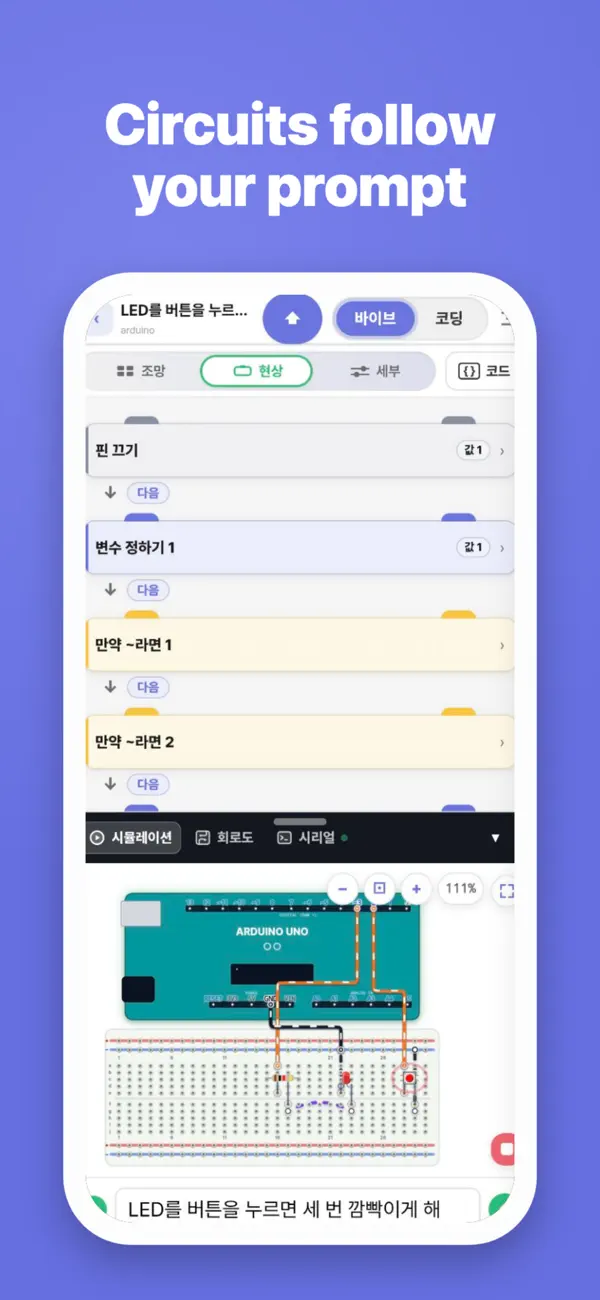
Tell AI what you want to build. It writes the Arduino code.
- "Blink an LED every 500ms on pin 13." Working Arduino code in seconds.
- AI doesn't just generate code. It explains every line, fixes your bugs, and teaches you step by step.
- Whether it's your first Arduino sketch or a complex sensor project, AI Arduino coding makes it easy. No experience needed.
[ 3 learning tracks. 200+ structured lessons ]
- Arduino Track — LED blink to sensor circuits, block coding to C++.
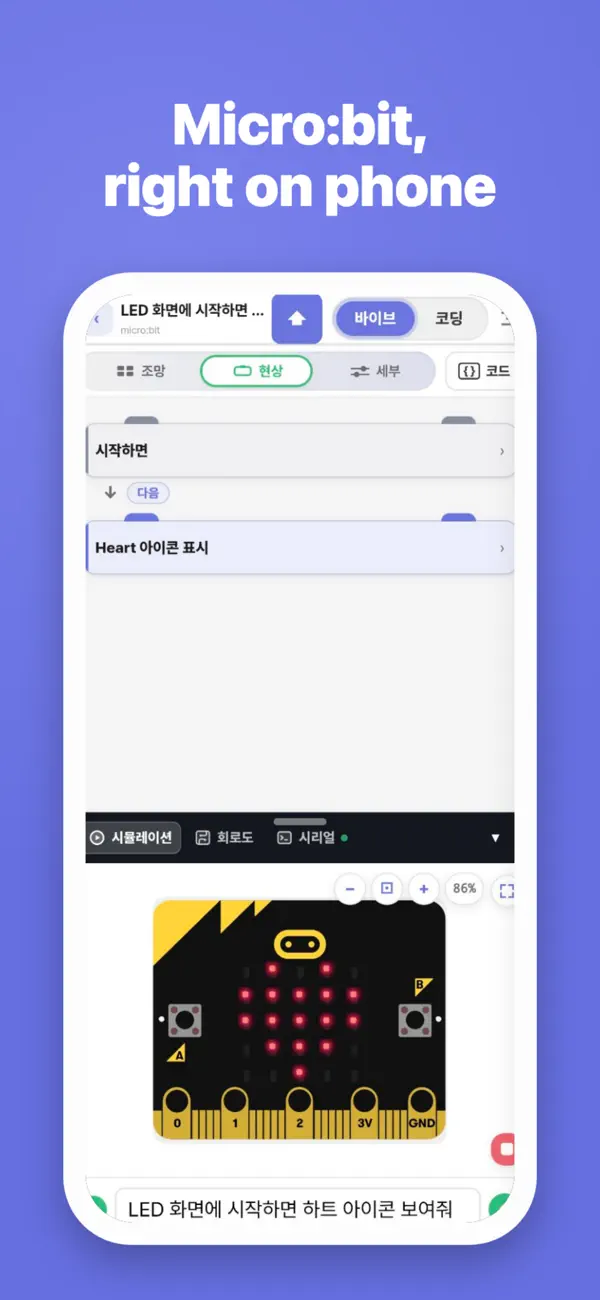
- Micro:bit Track — LED output to radio communication, blocks to TypeScript.
- Arcade Track — Dodge games to RPGs, block coding to TypeScript.
- Learn how it works. Code it. Simulate it. Run it on real hardware.
- Courses designed by educators for self-study, classrooms, and STEM workshops.
[ MakeCode Arcade — game coding on your phone ]
- Microsoft MakeCode Arcade, now on mobile.
- Create arcade games with block coding, test instantly, share with friends.
- No PC, no browser needed.
- Game coding meets STEM education. Kids and beginners love it.
[ Block coding for beginners — drag and drop to start ]
- Scratch-like block coding interface — perfect for beginners and students.
- No typing needed.
- When you're ready, switch to text Arduino coding with one tap.
- Block programs convert to Arduino code automatically — see how blocks become real code.
[ Arduino simulator & circuit simulator ]
- Built-in Arduino simulator and circuit simulator.
- Run your Arduino code virtually. Watch LEDs light up. Read sensor values.
- Debug your logic — all without a physical board.
- The fastest way to verify your Arduino code works before uploading to real hardware.
[ Upload code to Arduino and Micro:bit from your phone ]
- Connect via Bluetooth or USB. Upload in seconds.
- Control LEDs, servo motors, DC motors, buzzers, and sensors from your smartphone.
- Supports Arduino Uno, Nano, Mega, and Micro:bit v1, v2.
- No computer. No Arduino IDE. Your phone is your Arduino coding app.
[ Vibe coding — for real hardware ]
- Vibe coding isn't just for apps and websites — with Vibe Blocks, you can vibe code real Arduino and Micro:bit hardware.
- "Build a temperature monitor with LCD display." AI generates Arduino code, you simulate, then upload to your board.
- From idea to working prototype in minutes.
- The future of Arduino coding is vibe coding.
[ What you can build ]
- Retro arcade games with MakeCode Arcade
- LED blink patterns and light shows
- Temperature and humidity monitors
- Line-following robots and Bluetooth-controlled cars
- Weather stations and IoT projects with WiFi (ESP32/ESP8266)
- Interactive games with buttons and displays
[ Who uses Vibe Blocks? ]
- Students learning Arduino coding, Micro:bit coding, or electronics
- Teachers running STEM classes, workshops, and robotics clubs
- Makers prototyping IoT and electronics projects
- Parents looking for coding for kids with real hardware
- Beginners who want an Arduino coding app without PC setup
[ Supported hardware ]
- Arduino Uno, Nano, Mega, Leonardo
- Micro:bit v1, v2
- ESP32 and ESP8266
- Sensors, motors, LEDs, displays, and modules
1. Create — Tell AI what you want to build
2. Simulate — Test with the Arduino simulator
3. Build — Connect hardware and see it work
Start AI Arduino coding today.
Build arcade games, simulate circuits, and control real hardware — all on your phone.
Download Vibe Blocks now.
Quoi de neuf dans la dernière version ?
[New Features]
• Course previews in the learning tab now show block-style code instead of plain text.
• Tap a component in the simulator to insert its tag directly into the prompt.
• Apple Sign-In is now supported.
• Connect to micro:bit via Bluetooth and upload code directly from your iPhone.
[Improvements]
• Course cards now show difficulty level tags.
[Bug Fixes]
• Fixed an issue where the keyboard was covering the input field.