• KultureGeek
  • Comparateur de prix
       
iPhoneAddict
 iAddictv5Notre Application iPhone/iPad
  • Accueil Apps
  • Actualité Apple
  • Keynote Apple
  • Firmwares & iTunes
  • Contactez-nous
Accueil » Liste des Apps » Apps Universelles » Education » Spelling Sheets
L'application n'est plus disponible sur l'App Store français
1.0 iOS €0,99€ Alice Hampton Dickerson 0 0 Spelling Sheets 1.0 was developed to make it effortless for parents and teachers to create simple, effective worksheets to help students sharpen their spelling skills. This app is easy to use, and allows the creation of customized worksheets that are...
Spelling Sheets

Spelling Sheets

iOS Universel / Education

0,99€ au lieu de 1,19€
Acheter sur l'App Store

Spelling Sheets 1.0 was developed to make it effortless for parents and teachers to create simple, effective worksheets to help students sharpen their spelling skills. This app is easy to use, and allows the creation of customized worksheets that are turned into a PDF and can be used anywhere.

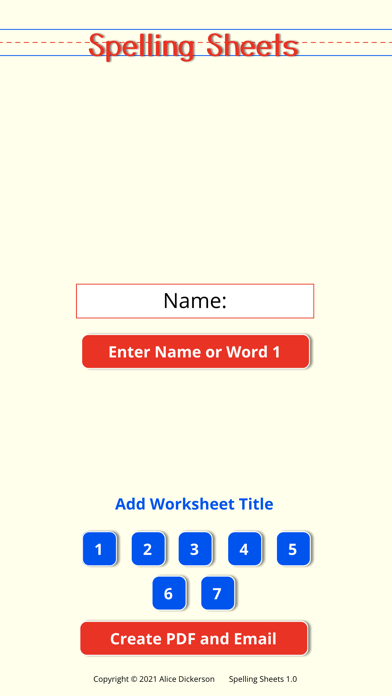
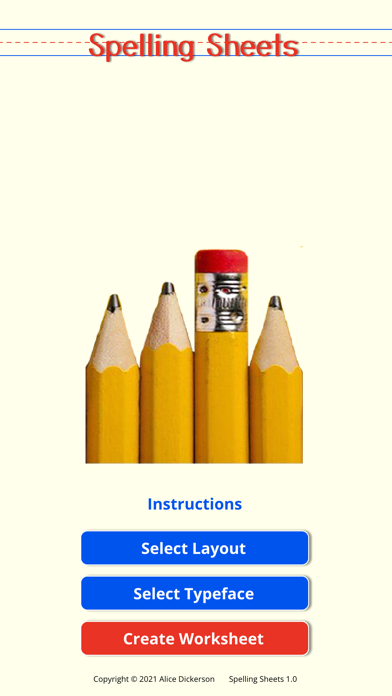
To create the PDF, it is necessary to "Select Layout" (primary or wide-ruled lines in portrait or landscape) and "Select Font" (Print or Cursive for writing practice); then click the "Create Worksheet" button. A blank worksheet appears on your screen, based on your selections along with blue numbered buttons. Each button represents the number of words that can be added to that worksheet.

Click a numbered button and you will be prompted to add a spelling word. Type in your entry and click the "Enter Word" button to add it to the worksheet. A preview of the worksheet will appear for review after each addition or change. Depending on the layout selected, between 5 and 10 words can be added to each worksheet. To access the worksheet click the "Create PDF and Email" button .

During the creation process, a worksheet title can be added, that will appear on the final PDF, aiding in future reference and retrieval. Also lines can be be added - as column or page-folding guides, by clicking on the ruler button. To remove these lines hold the same button down longer than release.

To delete all entries on a worksheet, after a PDF has been emailed, click the "eraser" button to start a new worksheet.

To return Home, click on the “Spelling Sheets” logo.
En voir plus...

  • Screenshot #1 pour Spelling Sheets
  • Screenshot #2 pour Spelling Sheets
  • Screenshot #3 pour Spelling Sheets
  • Screenshot #4 pour Spelling Sheets
  • Screenshot #5 pour Spelling Sheets
  • Screenshot #6 pour Spelling Sheets

Note

(0 note)

Détails sur l'application

Version
1.0
Taille
45.6 Mo
Version minimum d'iOS
8.0
Dernière mise à jour
31/03/2021
Publié par
Alice Hampton Dickerson

Newsletter App Store

Recevez chaque jour les meilleures promos

Actualité Apple

Image macOS 26.5 corrige des bugs gênants pour les Mac en entreprise
macOS 26.5 corrige des bugs gênants pour les Mac en entreprise
Image Codex devient disponible dans l’application ChatGPT sur iOS et Android
Codex devient disponible dans l’application ChatGPT sur iOS et Android
Image Intel débute la production test de puces pour iPhone, iPad et Mac
Intel débute la production test de puces pour iPhone, iPad et Mac
Image Déçu de ChatGPT dans Siri, OpenAI envisage d’attaquer Apple en justice
Déçu de ChatGPT dans Siri, OpenAI envisage d’attaquer Apple en justice
Partenaires : Actualité iPhone - Culture Geek
©2009-2026 i2CMedia | A propos |