Custom Boards Elite
iPad / Education
The Ultimate Visual Support & Activity Creator
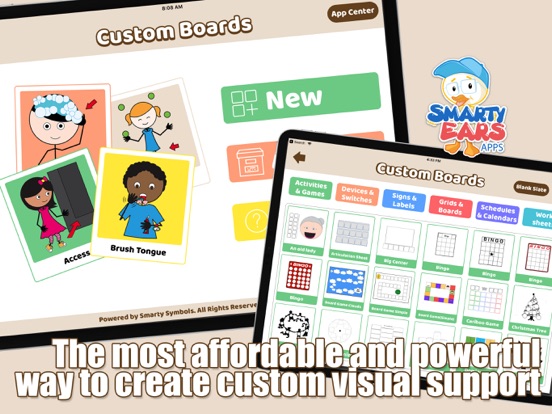
Empower communication and learning with Custom Boards Elite! Designed specifically for speech therapists, special education teachers, and parents, Custom Boards Elite is an evidence-based app that revolutionizes how you create visual supports.
Whether you need a daily schedule, a communication grid, or an engaging articulation game, Custom Boards gives you the tools to build professional, customized materials in minutes.
UNMATCHED SYMBOL LIBRARY
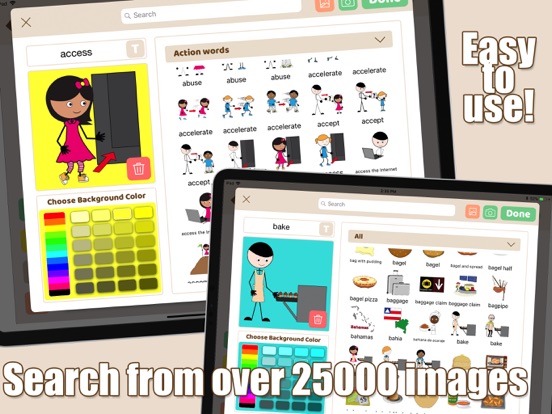
Say goodbye to stick figures and limited clip art. Custom Boards includes over 29,000 high-quality, diverse symbols from the renowned Smarty Symbols library. Need something specific? You can easily upload and integrate your own photos directly from your device!
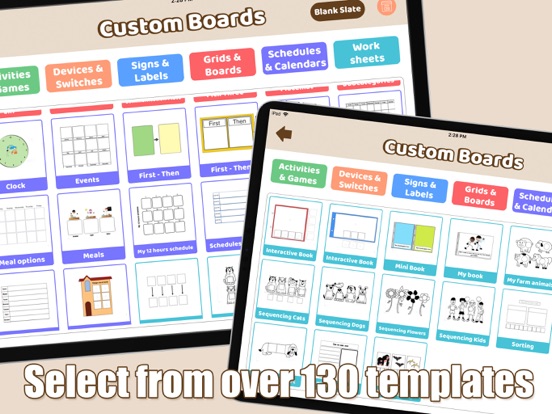
120+ READY-TO-USE TEMPLATES
Stop starting from scratch. Choose from over 120 expertly designed templates categorized into six core areas:
Activities & Games: Bingo, Dominoes, Board Games, and more.
Devices & Switches: Perfect for AAC device overlays.
Signs & Labels: Create classroom rules, labels, and directional signs.
Grids & Boards: Standard communication grids from 1x1 up to complex layouts.
Schedules & Calendars: First-Then boards, weekly schedules, and daily routines.
Worksheets: Ready-made educational printables.
DEEP CUSTOMIZATION
Make every board your own. Our intuitive editor allows you to:
Customize background and text colors for every single cell.
Tweak border styles (solid, dashed, circular) to highlight specific targets.
Easily edit text labels to match your student's specific vocabulary.
BUILT FOR SPEECH THERAPISTS
Save hours of prep time with our advanced search filters. Target specific speech goals by filtering the entire 21,000+ symbol library by Initial, Medial, or Final letter positions!
EXPORT & ORGANIZE
When your masterpiece is complete, you are ready to PRINT, SAVE, or E-MAIL the final template. Print directly from your iPad to any AirPrint-ready printer. Creating boards for a whole caseload? Keep your finalized templates neatly organized into custom folders inside the app's Archive.
Join the revolution in special education and start creating beautiful, effective visual supports today!
Quoi de neuf dans la dernière version ?
This update brings a comprehensive internal modernization to Custom Boards, focusing on enhanced editing performance, memory efficiency, and seamless system integration for a smoother overall experience.
Performance and Stability
Canvas Rendering: Optimizations to the underlying layout mapping engine ensure your canvas templates align perfectly across all iPad models, keeping your absolute coordinate text, shapes, and symbol placements completely locked in.
Memory Management: Eliminated hidden internal memory leaks and retain cycles when browsing or searching extensive symbol libraries, resulting in faster load times and increased app stability during long editing sessions.
Core Refactoring: Streamlined the internal code framework to modern object property standards to ensure smoother background operation and future-proof reliability.
Sharing and Connectivity
Native Share Sheet Integration: Overhauled the app recommendation flow to use the native iOS Share Sheet. You can now effortlessly recommend the app directly through iMessage, WhatsApp, Slack, or any of your preferred communication apps instead of being forced into a legacy email template.
Universal Links: Modernized social connectivity channels, allowing support panels to directly open external community platforms seamlessly using iOS Universal Links.