Ladybird Maths
iPad / Education
Ladybird Maths uses the symmetrical image of a lady bird and her spots to teach and build mental mathematics number facts of doubling and halving.
The importance of recalling doubling and halving facts relates to the speed, accuracy and ease these number facts bring to addition, subtraction, multiplication and division problems.
Ladybird Maths Teaching Module can be used anyway you wish. An important concept before using the App is to discuss symmetry in nature.
A ladybird has symmetrical spots, therefore spots must be placed on each of the ladybird's wings equally.
You might ask:
- Put one dot on each of the ladybirds wings, how many altogether?
- Put ten spots on the ladybird. Is there a way to write an equation showing what you have just done e.g. 5 +5.
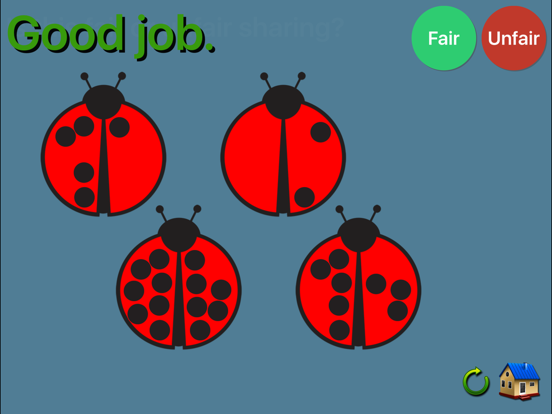
- If a child puts 3 spots, 7 spots, discuss why this is "unfair" sharing. Discuss what fair sharing might look like.
- Can you make a list of the doubles?
The following sections can be completed independently or with adult assistance.
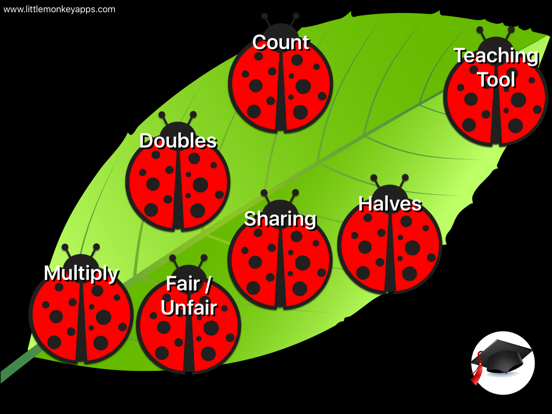
=Count=
This task introduces counting the spots on the ladybird. Initially, students may count each spot by touching them 'one-to one', then they may come to recognise the spots automatically, this is called 'subitising'. Some students may count one side, then double the number.
=Doubles=
The task asks students to place counters on the lady bug to create a double and then type in on the keypad the correct answer. Early counters will place the counters on the ladybug then proceed to count from 1, this is called one-to-one counting and is a very important skill not to be rushed over, as it becomes an important means of checking for accuracy later on. Students may then place counters on the ladybird, then 'count on' from the highest number e.g. if four was already there, they may count 5, 6, 7, 8. Some students may count the spots twice, then use the keypad. Finally students will subitise the spots (know the number automatically), then recall the doubles fact.
=Halves=
This section asks students to count half of the spots that appear, then use the keypad to answer. Some students may quickly come to realise that this means counting one-to one the spots on one wing, whilst others will subitise the number on one wing. The keypad also encourages early calculator skills.
=Fair / unfair=
This task introduces the new vocabulary fair and unfair. Students are asked to decide whether the spots are shared fairly or unfairly. Spots may be shared across one ladybird's wings or across three ladybirds. This topic is designed as a precusor to division as sharing. It is important that students can visualise the unfair or fair spots.
=Sharing=
Students are asked to share a given amount of spots across one, two or three ladybirds, then select how many spots each ladybird has on the keypad. Student initially may share out the spots one at a time, whilst later they may come to subitise or count the spots then move the correct number to each ladybird. Some students may neglect moving of the spots and attain the answer, pressing the keypad answer straight away.
=Multiply=
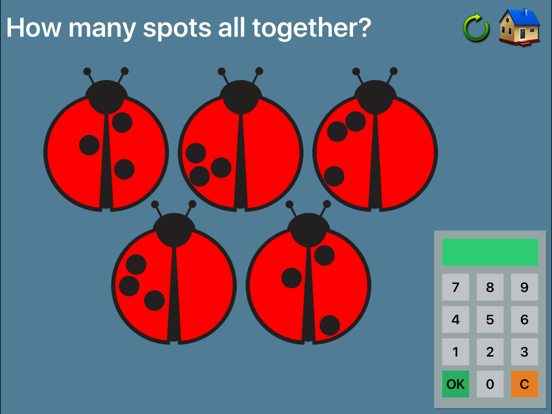
A reversal of sharing, the spots are placed on 1, 2, 3 or 4 ladybirds, students answer with how many spots altogether. Early counters will count all of the spots starting from 1, whilst more sophisticated counters may use repeated addition e.g. 2+2+2+2. Later students will notice patterns to skip count or solve the problem as 2x4. The keypad is used to answer the problem.
Quoi de neuf dans la dernière version ?
Bug fixes and improvements to the teacher tool
You can now draw and take screenshots