KGB mPay
iPhone / Finance
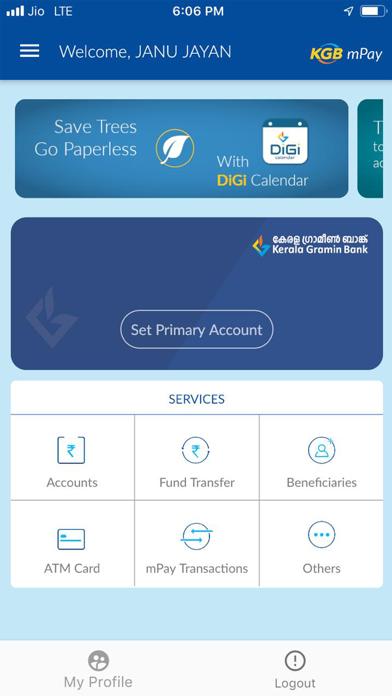
KGB mPAY Features:
1. Fund Transfer to other Bank Customers using NEFT, IMPS (Account+IFSC, Mobile Number+MMID)
2. Fund Transfer to within Bank Accounts of self and other customers.
3. Manage beneficiaries while initiating fund transfer transactions.
4. Manage accounts easily.
5. View account statement, Loan and Term Deposit details.
6. Have a track of all the transactions initiated from your KGB mPAY mobile Banking app using transaction history.
7. Access provided to switch on/off, set debit card limit.
8. Get latest updates on Banking Products inside the app.
For feedback and suggestions, email us at customercare.kgb@keralagbank.com, https://keralagbank.com or call us on 0484 2912400
Steps to install:
1. Kindly visit App Store on your phone and search KGB mPAY Mobile Banking application. Click on mobile app icon & click to install.
2. After successful installation open app by clicking new KGB mPAY mobile banking icon.
3. Click on next button to continue after selecting the Registered Mobile Number (RMN)with the Bank. SMS will be initiated by the selected SIM; Ensure balance is available to send the SMS successfully.
4. After successful Mobile Number validation, an OTP will be sent to your RMN.
5. Enter the OTP received and validate the authenticity.
6. You will be redirected to create and confirm your 6 digits numeric LOGIN PIN for login into the application.
7. Accept the Terms & Conditions after successfully creating the LOGIN PIN.
8. Before initiating any mobile Banking transactions, you need to create and confirm new 6 digits numeric MPIN for validating all MB transactions.
10. Activate your Mobile Banking account by entering the active debit card details.
Welcome, you’re all set to explore the KGB mPAY, the new Kerala Gramin Bank Mobile Banking Application,
Quoi de neuf dans la dernière version ?
1. Green pin generation
2. ReKYC
3. FD and RD services