Mileage Logs
iPhone / Finance
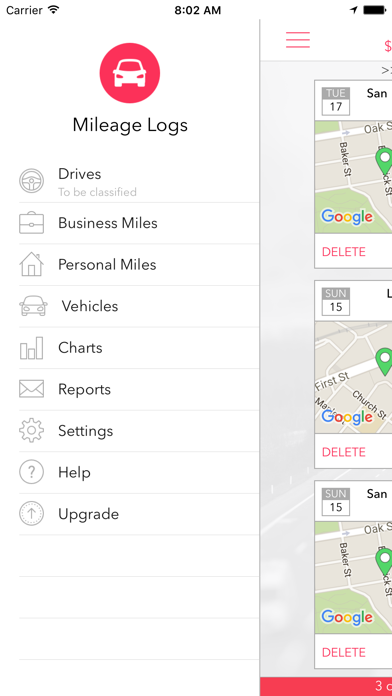
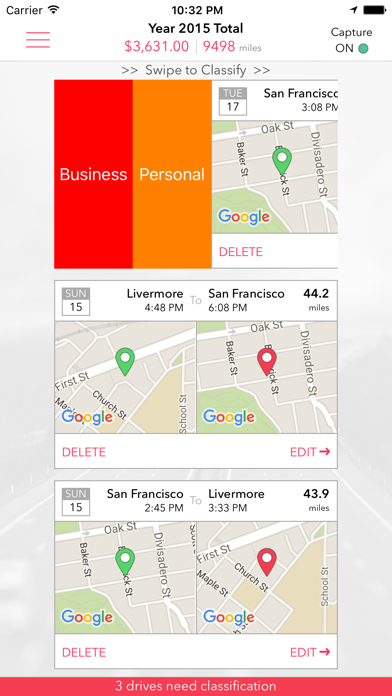
Mileage Logs is a beautifully designed application that allows you to track your vehicle mileage for tax/reimbursement purposes. Once installed, it automatically captures your drives using the GPS on your mobile phone. No need to manually mark the start and stop points for your drives! For captured drives, you can classify them as business or personal with a single swipe. You also have the option to manually enter your drives.
The app can support multiple vehicles, and can automatically compute the odometer readings once the initial reading is set. The app supports charts and reports, with the option to email the PDF or CSV formatted reports.
Features:
- automatically capture drives using GPS
- classify drives as business or personal with one swipe
- ability to manually add drives
- track odometer readings automatically by vehicle
- ability to backup application data via email
- ability to choose the native currency
- ability to choose between Google and Apple maps
- ability to choose between Miles or Kilometers
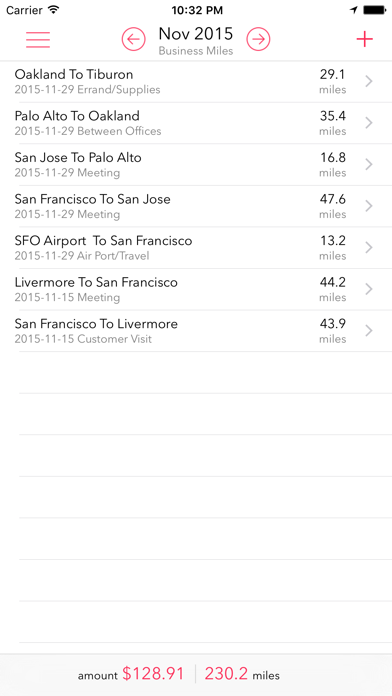
- ability to generate PDF/CSV formatted reports, by vehicle, by type, for any selected period
To get started, in the Vehicles section, add your vehicle. Enter a name for your vehicle, year, model and make. If you plan to track odometer miles, set the initial odometer reading as of the day/time you specify. In the Settings section, under the Defaults, set your vehicle, and the default business or personal purpose. This will be used to automatically classify your drives. In addition, you can set your currency and the mileage units if needed.
Now, simply start driving. Mileage Logs runs in the background, and intelligently identifies your drives.
The Reports section allows you to generate a report of your miles for any period you specify. The report can be in PDF or CSV format. The PDF formatted report is good for printing. If you choose the CSV formatted report, the generated CSV file can be opened in Microsoft Excel.
Mileage Logs is free for the first 40 drives every month. You can upgrade to unlimited drives for $2.99/month or $29.99/year. Please refer to http://www.anishu.com/privacy.html for privacy policy and terms of use.
Battery Usage: Continued use of GPS running in the background can dramatically decrease battery life. To preserve the battery power on your device, Mileage Logs has been carefully designed to limit the use of GPS.
Quoi de neuf dans la dernière version ?
This update from Apple will improve the functionality of this app. No new features are included.