SoccerTrackr
iPhone / Forme et santé
Unlike other Soccer apps SoccerTrackr doesn't require any 3rd party hardware. All that you need is an Apple Watch and an iPhone.
SoccerTrackr turns every iPhone into a sophisticated soccer tracking computer. Start SoccerTrackr before a game and track your favorite performance stats, and afterwards, dive deep into your data.
SoccerTrackr tracks just about any performance metric you can imagine, plus a few exclusive to SoccerTrackr.
Key Features:
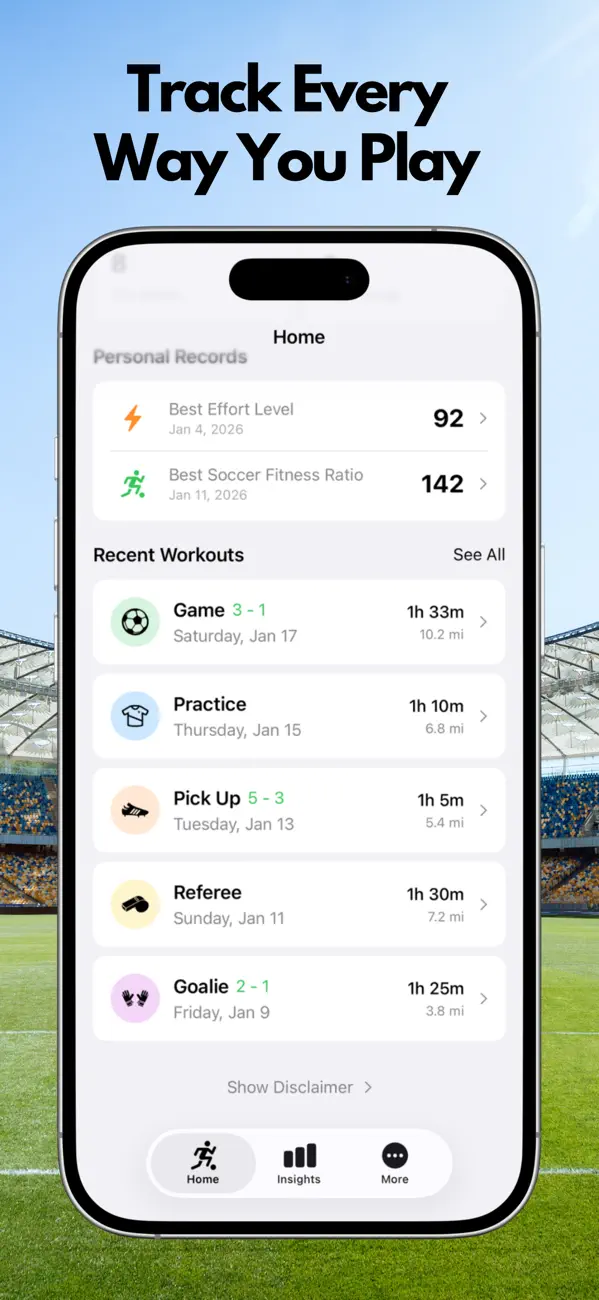
• Dedicated Game, Pick-up, Practice, Goalie and Ref modes
• Game Scores
• Goals and Assists
• Shots Against and Saves (Goalie Mode)
• Calories Burned
• Distance Ran
• Heat Map showing zones of the field a player spent time in
• Heart Rates (including Max and Average)
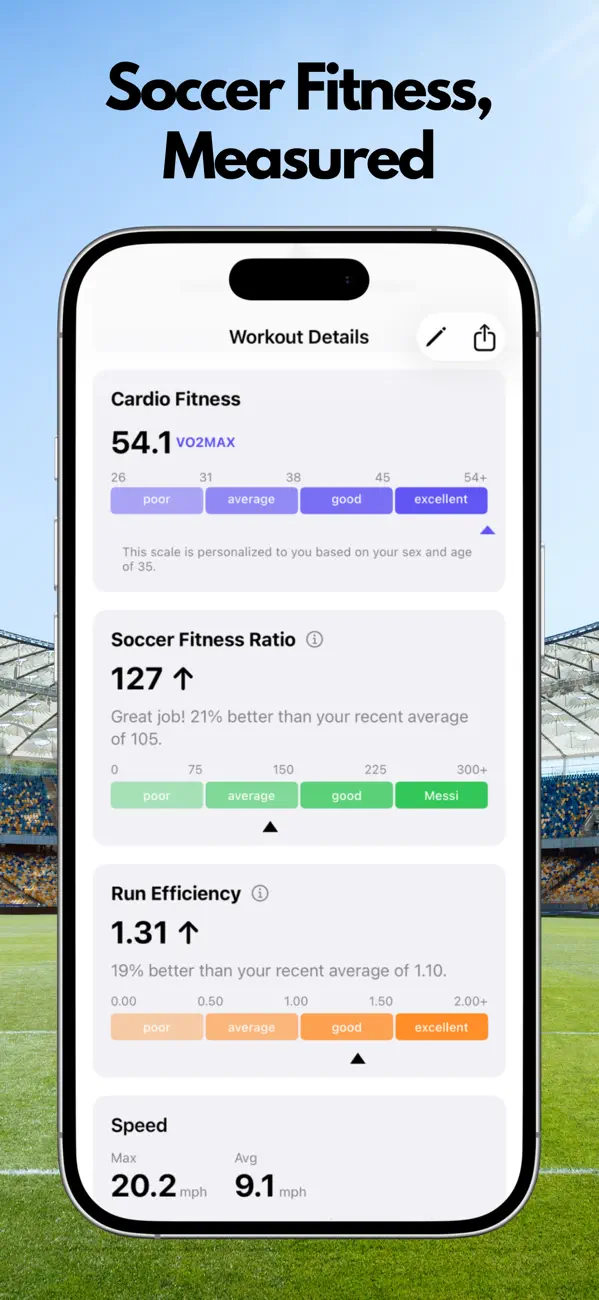
• Max and Average Running Speed
• Speed Charts (showing you when you ran faster during the game)
• VO2 max**
• Heart Rate Recovery
• Maximum Capable Speed
• Effort Level
• Soccer Fitness Ratio
• Max and Average Running Efficiency
• Historical graphs of all your metrics over time to see whether you're improving
• Share your stats via text, email, Twitter, Facebook, Slack!
• The notes section lets you keep track of how you played or describe goals, penalties, saves etc.
• Custom heart rate filtering algorithm that will filter out falsely high heart rate values.
SoccerTrackr lets you record a full workout, from start to finish, without a phone.
**Note that in order to calculate VO2Max, SoccerTrackr uses your resting heart rate (as is set by Apple during period of inactivity). Series 0 Apple Watches are not capable of resting heart rates therefore VO2Max cannot be calculated at this time on Series 0 Watches.
Notes:
• SoccerTrackr requires an Apple Watch to collect the data it displays
• SoccerTrackr integrates with the Health App on your iPhone to retrieve the data it displays. It will request permission to access the relevant data types associated with a workout.
Information about SoccerTrackr subscriptions:
- Subscribers will receive 1 week free of SoccerTrackr
- Payment will be charged to your iTunes account at confirmation of purchase.
- Your subscription will automatically renew unless auto-renew is turned off at least 24-hours before the end of the current subscription period.
- Your account will be charged for renewal within 24-hours prior to the end of the current subscription period. Automatic renewals will cost the same price you were originally charged for the subscription.
- You can manage your subscriptions and turn off auto-renewal by going to your Account Settings on the App Store after purchase.
- Read our terms of service (https://www.hockeytrackerapp.com/terms-of-service/) and privacy policy (https://www.hockeytrackerapp.com/privacy-policy/) for more information.
Quoi de neuf dans la dernière version ?
- Fixed a bug where workouts could go missing from your history after the Watch app was interrupted mid-session (e.g. during a long game or halftime)
- Fixed heatmaps losing location data recorded before a mid-session Watch app interruption
- Fixed session type (Game, Practice, etc.) not always being preserved when a Watch workout was recovered mid-session
- Fixed incorrect Top Speed and Sprint stats showing up for some Apple Watch workouts after syncing
- Fixed season averages that could be thrown off by an incorrect default body weight
- Fixed an issue where duplicate or missing workouts could appear in your history
- Workouts are now saved even if the Watch app unexpectedly closes during a session
- Improved accuracy of Effort Level, Run Efficiency, and Heart Rate Recovery calculations
- Fixed VO2 Max history chart display issues
- Fixed subscription status not always updating correctly after restoring a purchase
- Various workout detail screen fixes (loading indicators, charts, notes)
See you on the field!