• KultureGeek
  • Comparateur de prix
       
iPhoneAddict
 iAddictv5Notre Application iPhone/iPad
  • Accueil Apps
  • Actualité Apple
  • Keynote Apple
  • Firmwares & iTunes
  • Contactez-nous
Accueil » Liste des Apps » Apps iPhone » Graphisme et design » Image Format Batch Converter
L'application n'est plus disponible sur l'App Store français
1.4 iOS €0,99€ George Sebastian 0 0 Image Format Batch Converter is one of the best available tool available for converting and managing your images. Different image formats can be converted very quickly. How to use : Select image file format and output image size in the conversion...
Image Format Batch Converter

Image Format Batch Converter

iPhone / Graphisme et design

0,99€
Acheter sur l'App Store

Image Format Batch Converter is one of the best available tool available for converting and managing your images. Different image formats can be converted very quickly.

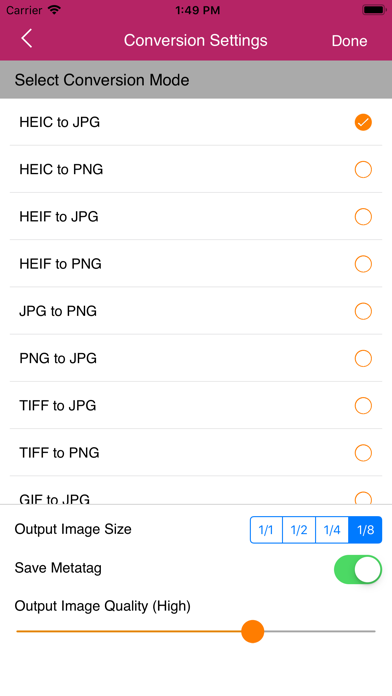
How to use : Select image file format and output image size in the conversion settings screen. From next screen select the images & convert.

Key Features :

- Easy to use.
- Upload images to Dropbox.
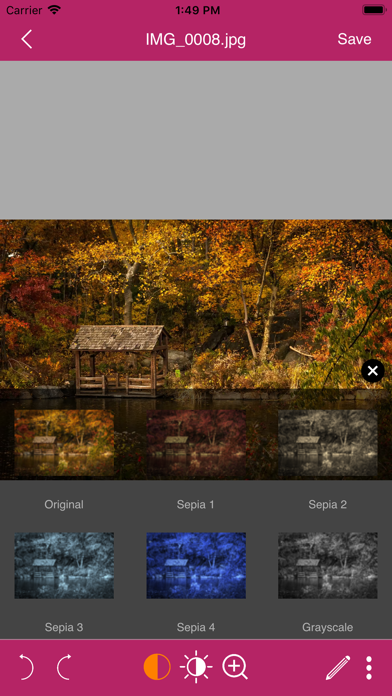
- Save converted images in gray-scale, sepia or color.
- 6 image filters.
- Combine multiple images to single PDF.
- Choose between low, medium, high and original quality.
- Make annotations on documents using different color pen.
- Search folders/images easily.
- Print option.
- Share to other apps.
- Organize images in folders.
- Re-edit converted image.
- No server is used. All images are saved in the device only.
- Batch import from Photo Library.
- Set Page Size according to your image size.
- Auto save captured or edited picture(s) to gallery.
- Converted images are processed on the iPhone without internet connection.
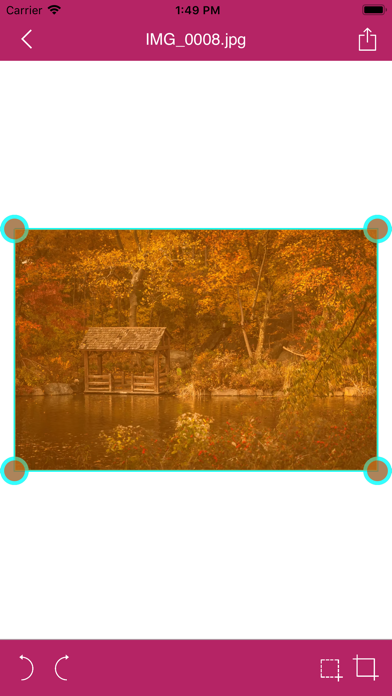
- Crop tool with magnifier.
- Preserve image's metadata after conversion.
- Adjust Brightness, Contrast, Rotate, Zoom and More...
- If output is png maximum images for batch process is 15 and for jpg it is 50 Nos.

Document Sharing :

- Export/Share as PDF
- Share via Email
- Share to WhatsApp
- Share to Other Apps
- Copy images and paste in your desired app
- Save converted images to Camera Roll

Supported conversion modes:

- HEIC/HEIF to JPG/PNG
- JPG/JPEG to PNG
- PNG to JPG
- TIF/TIFF to JPG/PNG
- GIF to JPG/PNG
- BMP to JPG/PNG

En voir plus...

Quoi de neuf dans la dernière version ?

v1.4
Added iPhone 15 support
  • Screenshot #1 pour Image Format Batch Converter
  • Screenshot #2 pour Image Format Batch Converter
  • Screenshot #3 pour Image Format Batch Converter

Note

(0 note)

Détails sur l'application

Version
1.4
Taille
23 Mo
Version minimum d'iOS
12
Dernière mise à jour
25/04/2024
Publié par
George Sebastian

Newsletter App Store

Recevez chaque jour les meilleures promos

Actualité Apple

Image Lisa Jackson, responsable de l’environnement chez Apple, prend sa retraite
Lisa Jackson, responsable de l’environnement chez Apple, prend sa retraite
Image App Store : Apple teste un format où publicités et résultats de recherche se confondent
App Store : Apple teste un format où publicités et résultats de recherche se confondent
Image Apple dévoile les photos de son nouvel Apple Store à Montréal
Apple dévoile les photos de son nouvel Apple Store à Montréal
Image Super Bowl 2026 : Apple Music dévoile la bande-annonce avec Bad Bunny
Super Bowl 2026 : Apple Music dévoile la bande-annonce avec Bad Bunny
Partenaires : Actualité iPhone - Culture Geek
©2009-2026 i2CMedia | A propos |