iPhoneAddict Apps
  • Actualités
  • Accueil Apps
  • iPhone
  • iPad
  • Universelles
  • Mac
  • Apple TV
KG KultureGeek
App
iPhone / iPad Télécharger iAddict v5 Mac Télécharger iAddict Mac
  • Actualités
  • Accueil Apps
  • iPhone
  • iPad
  • Universelles
  • Mac
  • Apple TV
  • Archives keynotes
  • Firmwares & iTunes
  • Contactez-nous
  • Comparateur de prix
  • KultureGeek
Accueil » Liste des Apps » Apps iPhone » Jeux » VR Fitness Sapporo
1.1.0 iOS €Gratuit Kiroru Inc. 0 0 Let's enjoy running in the VR Sapporo City! Burn off calories through running ! Do you want to workout anytime anywhere? This APP will make your wishes come true! This APP is VR fitness application. You can enjoy running in the virtual Sapporo...
VR Fitness Sapporo

VR Fitness Sapporo

iPhone / Jeux

Gratuit
Obtenir sur l'App Store
Facebook X E-mail

Let's enjoy running in the VR Sapporo City!
Burn off calories through running !

Do you want to workout anytime anywhere?
This APP will make your wishes come true!

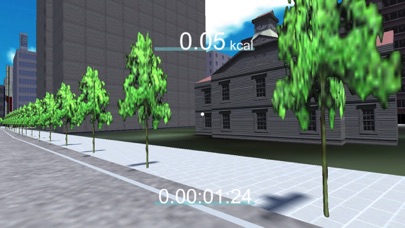
This APP is VR fitness application. You can enjoy running in the virtual Sapporo city.

* Walk around anywhere in VR Sapporo City.
* Enjoy 3D environment with Google Cardboard viewer.
* Move forward by stepping then and there..
* Calories burned calculator is supported and will displayed on screen.

Let's workout without hitting the Gym !

[How to start workout]
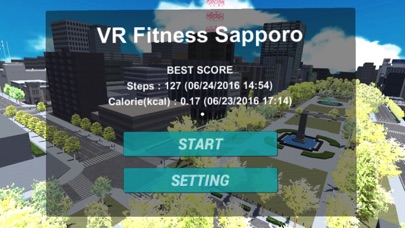
White little dot will be displayed on screen, when you started the application. Control the device and put the white little dot on the "START" button for few seconds. After few seconds exercise mode will be started.

[How to move forward]

You can move forward by stepping then and there.

Lift each leg alternatively at spot. App will catch the device up and down vibration and you will move forward accordingly.

[How to end workout]
Look down and you will find "BACK" button. Put the white little dot on the "BACK" button for few seconds.

[How to use with Google Cardboard viewer]
Control the device and put the white little dot on the "SETTING" button for few seconds. Then Menu will be displayed on screen. Tap the "VR Mode" menu to activate VR mode. Put Google CardBoard compatible goggles at your face.
Tap the "Enable "Unity-Chan"" menu to enable Unity-Chan.

[Note]
Please use this application at your own risk. We can not be held liable or responsible for any damages caused by using this application.

En voir plus...

Quoi de neuf dans la dernière version ?

This update from Apple will improve the functionality of this app. No new features are included.

Added "Unity-Chan" as a running buddy !
  • Screenshot #1 pour VR Fitness Sapporo
  • Screenshot #2 pour VR Fitness Sapporo
  • Screenshot #3 pour VR Fitness Sapporo

D'autres applications du développeur

Wakeup Alarm ClassicWakeup Alarm ClassiciPhone

Note

(0 note)

Détails sur l'application

Version
1.1.0
Taille
134.5 Mo
Version minimum d'iOS
8.0
Dernière mise à jour
22/09/2016
Publié par
Kiroru Inc.

Newsletter App Store

Recevez chaque jour les meilleures promos

Actualité Apple

Image Les États-Unis ne veulent pas qu’Apple achète de la RAM chinoise
Les États-Unis ne veulent pas qu’Apple achète de la RAM chinoise
Image Apple retire sa pub polémique avec un enfant et un iPhone en Italie
Apple retire sa pub polémique avec un enfant et un iPhone en Italie
Image L’iPhone Ultra pliable va-t-il résoudre les défauts du Galaxy Z Fold 8 ?
L’iPhone Ultra pliable va-t-il résoudre les défauts du Galaxy Z Fold 8 ?
Image Mac : des hackers exploitent la faille du partage d’écran avec un mineur de cryptomonnaie
Mac : des hackers exploitent la faille du partage d’écran avec un mineur de cryptomonnaie
iPhoneAddict Apps

Le catalogue iPhoneAddict pour suivre les nouveautés, mises à jour et baisses de prix de l’App Store.

Apps

Toutes les apps iOS iPhone iPad Universelles Mac Apple TV

iPhoneAddict

Actualité Apple Archives keynotes Contact À propos KultureGeek

Suivez-nous

©2009-2026 i2CMedia. Tous droits réservés.