World Edit for MCPE
iOS Universel / Jeux
This is an UNOFFICIAL app (see disclaimer).
Latest version of MCPE 1.2 is supported.
You can edit your existing MCPE worlds by copying & pasting with iTunes. In order do that you must connect your iOS devices over USB ( MAC or PC needed). Please always make backups. Please watch help video how to do that:
https://www.youtube.com/watch?v=i4KjHWFSDcQ
The good part is that we are continuously updating our app to be compatible with latest & future versions of Minecraft PE.
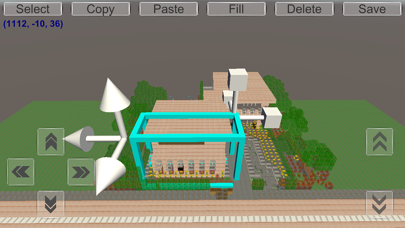
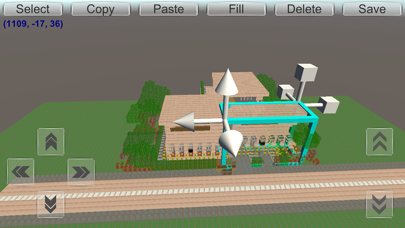
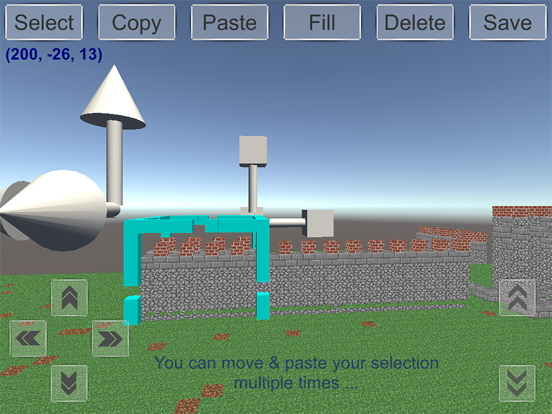
Our app is the easiest & smartest world edit tool for Minecraft PE because it works by selecting your blocks & dragging and dropping to the place you want. You can preview where you will paste your selection like a house, castle or a vehicle.
Just select your creations & drag and drop in your MCPE worlds: World editing is simple as that!
World Edit for Minecraft Features:
---------------------------------------------
- Select by drag and drop, you can move & resize selection area. You can change the size of the copied blocks.
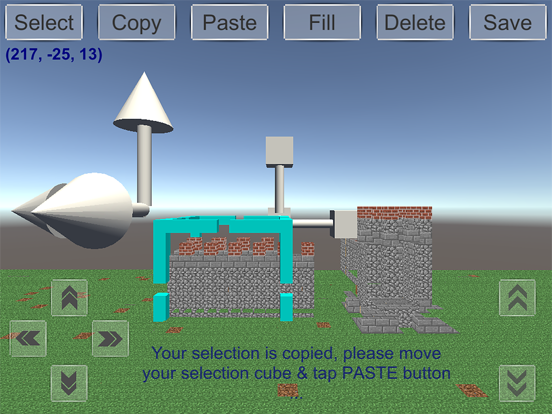
- Copy your selection of cubes,
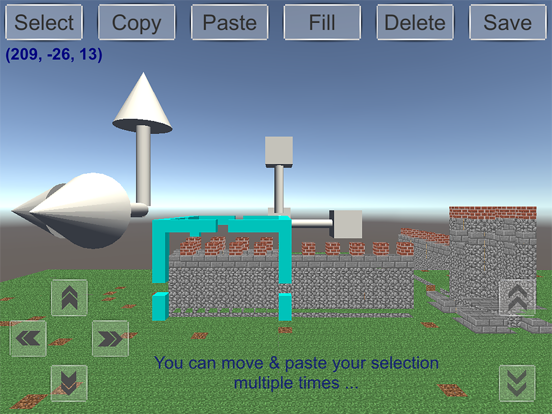
- Paste your selection of cubes,
- Delete the selected cubes,
- Fill your selection by typing your block name or by scrolling & tapping on the block list. You can fill your blocks by searching block names.
- You can see your exact location & coordinates in your worlds! On top left of the screen your position in your MCPE world is shown! There is no need for markers anymore!
- On flat worlds current -saved- terrain data is preserved & new flat world terrain data is generated,
- On infinite & old worlds -saved- terrain data is showed & is not generated! If you want to edit your infinite & old type worlds please add at least one cube at every chunk and save your MCPE world!
- Many more features like replace, rotate, undo & redo are coming soon ...
To edit your worlds, you can just select, copy & paste parts of your worlds. You can drag and drop your selections like home or castles anywhere you want in your worlds. In addition, you can see your selections & where you will paste them. You can preview before pasting. You can move & resize your selections. World editing is much more simple, easy & fun to use.
Do you want to copy & paste your hard-worked creations by dragging and dropping? Do you want to make a city from your houses? Do you want to copy your houses, castles, vehicles or any parts from one world to another world of yours? Do you want a simple way to do world edit? Well it is possible now with our easy and fun to use smart world edit tool by simply dragging and dropping :)
Finally, please remember there are no annoying ads in World Edit for Minecraft and it is free to try so there is no risk. Thanks for trying & supporting our app :)
Our app’s web site: http://www.mcpedit.com
You can reach the developer on twitter: @mcpedit (https://twitter.com/mcpedit)
For developers: GitHub project is here: https://github.com/mcpedit/mcpedit
Disclaimer:
This app is not an official Minecraft product and it is not approved or associated with Mojang. This app comes with no warranty of any kind so please always backup your MCPE worlds. You can back up your worlds simply changing the name when saving your MCPE world :)
This application is not affiliated in any way with Mojang AB. The Minecraft Name, the Minecraft Brand and the Minecraft Assets are all property of Mojang AB or their respectful owner. This is an unofficial application for Minecraft Pocket Edition. All rights reserved. For further information, please visit http://account.mojang.com/documents/brand_guidelines
Please remember that this app is a complementary tool for Minecraft PE, it is not Minecraft PE for this reason you are strongly advised to purchase Minecraft PE app. Our app will only ease your world making process :)
Quoi de neuf dans la dernière version ?
This update from Apple will improve the functionality of this app. No new features are included.