G-dis - Gui client for Redis
macOS / developpeurs
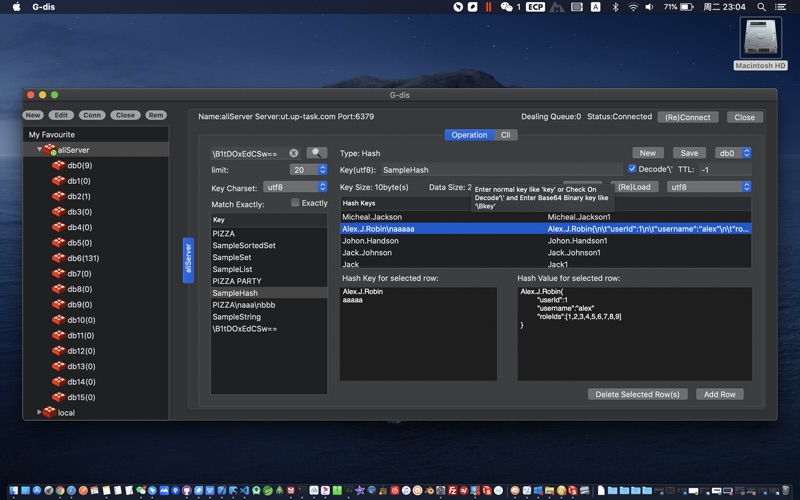
Support most popular data types in Redis: String, Set, List, Hash, SortedSet.
Support Base64 encoded binary key & Base64 encoded binary value.
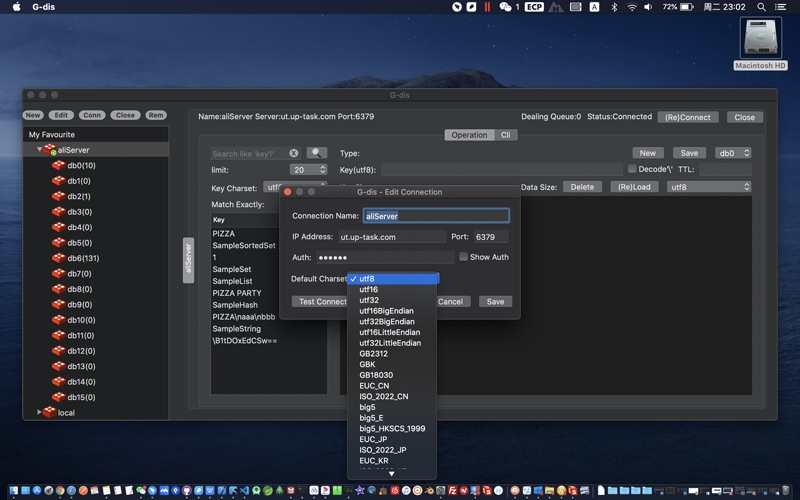
Support multi-languages charsets for connection.
Support multi-languages charset switch for returned result data from Redis server.
Support read and write Server-end Redis Data.
Using scan operation to support limited results returned with fast speed while search with key pattern.
Get each db's key count with command: info.
Instructions:
1. Click button 'New' to add a Connection;
2. Select one connection in 'My Favourite', and click button 'Edit' to edit the Connection settings;
3. Select at least one connection in 'My Favourite', and click the button 'Conn' to connect server(s) which you selected in 'My Favourite';
4. Select at least one connection in 'My Favourite', and click the button 'Close' to close the connection which you selected in 'My Favourite';
5. Select at least one connection in 'My Favourite', and click the button 'Rem' to remove the connection setting(s) which you selected in 'My Favourite';
6. After you connected to a Redis Server, you can operate your Redis server's data in the right main operation tab.
7. You can New a key-value pair with 'New' button clicked, Save a key-value with 'Save' button clicked, Delete a key-value with 'Delete' button clicked, and Rename a key-value with 'Save' button clicked after modified the key.
8. All Data which can not decoded to chosen charset string, will be displayed as Base64 Strings.
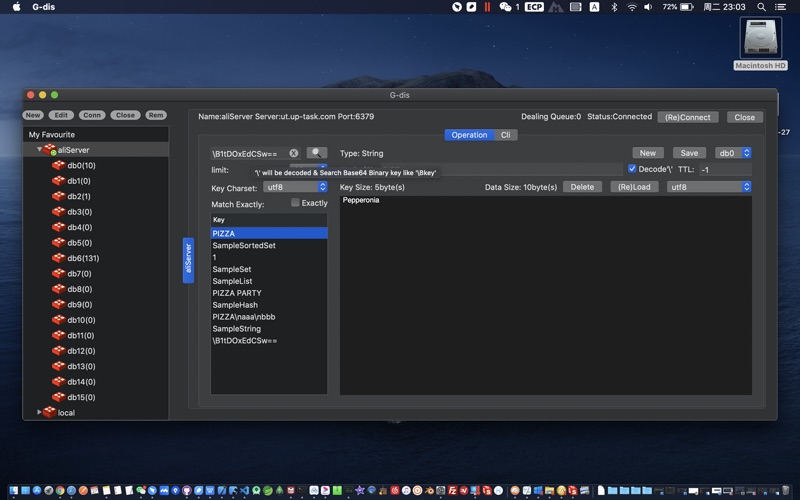
9. You can input Base64 String starting with ‘\B’ in the search key field to search Binary keys.
10.The header tooltips in the search key result list will shows:'Count Shown:${count}' for the current results count shown in the list.
11. You can input Base64 Key starting with '\B' in the Key field while checking on Decode '\' option to save a Base64 encoded binary key.
12. If you want to get the value of some key, you can just Paste your Key To the Key Field above the 'Reload' Button and click 'Reload' to load the value of your key.
13. In the Cli Command Window, to enter command, you should move the cursor to the last line of the window.
14.Attention: You can use G-dis to operate data with connecting any master node of your Redis Cluster, but you can only choose db0 to operate the data on Redis Cluster.
15. Attention: since the Redis Cluster Node In Docker uses the IP in docker, this software cannot connect to the IP in docker, so it does Not Support the operation of Redis Cluster In Docker.
If this app helps you a lot, please sponsor me(the developer) at the top menu, thanks a lot.
Quoi de neuf dans la dernière version ?
Performance optimized.
For your information:
The new version G-dis3 has been published, that will keep free for charge before the newer version published.