• KultureGeek
  • Comparateur de prix
       
iPhoneAddict
 iAddictv5Notre Application iPhone/iPad
  • Accueil Apps
  • Actualité Apple
  • Keynote Apple
  • Firmwares & iTunes
  • Contactez-nous
Accueil » Liste des Apps » Apps Mac » Graphisme et design » Compress Photos - Reduce Size and Retain Quality
L'application n'est plus disponible sur l'App Store français
1.0 macOS €6,99€ Clovis Michel Pedroso Picanco 0 0 ••• 65% Off - Limited Time Offer ••• Save space on your computer by compressing your photos/images. With Compress Photos you can compress a set of photos/images quickly. You can add your photos/images, change the compress factor on a...
Compress Photos - Reduce Size and Retain Quality

Compress Photos - Reduce Size and Retain Quality

macOS / Graphisme et design

6,99€
Acheter sur l'App Store

••• 65% Off - Limited Time Offer •••

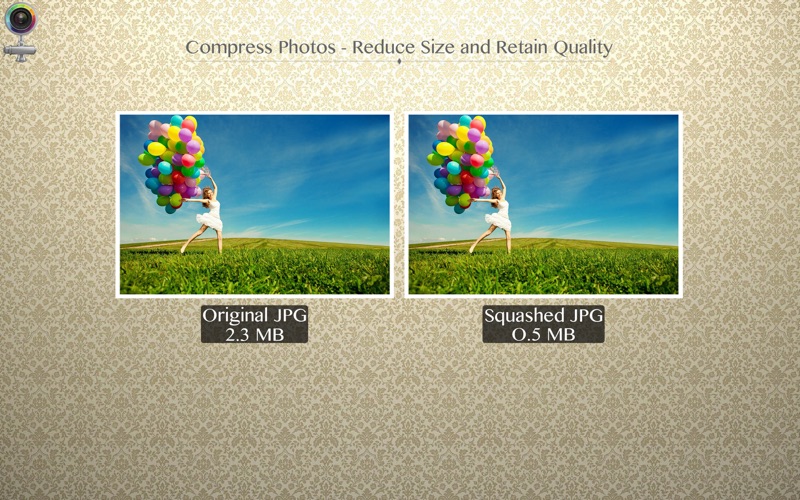
Save space on your computer by compressing your photos/images. With Compress Photos you can compress a set of photos/images quickly.

You can add your photos/images, change the compress factor on a simple slider, marked with min (minimum compression) and max (max compression), and save.

Either to save space on your computer, or to reduce the size to send your photos/images over internet, Compress Photos is for you.

••••••••••••••••••••••••••••••••••••••••••••••••••••••••••••
How to use:
••••••••••••••••••••••••••••••••••••••••••••••••••••••••••••

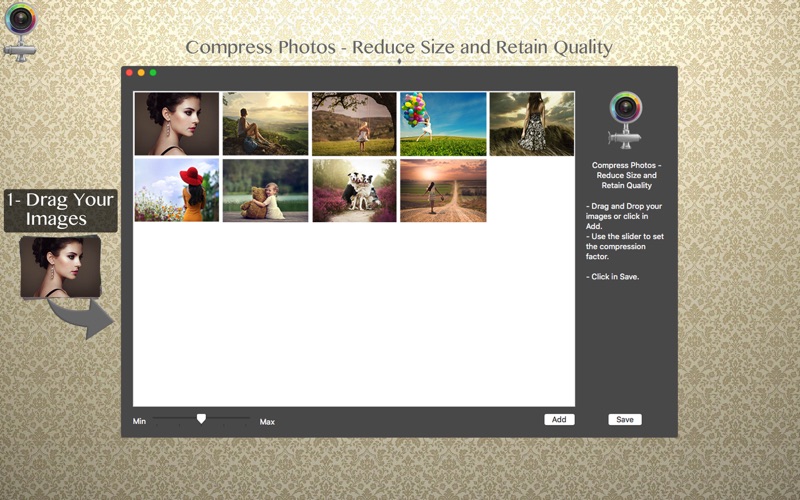
1. Drag your images in: Select your images/photos on finder, and drag then in. You'll be able to see previews.
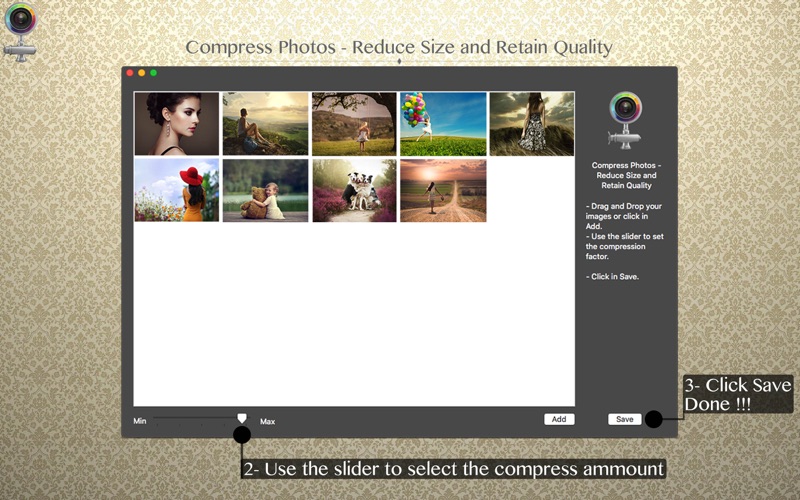
2. In a simple slider, choose between min (Minimum compression), max (Maximum compression) and anywhere between.
3. Choose the directory where your photos/images will be saved. We don't change the originals.

Almost all types of images allowed: PSD, PNG, JPEG, JPEG200, GIF...

••••••••••••••••••••••••••••••••••••••••••••••••••••••••••••
If you need help?
••••••••••••••••••••••••••••••••••••••••••••••••••••••••••••

Do you need any help? If you have any doubt or trouble with our products and company, like to make a suggestion or submit a request for a new feature, you can use the following tools:

Go to our website: ••• bravecloud.org
There you can find:

• Frequently Asked Questions
• List of applications
• Tutorials

and more…

You can also send an email to: ••• support@bravecloud.org

We’ll respond as soon as we can. Your contact is very important and with it we can constantly improve our apps.
En voir plus...

  • Screenshot #1 pour Compress Photos - Reduce Size and Retain Quality
  • Screenshot #2 pour Compress Photos - Reduce Size and Retain Quality
  • Screenshot #3 pour Compress Photos - Reduce Size and Retain Quality

D'autres applications du développeur

PSD 2 JPEG: Batch convert PSD files to JPEG
/ macOS
Convert All Images
Convert All Images
/ macOS
Image Mix - Dissolve
/ macOS
Photo Text Editor - Add Effect
/ macOS
Christmas and New Year - Frames & Greeting Cards
/ macOS
Christmas Collage - Greeting Card & Photo Editor
/ macOS
Voir toutes les apps

Note

(0 note)

Détails sur l'application

Version
1.0
Taille
3.6 Mo
Version minimum de macOS
10.11
Dernière mise à jour
20/01/2017
Publié par
Clovis Michel Pedroso Picanco

Newsletter App Store

Recevez chaque jour les meilleures promos

Actualité Apple

Image Apple TV annule sa série The Last Frontier après une saison
Apple TV annule sa série The Last Frontier après une saison
Image iPhone Fold : les dimensions et une maquette se dévoilent
iPhone Fold : les dimensions et une maquette se dévoilent
Image Sécurité : Apple cache iOS 18.7.3 pour forcer l’installation d’iOS 26
Sécurité : Apple cache iOS 18.7.3 pour forcer l’installation d’iOS 26
Image Apple ne signe plus iOS 26.1 : restauration et mise à jour bloquées
Apple ne signe plus iOS 26.1 : restauration et mise à jour bloquées
Partenaires : Actualité iPhone - Culture Geek
©2009-2025 i2CMedia | A propos |