Super Vectorizer Pro:AI Vector
macOS / Graphisme et design
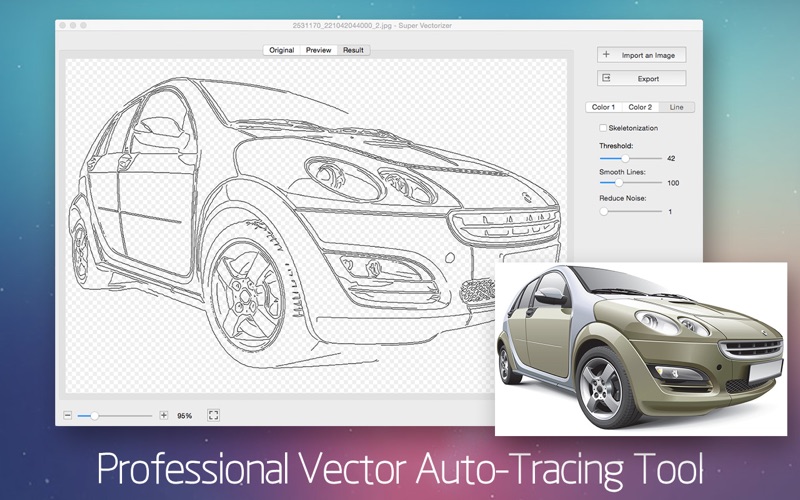
Super Vectorizer Pro is a professional image vector tracing converter that automatically traces image lines and converts bitmap images like JPEG, GIF and PNG to clean, scalable vector graphic of Ai, SVG, DXF and PDF. It supports image vectorizing of color and grayscale, black-and-white, skeletonization and line as well. Super Vectorizer Pro uses a totally-new image quantization algorithm that produces more natural color after image vectorization. The output vector art works seamlessly with Illustrator, Corel, Cricut Design Space and others.
Key Features of Super Vectorizer Pro:
• Fully automatic vectorization.
• Supports up to 64 colors now.
• Automatic tracing images of 70+ formats:
JPG, BMP, PNG, GIF, PDF, PSD, PNT, RGB, ARW, BMPF, CUR, CRW, CR2, DCR, DNG, EPSF, EPSI,
EPI, EPS, EXR, EFX, ERF, FPX, FPIX, FAX, FFF, GIFF, G3, HDR, ICNS, ICO, JP2, JFX, JFAX, JPE, JFIF,
JPF, MPO, MAC, MRW, MOS, NRW, NEF, ORF, PICT, PIC, PCT, PS, PNTG, PNGF, PEF, QTIF, QTI,
RAW, RAF, RW2, RWL, SR2, SRF, SRW, SGI, TRIC, TIFF, TGA, TARGA, TIF, XBM, 3FR, 8BPS
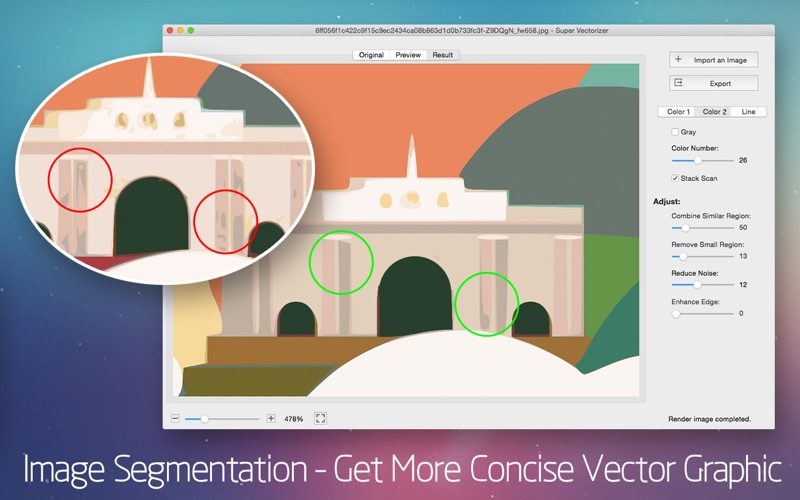
• Segmentation editing capabilities: Trace more clean line borders that greatly simplifies the information to get more concise vector graphic for the ease of editing. It succesfully avoids a region overlapping.
• There are two color modes now. A new color mode with image segmentation polymerization algorithm was unique in the AppStore at present.
• Options for vectorizing images by Edge or Color or Gray Color.
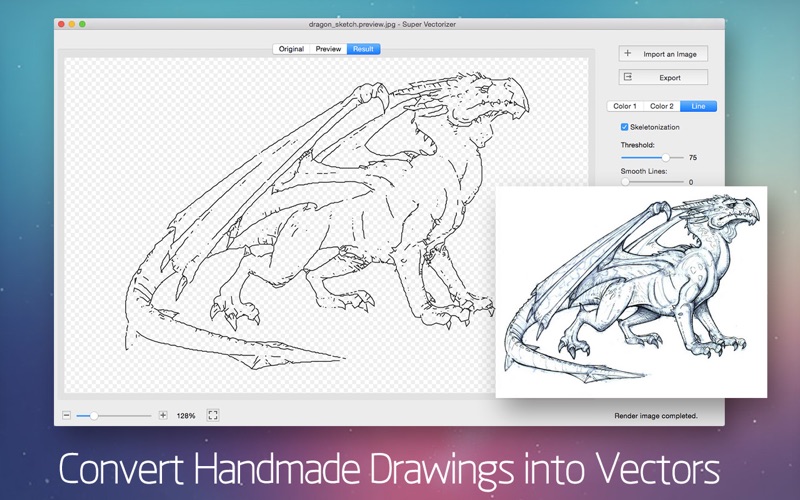
• Options for vectorizing images by Skeletonization or Line.
• Better Optimization of line-tracing with a new line-tracing engine : accord more closely with users’ needs.
• The function of skeletonization will enable conversion from pencil drawing into vector graphic easily.
• The enhanced pre-processing smoothing function simplify the complex image very well. The smoothing algorithm is four times better than that of Super Vectorizer.
• Better Accuracy: more closely resemble to the input image.
• Ai, SVG, DXF and PDF vector graphic output.
• Optimized the operation for convenience zooming in and out to check the processing results.
• Supported opening files by dragging and dropping it to the icon for easy operation.
• Powerful preview to inspect the result in detail.
• Vectorize very large images.
• Transparency background support.
Super Vectorizer Pro is used for personal and professional projects alike, whether you are a hobbyist or a graphic design company. With Technological Advances in raster to vector conversion, Super Vectorizer Pro does an impressive job of vectorizing Raster / Bitmap photos or Images into crisp, clean, scalable fine Line Art / Illustrations / Vector Graphics. It will assist anyone who does lots of vector image cleanup in becoming more productive and efficient.
Save huge time and money to speed up your workload and get your artwork ready to print, embroider, cut and more!
Feedback:
Any suggestion will be appreciated, support email: market@effectmatrix.com
Quoi de neuf dans la dernière version ?
1 Optimized for Mac with Apple Silicon M1 & M2 chip.
2 Newly add contour line functions to greatly improve the smoothness of the line edge.
3 Fixed the svg exporting issues in the line tab.