PlayBacker lite
macOS / Musique
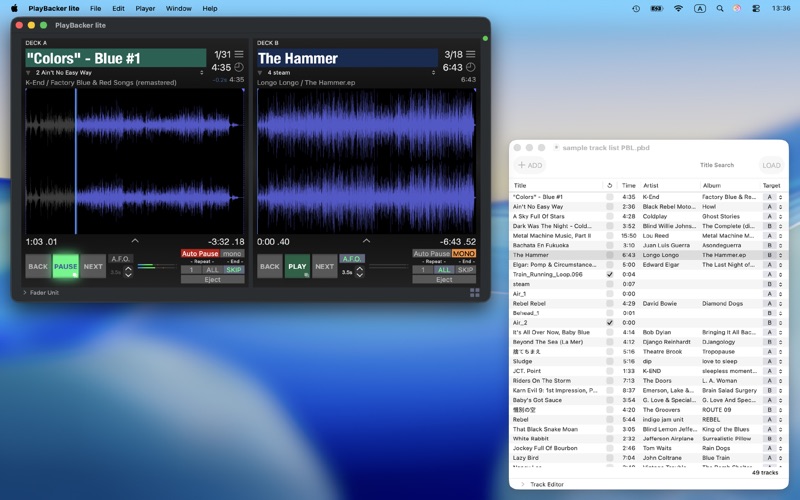
The advanced audio file player application equipped 2 decks.
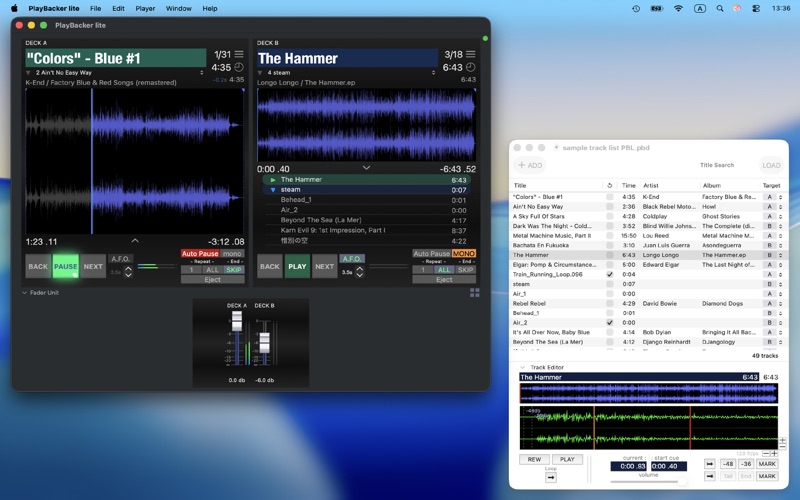
Each deck has basic functions such as ‘Auto Pause’ and ‘Repeat’ which are essential for play backing on stage performances, as well as advanced features like ‘Auto Cue Search’, ‘Skip End’ and ‘Auto Fadeout’ those will help users to focusing their operations.
‘TrackList Document’ holds all informations about a sequence, users can prepare operation quickly anytime by open stored document. In addition by built in ’Track Editor’, users can put detailed editing of custom cue points or gain etc on tracks.
PlayBacker will perfectly supports user’s audio playback works from preparation to production.
※) This application not support for playing DRM protected audio files.
# MAIN FEATURES
■ Start Cue / End Cue customizable
■ Auto Cue Search feature
■ Keyboard shortcut customizable
■ Fader Unit
# DECK
■ Auto Pause : pauses at the track’s head
■ Skip End : finish playing at the last audible frame
■ Repeat 1 ( manual / auto ) / All
■ Auto Fadeout
■ Cueing enabled waveform view
■ CueList Mode
■ Counter Mode
# TRACK LIST DOCUMENT
■ Managing all tracks of a sequence
■ Editing track’s properties
■ Track Editor : modifies cues
# IN APP PURCHASE
■ SamplePad AddOn A : +8 pads
■ SamplePad AddOn B : +8 pads
: SamplePad ( 2 banks / max 16 pads pad style sampler ) feature can be added on ! In addition, decks also will be unlocked to following the customizable track gain !
Quoi de neuf dans la dernière version ?
■ Track rename on Player / Deck
Track name editing on Player / Deck has become available.
The feature mounted at deck's 'CueList Mode'. A 'title edit button' was added on upper part of the CueList Mode view, and it will make text field of track title on cuelist table editable.
■ Change : 'Export to trackList…' moved to 'File' menu
The Player has a feature that can export current Player status to TrackList document, and user can trigger the function by 'File > Export > as TrackList' menu item.
The feature will be activated only while the Player Window is active as main window.