iFunia Video-Converter
macOS / Photo et vidéo
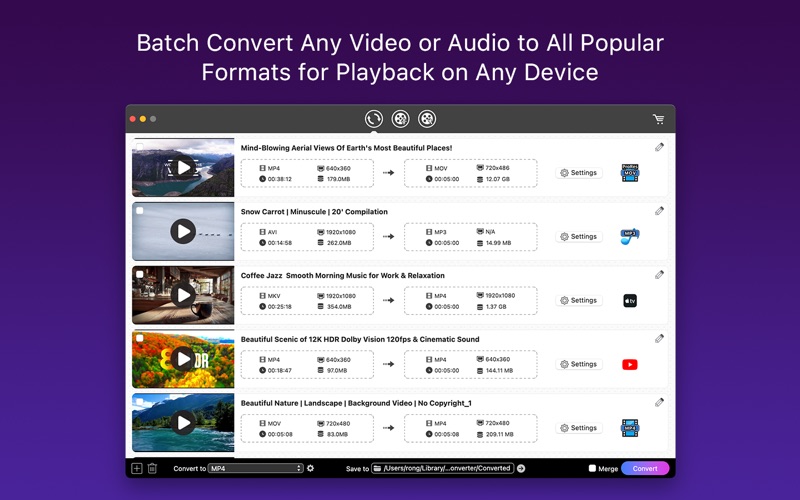
iFunia Video-Converter is an all-in-one media toolkit that lets you convert videos to any format, compress large files, and easily edit videos.
Video Converter features:
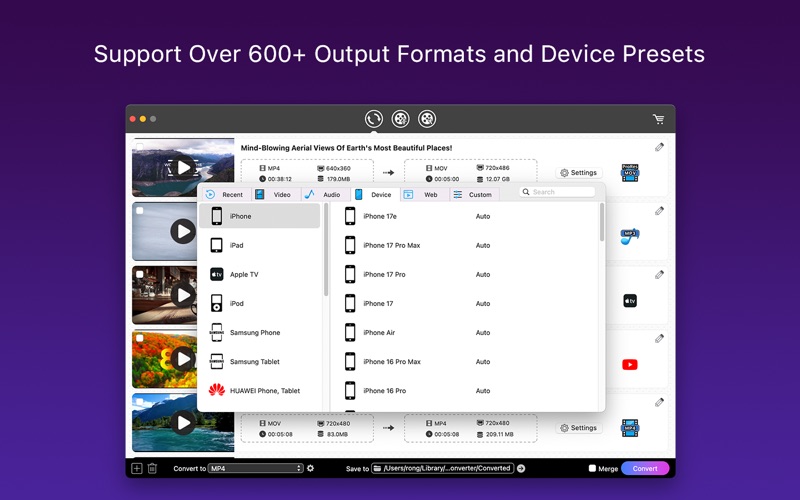
• Supports 1000+ video and audio formats, including including MP4, MOV, AVI, MKV, MP3, AAC, and more.
• Extracts audio from videos, and enjoy music anywhere.
• Converts for all the popular devices and softwares.
• Built-in media player to playback video and audio.
• Full quality video output and 30X faster speed video conversion.
• Batch convert multiple media files at a time.
• Easy to use, 3 quick steps to convert: add video - select output preset - click convert.
Video Compressor features:
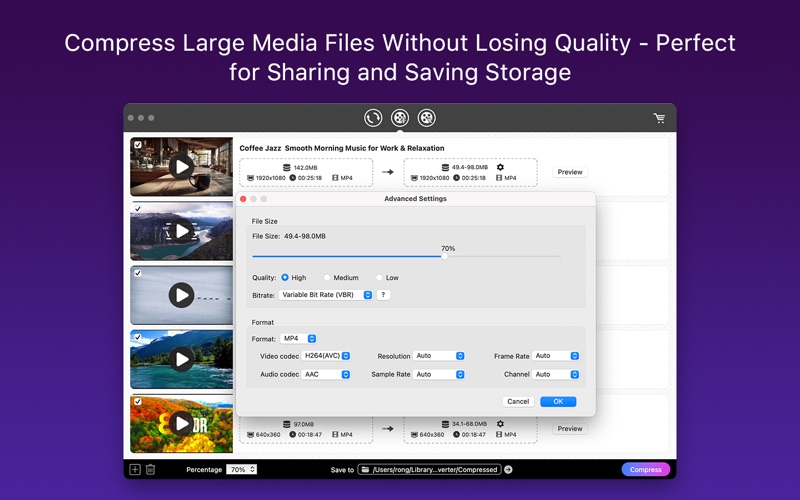
• Reduce video and audio file sizes without noticeable quality loss.
• Instantly view original and compressed file sizes, adjusting compression with a single slider.
• Supports video and audio in any format, boosting productivity with simultaneous file compression and lightning-fast GPU acceleration.
• Perfect for saving storage space, sharing files online, or optimizing videos for email, messaging apps, and social media uploads.
Video Editor Features:
• Quickly trim unwanted parts from videos with precision.
• Crop black bars or unwanted areas and rotate videos to the correct orientation.
• Import and embed subtitle files into videos for better accessibility and multilingual viewing.
• Organize long videos by adding chapters for easier navigation and playback.
• Protect and personalize your videos with text or image watermarks.
• Personalize and enhance your video with various video effects, like deinterlacing, brightness, contrast, etc.
• Control over the volume levels of the video file and add fade in/out effects to audio
Input Formats:
- Standard Definition Videos: 3GP, 3GP2, ASF, AVI, AMV, AVR, AVS, CDG, CDXL, Digital Video (DV, DIV), Flash Video (FLV, F4V), GDV, MKV, DVR, MJPEG Video (MJPG, MJPEG), MPG Video (MPG, MPEG, M2V, MPA), MP4, MPV, MTV, MV, MXF, NUT, NSV, Quick Time Video (MOV, QT), Raw Video (H261, H263, H264), Real Video (RM, RMVB), AU, (S) VCD Video (DAT), Video Transport Stream (TS, T2, M2T), WMV, YUV, MOD, TOD, VRO, AMV, IFV, IVF, JV, MLV, DIVX, OGV
- High Definition Videos: H.264/MPEG4 AVC Video (M2TS, MTS), AVCHD (M2TS, MTS), HD AVI, HD MPEG2 Video (MPG, MPEG), HD MP4, HD TS, HD MOV, HD WMV Video (XWMV)
- Audio Files: AA, AAC, AAX, AC3, ACM, ACT, ADTS, ADX, ACF, AIFF, ALAW, ARM, APE, APC, AU, CAF, DSF, DTS, FLAC, MP3, MP2, M4A, OGG, OGA, WAV, WMA, MKA, M4R, M4B
Output Formats:
- Standard Definition Videos: MP4, AVI, MPG, MPEG, VOB, MOV, M4V, ASF, WMV, FLV, SWF, RM, MKV, 3GP, 3G2, DV, WEBM, TS.
- High Definition Videos: MP4 Video, MP4 HD Video, MP4 HEVC Video, MKV Video, MKV HD Video, MKV HEVC Video, AVI Video, AVI HD Video, MOV Video, MOV HD Video, TS Video, TS HD Video, WMV Video, WMV HD Video, MPEG (VCD) Video, MPEG (SVCD) Video, VOB (DVD) Video, WEBM Video, OGV Video, DIVX Video, 3GP Video, 3GP2 Video, MXF Video, TRP Video, MPG Video, FLV Video, F4V Video, SWF Video, M2TS (BDAV) Video, MTS (AVCHD) Video
- 4K/5K Videos: MP4 4K AVC-3840, MP4 4K AVC-4096, MP4 4K AVC-5120, MP4 4K HEVC-3840, MP4 4K HEVC-4096, MP4 4K HEVC-5120, MKV 4K AVC-3840, MKV 4K AVC-4096, MKV 4K AVC-5120, MKV 4K HEVC-3840, MKV 4K HEVC-4096, MKV 4K HEVC-5120
- Audio: AAC Audio, M4A Audio, AC3 Audio, MP3 Audio, WMA Audio, WAV Audio, OGG Audio, AIFF Audio, FLAC Audio, AMR Audio, MKA Audio, AU Audio, M4B Audio, M4R Audio, APE Audio, MP2 Audio
- Apple Device, Apple Software, Game Console, Mobile Phone ,etc.
ABOUT SUBSCRIPTION
Your subscription will auto renew unless you canceled at least 24 hours before the end of the current period.
You can manage and cancel your subscriptions in your account settings of the App Store after purchase.
Privacy Policy: https://www.ifunia.com/privacy-policy.html
Terms Of Use: https://www.ifunia.com/terms-of-use.html
SUPPORT
If you have any questions about iFunia Video-Converter, please feel free to contact us at support@ifunia.com
Quoi de neuf dans la dernière version ?
1. Refreshed and streamlined user interface for a smoother experience.
2. Conversion speed and quality dramatically enhanced.
3. DVD Creator features removed for a more focused workflow.
4. New video compressor added to easily reduce file sizes.
5. Bugs fixed.