inPixel
macOS / Photo et vidéo
Convert, resize, transform, rename, add watermark, adjust, enhance, apply filters, effects, create icons and icon set, change color space... Batch process images, folders and multiple representations.
Create a preset and it's all done!. inPixel will always be next to your mouse, in background or in the menu bar ready to complete any kind of operation.
Features:
-CONVERSION:
-Convert from dozens of image formats including RAW formats (CRW, CR2, CR3, NEF...), PDF, AI, PSD, EPS...
-Easily convert to JPG, PNG, HEIF, BMP, TIFF, GIF, PDF, ICNS, PSD.
-TIFF conversion and resize preserve all representations.
-GIF to GIF conversion and resize preserve all frames.
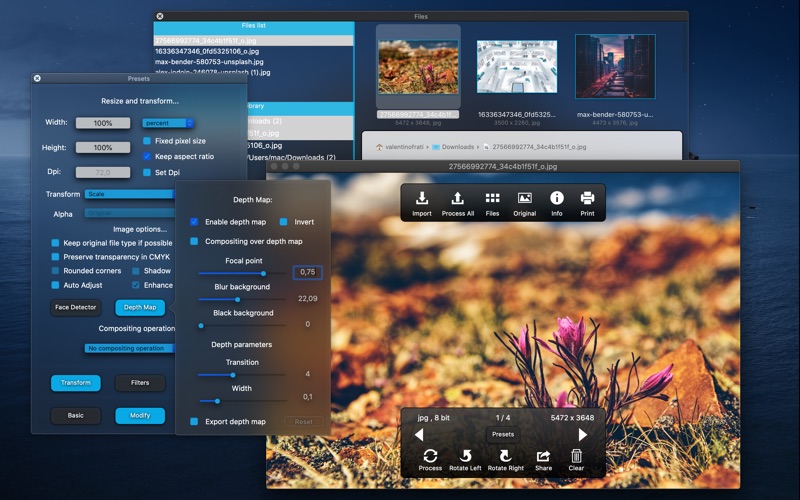
-Use the depth map with heif/heic images and apply filters to background and foreground separately.
-Adjust quality, compression and set depth (8/16/32 bits per channel).
-inPixel supports multiple resolutions and multiple representations.
-Simply select a Color Space and convert from/to Adobe RGB, RGB, sRGB, CMYK, CMYK with transparency, Gray, Gray Gamma 2.2... Preserve transparency in CMYKA Color Space with TIFF images.
-Create @2x Retina versions.
-Create a complete icon set for Xcode, 16x16, 32x32, 128x128, 256x256, 512x512 + @2x versions.
-Create a complete iOS icon set: iPhone, iPad, iPad Pro, iPad Mini, Retina versions.
-Create icons with rounded corners and add shadow.
-Create high-resolution tiff files with multiple representations: one for low-resolution and one for high-resolution.
-Merge multiple files into one file that contains all representations.
-Easily convert to multilayered PSD: drag and drop multiple files and obtain layers ready for Photoshop.
-RESIZE AND TRANSFORM:
-Huge variety of resizing options:
-Scale, High-quality resampling, fit to width, fit to height, fit to rectangle, max size.
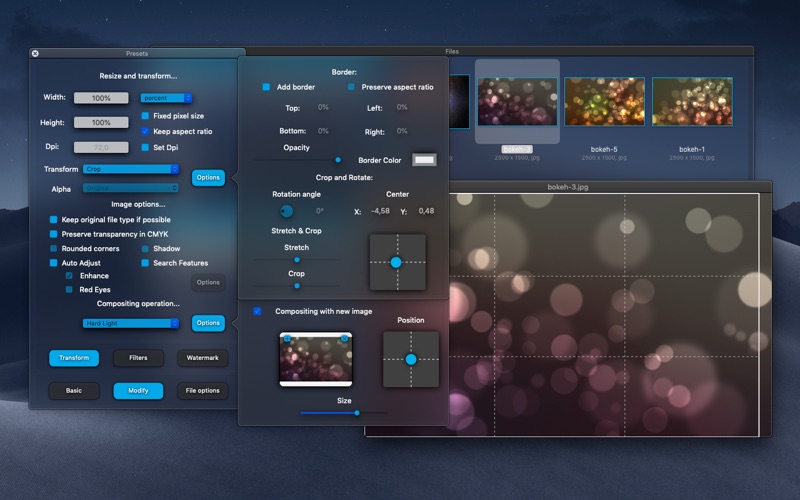
-Crop, stretch and crop.
-Rotate 90°, 180°, 270°, Free rotation, Specular, Flip.
-Set resolution and transparency.
-Add borders.
-Auto-Adjust images.
-Apply compositing filters: apply filters to images and select a composite operation, add a new image and adjust size and position.
-FILTERS AND FACE DETECTION:
-47 color filters that you can apply to images.
-Color controls, color correction, photo effects, color effects, HDR, blur, adjustments...
-Tiny planet filter.
-Adjust and customize.
-Create a filter chain with three different filters.
-Search features in images: detect faces, pixelate, blur, vignette, enhance, red eyes.
-WATERMARK:
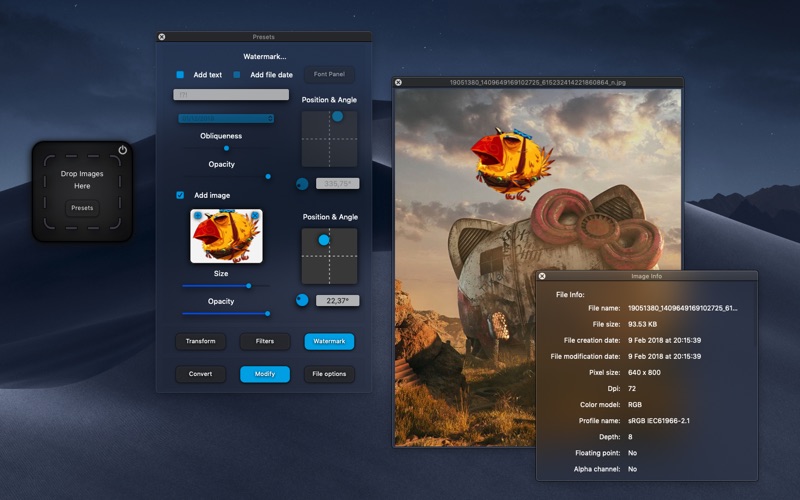
-Add text, add file date.
-Modify font, color, size, obliqueness, opacity.
-Set position and rotate.
-Add image.
-Control opacity, size, position and rotation.
-RENAME:
-Add prefix and/or add suffix.
-Change file name.
-Add date, rename with file date.
-Add numbers at start or at end.
-Add leading zeros.
-Import images, drag and drop to preview window and verify settings and filters.
-Browse images, select files that you want to process. You can use inPixel also as image viewer.
-Batch processing with folders.
-Search in subfolders and maintain folder structure.
-You can hide inPixel and use "open with" to process images in background.
-Save to same folder, choose a folder and save settings to preset.
-Preserve image metadata, EXIF, IPTC...
-Share your images.
-Add images to Photos Library, open with Photoshop, Lightroom...
Please report bugs or send requests to quentin.apps14@gmail.com .
Quoi de neuf dans la dernière version ?
- Bug fixes.