Mosaic - Photo Collage & Tile
macOS / Photo et vidéo
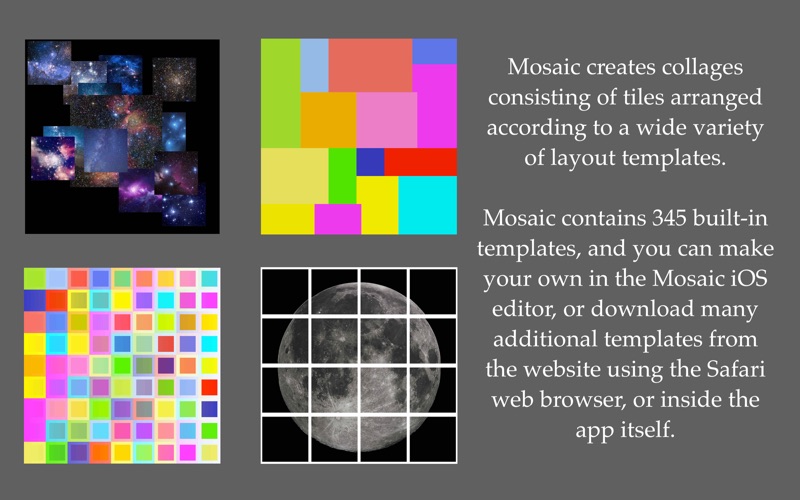
Mosaic is a fun app that creates collages consisting of tiles arranged according to a wide variety of layout templates.
Mosaic contains 345 built-in templates, but you can make your own in the Mosaic iOS editor, or download many additional templates from the website using your web browser or inside the app itself.
Because templates can be dragged "in and out" of the app "from and to" the Finder you can share them, store them, email them etc.
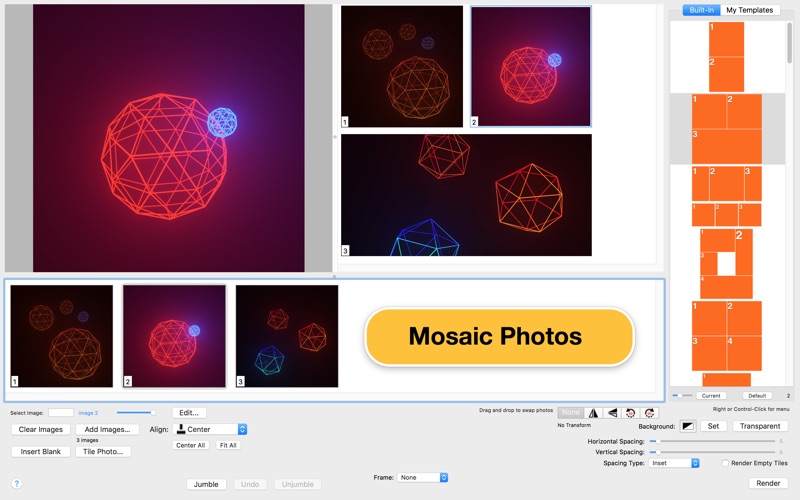
Each template is actually up to 5 different layouts since each can be rotated 90º left, rotated 90º right, flipped vertically or flipped horizontally.
You can set the spacing between tiles in the template, and set the background color exposed by this separation.
As an alternative to templates Mosaic has a feature called "Jumble." This mode of Mosaic randomly places the centers of each tile in the view. You can apply a jumble many times until you like the result!
Tile: Segment any photo into an array of rectangular sub-images. The number of rows and columns in the array can vary from 1 to 9.
An internal simple image editor conveniently provides photo cropping, rotation, adjustments and filter effects. Edits can be saved to a file or directly inserted to the image browser for the current mosaic.
The iOS version of Mosaic is available on the App Store:
https://itunes.apple.com/us/app/mosaic-collage/id633846868
Quoi de neuf dans la dernière version ?
• In 'My Templates' the sort button has been replaced by a button (with an eye icon) that will ask to open the website's page listing a variety of templates. Drag the template image from the web page into the 'My Templates' view to add it to the list. Once added it can be used as a collage layout.
• The horizontal and vertical spacing is now uniform and literal: the values are the actual pixel size of the horizontal and vertical spacing. New increment and decrement buttons help adjust the value 1 pixel at a time.
• The 'Insert Blank' feature has been improved by enabling the ability to set the color of the inserted image using the new Preferences window that provides a color picker. The color picker supports setting the opacity of the color.
• Fixed the 'Render' button that was not responding unless tapped in right area; due to a conflict with progress overlay that appears when rendering takes place.
• Supports dark appearance mode.
• Updated tool icons in the selection control for collage transform; restored missing icons in the image editor view.