iPhoneAddict Apps
  • Actualités
  • Accueil Apps
  • iPhone
  • iPad
  • Universelles
  • Mac
  • Apple TV
KG KultureGeek
App
iPhone / iPad Télécharger iAddict v5 Mac Télécharger iAddict Mac
  • Actualités
  • Accueil Apps
  • iPhone
  • iPad
  • Universelles
  • Mac
  • Apple TV
  • Archives keynotes
  • Firmwares & iTunes
  • Contactez-nous
  • Comparateur de prix
  • KultureGeek
Accueil » Liste des Apps » Apps Mac » Photo et vidéo » Panorama - Join Overlap Images
2.0.2 macOS €22,99€ Limit Point Software 0 0 Panorama extends the capability of your digital camera or scanner by stitching multiple overlapping pictures into panoramas. Panorama has an iOS companion by the same name: https://apps.apple.com/us/app/panorama/id482390711 Why use Panorama rather...
Panorama - Join Overlap Images

Panorama - Join Overlap Images

macOS / Photo et vidéo

22,99€ au lieu de 23,99€
Acheter sur l'App Store
Facebook X E-mail

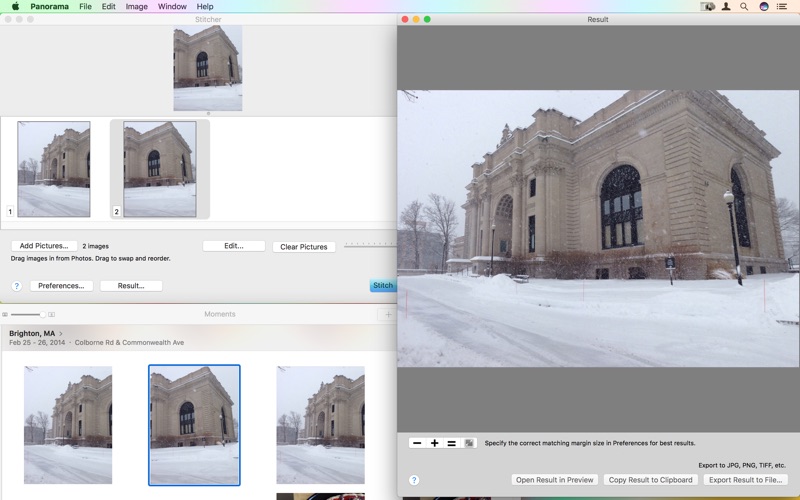
Panorama extends the capability of your digital camera or scanner by stitching multiple overlapping pictures into panoramas.

Panorama has an iOS companion by the same name:
https://apps.apple.com/us/app/panorama/id482390711

Why use Panorama rather than Camera app to make a panorama?

Panorama uses a different stitching technique that does not warp horizontal edges in your photos. Instead you obtain a panorama that is truer to the geometry of the scene.

Doubles and triples your camera's field of view! Vertically or horizontally.

Employs an approach not found in other products of this type removing artificial curvature of straight edges, creating a more realistic panorama.

Use Panorama when your camera can't encompass an all in one photo.

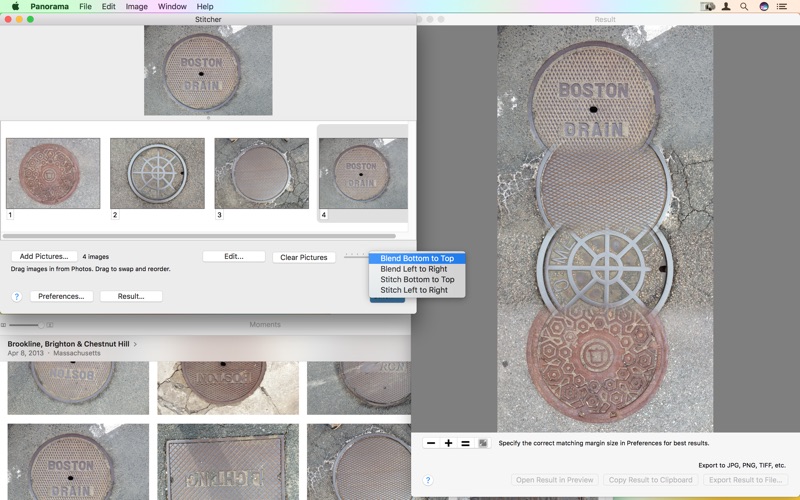
You can turn off stitching, by selecting a blending mode, to create photomontages.

To import to other apps, save your results from the Result window, in various formats such as JPG, PDF, PNG or TIFF, and others, depending on what your system supports.

Or, copy your image to the clipboard in the Result window to paste it into other apps. For example, in Preview, select "New from Clipboard" to open and edit the panorama.

Finally, you can blend and stitch images with AppleScript for automating the process.

Features:

• Doubles and triples your camera's field of view.
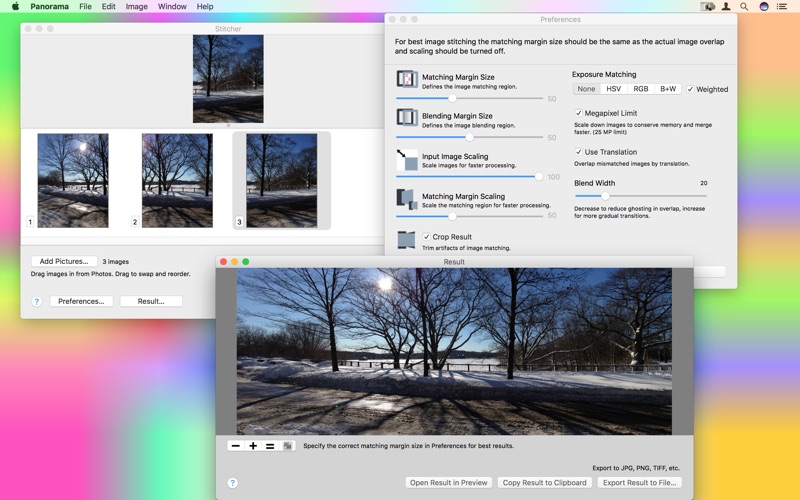
• Realistic 2 and 3 photo panoramas.
• Photo sets larger than 3 are blends of smaller stitched panoramas.
• The iOS companion Panorama app can aid in a photo shoot with its photo overlap guide - built into its own camera support.
• Supports vertical or horizontal stitching.
• Apply subsequent stitching to panoramas to create rectangular panoramas.
• Alternatively blend photos with variable blending gradient to create a photo montage.
• Stitching margins are adjustable to match the overlap in your pictures.
• AppleScript commands for stitching and blending.

Visit the website for more information on this AppleScript capability:

http://www.limitpointstore.com/products/panorama/tips.html#AppleScriptPanorama

En voir plus...

Quoi de neuf dans la dernière version ?

Maintenance update.
  • Screenshot #1 pour Panorama - Join Overlap Images
  • Screenshot #2 pour Panorama - Join Overlap Images
  • Screenshot #3 pour Panorama - Join Overlap Images

D'autres applications du développeur

Glow Draw.Glow Draw.iOS UniverselPhoto CropPhoto CropiOS UniverselNoSleepNoSleepmacOSFTPortalFTPortalmacOSnViewnViewmacOSGlow Paint.Glow Paint.iOS UniverselVoir toutes les apps

Note

(0 note)

Détails sur l'application

Version
2.0.2
Taille
4.5 Mo
Version minimum de macOS
10.14.6
Dernière mise à jour
21/01/2024
Publié par
Limit Point Software

Newsletter App Store

Recevez chaque jour les meilleures promos

Actualité Apple

Image Apple poursuivi pour fraude avec le relais privé iCloud et sa faille
Apple poursuivi pour fraude avec le relais privé iCloud et sa faille
Image Portée disparue : Apple TV dévoile le premier trailer de sa prochaine série thriller
Portée disparue : Apple TV dévoile le premier trailer de sa prochaine série thriller
Image Apple Arcade va ajouter ces 2 jeux en septembre
Apple Arcade va ajouter ces 2 jeux en septembre
Image iPhone 18 Pro : toujours 256 Go de stockage par défaut
iPhone 18 Pro : toujours 256 Go de stockage par défaut
iPhoneAddict Apps

Le catalogue iPhoneAddict pour suivre les nouveautés, mises à jour et baisses de prix de l’App Store.

Apps

Toutes les apps iOS iPhone iPad Universelles Mac Apple TV

iPhoneAddict

Actualité Apple Archives keynotes Contact À propos KultureGeek

Suivez-nous

©2009-2026 i2CMedia. Tous droits réservés.