Photo Perspective Pro
macOS / Photo et vidéo
Photo Perspective Pro straighten and adjust distorted pictures; correct non-rectangular distorted pictures into rectangular images; it can also distort photos or graphics. The Photo Perspective Pro has two alternatives in correcting perspective distortion: the automatic mode and the manual mode. The software allows you to manually adjust and correct the all types of perspective distortions (perspective distortion, tilt distortion and so on).
The following issues can be easily and perfectly solved:
- Perspecitve, tilt, imbalance and other distortion issues in the photos;
- Oblique objects in the photos;
- The horizon is tilted in the photos;
- Oblique, perspective street photos;
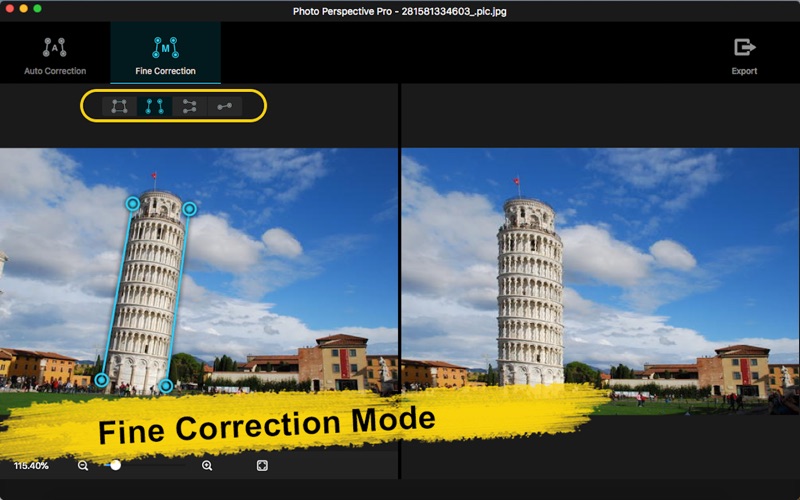
- The vertical lines of the building appear skewed;
- Crop the distorted image of the quadrangular area and correct it;
- Enhance perspective effect: enhance the perspective distortion effect in the vertical direction;
- Enhance perspective effect: enhance the perspective distortion effect in the horizontal direction.
Support over 70 common image formats.
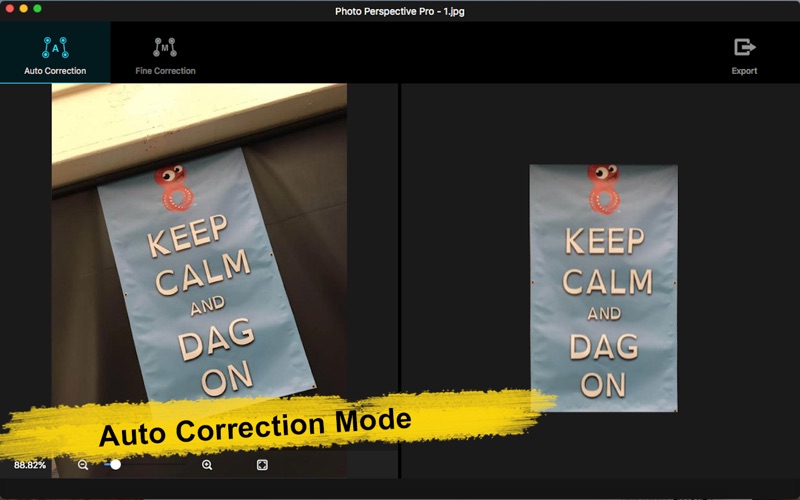
Photo Perspective Pro has two operating modes: Auto Correction mode and Fine Correction mode. In Fine Correction mode, four advanced tools are also provided for you to further choose to adjust for the best effect !
1.Auto Correction mode
The system automatically recognizes distorted pictures, automatically identifies and corrects the edges of pictures, and automatically corrects pictures. As long as you import the original picture, you can get professional repair results.
- Drag the picture directly into the software or onto the icon;
- Automatically identify and correct complex perspective problems;
- Automatic recognition and optimization to the maximum visible area;
- Save the corrected pictures.
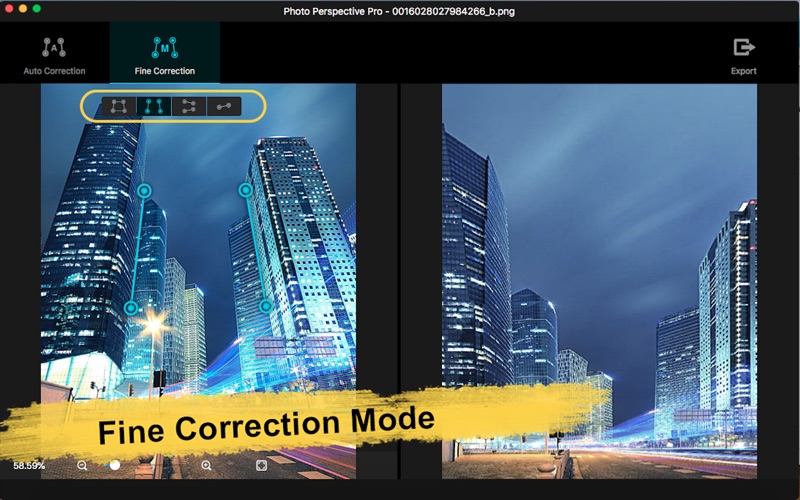
2. Fine Correction mode
In Fine Correction mode, Photo Perspective Pro provides four advanced tools you can choose to adjust and repair the photos according to your needs and preferences.
- Quadrilateral correction, the optimal control selects the desired area, and repairs the distortion effect;
- Single-line correction, can correct horizontal tilt distortion in the photos, which is very suitable for straightening the horizon;
- Vertical double-line correction, which can repair oblique perspective distortion in the vertical direction, and can also be used to enhance the perspective deformation effect in the vertical direction;
- Horizontal double-line correction, which can adjust the horizontal perspective distortion, and can also be used to enhance the perspective deformation effect in the horizontal direction;
- Display correction results in real time;
- Save corrected pictures.
Please send an email to ColorLemonStudio@yeah.net, if you have any problems.
Quoi de neuf dans la dernière version ?
1. Fix a minor bug.