CSV Converter
macOS / Productivité
- If you have any questions or issues, please don’t hesitate and contact me via the support link. The App Store doesn’t provide a way for me to respond to reviews, so I can’t get back to you and help you that way. -
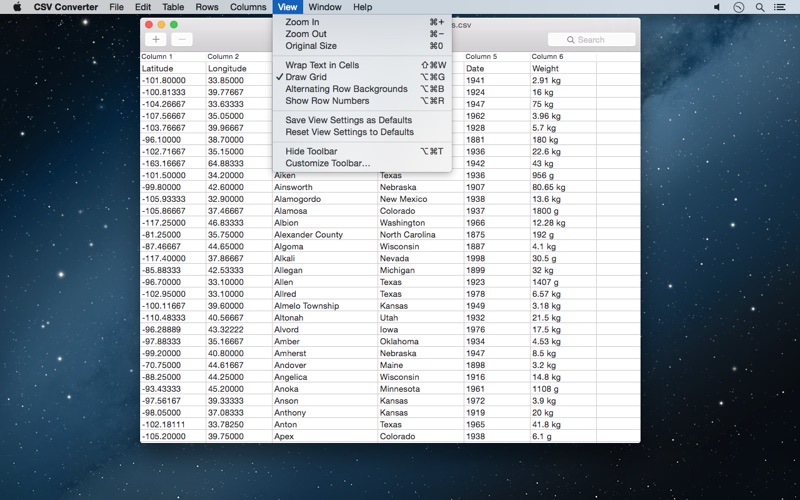
CSV Converter is an easy to use application for creating, opening, viewing, editing, saving, converting and searching in CSV and TSV files. The CSV file format is widely used to exchange data arranged in a table, like in a Numbers or Excel spreadsheet.
I originally wrote CSV Converter to be able to open CSV files that some apps are having problems with, preview the tabular data and re-save it without the internal inconsistencies that cause the issue.
For example, Excel will read and import CSV files, but can be very finicky about which ones it will consume. Sadly, there is no single CSV file standard so there are many dialects. CSV Converter will translate between these dialects.
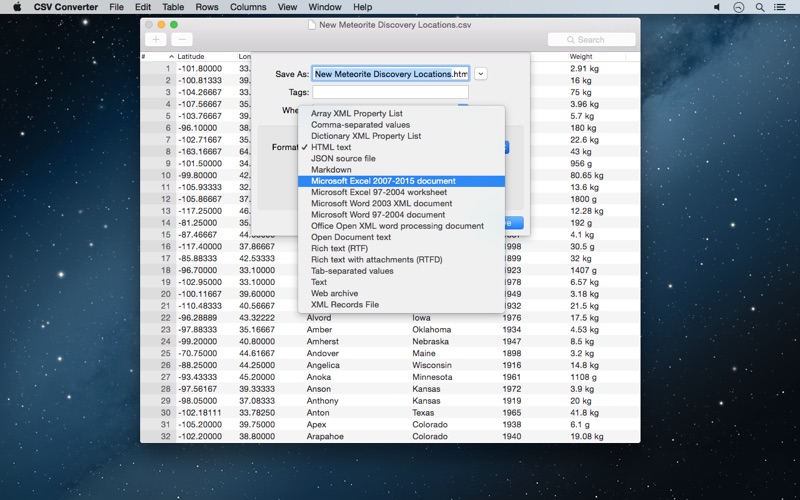
It can export the table (or all open tables at once) in various formats like Excel, RTF, Word, Open Document text, JSON and as a MultiMarkdown table. It can also copy the table to the clipboard in the format that iWork uses so you can paste it directly in Apple Numbers, Pages or Keynote. See the screenshots for a full list of exported formats.
If you have a CSV file in a dialect that CSV Converter reads differently from what you expect, get in touch and I will help you!
The supported separators are comma, semicolon (;), tab and pipe symbol (|). There is support for the space character ( ) and the period character (.), but these will not be auto-detected. You can choose these extra separators only when opening a file via the “Open…” entry in the “File” menu.
There is automatic text encoding detection, but you can choose the encoding manually from the “File” menu. The same goes for the header row: automatic detection with a manual override. Just open your file and let CSV Converter reopen it with different settings if you have a file that is out of the ordinary.
The detected values for line endings, list separator and encoding are displayed when using “Save As”. This is also useful if you need to match a certain set of CSV parameters. Just set them to those CSV Converter found for a file whose structure needs to match that of another.
Converting files to a different text encoding this way is easy: select another encoding. The list covers common encodings by default, but you can add most encodings that have ever been in wider use via the “Customize Encodings List…” entry.
You can ask CSV Converter to open any file. It doesn’t need to have “.csv” at the end of the file name, but it should contain tabulated text. So this doesn’t mean CSV Converter can do something useful with every file, but it will try very hard.
You can edit the contents of cells, add & delete rows and columns, reorder the columns (all with full undo and redo). Column headers can be edited via their contextual menu.
To reorder the columns, drag the column headers into the new order and save (assuming “Store Columns in New Order” is enabled). Clicking will sort the column. Clicking-and-holding will allow you to move them.
There is a “Convert” entry in the “Table” menu. This allows converting “Decimal Point to Comma” and “Decimal Comma to Point”.
This is particularly useful whenever you want to continue working with the data in a version of Apple Numbers that is set up for an area of the world that uses the decimal comma, but your data uses points (or vice versa).
The decimal separator conversion feature is designed to only change cells that start with a (negative or positive) decimal number. They may have other text following them, like a currency symbol or a measurement unit. Thousands-separators are handled as well. So your dates that are separated by periods or slashes are safe, as is any text that may contain these characters. Only the first decimal number in a cell will be converted.
Quoi de neuf dans la dernière version ?
- Enable exporting the column headers for JSON arrays
- Improve quality of column headers imported from JSON arrays
The root item index imported from JSON arrays is not prefixed to column headers anymore. This results in matching column headers for different JSON files with sharing the same structure. Regardless of their top-level item count.